










Datadog and Redis serve entirely different purposes. Datadog is an observability and monitoring platform. Redis is an open-source, in-memory data store used as a cache, database, and message broker. The question teams actually ask when they search “Datadog vs Redis” is: how well does Datadog monitor Redis, what does it cost, and are there better options?
This guide answers that question precisely, using only verified first-party data from Datadog’s own integration documentation, Redis‘s own product pages, and each alternative tool’s own site.
Key Takeaways
- Datadog’s Redis integration (check name redisdb, integration version 8.8.0, minimum Agent v6.0.0) is included in the Datadog Agent package with no additional installation. It tracks 200+ metrics across performance, memory, clients, replication, persistence, keyspace, cluster, Sentinel, ACL, event loop, active defrag, Redis Search, and more.
- The integration covers Redis Open Source, Redis Enterprise (via a separate integration), Redis Sentinel, and Azure Managed Redis (agentless, launched May 2026).
- Datadog infrastructure monitoring costs $15/host/month (annual, Pro plan). Redis nodes that do not submit traces to Datadog do not count as APM hosts, as confirmed in Datadog’s APM billing docs.
- CubeAPM is a self-hosted, OpenTelemetry-native platform that monitors Redis alongside the full application and infrastructure stack at $0.15/GB ingested with no per-host fees.
- The redis_exporter by oliver006 (MIT license) is the community-standard alternative for Prometheus-native Redis monitoring, with Redis Cluster auto-discovery and Valkey support.
- RedisInsight v3.4.2 (April 2026) is Redis’s own free GUI for cluster topology, slow log analysis, and memory inspection. It does not store historical metrics or send alerts.
What Datadog monitors for Redis
Redis Open Source integration
The Datadog Redis integration, documented at Datadog’s Redis docs (check name redisdb, integration version 8.8.0, minimum Agent version 6.0.0), collects 200+ metrics across the following categories:
Performance:
- redis.net.commands: commands processed per second
- redis.net.instantaneous_ops_per_sec: instantaneous ops/sec
- redis.info.latency_ms: latency of the Redis INFO command
- redis.ping.latency_ms: latency of the Redis PING command
- redis.slowlog.micros.avg, .max, .median, .95percentile, .count: slow log duration statistics
Memory:
- redis.mem.used, redis.mem.rss, redis.mem.peak, redis.mem.maxmemory: memory usage
- Redis.mem.fragmentation_ratio: ratio between RSS and used memory
- redis.mem.lua, redis.mem.overhead, redis.mem.dataset, redis.mem.startup: memory breakdown
- Redis.mem.total_replication_buffers: replication buffer memory (v7+)
- redis.allocator.*: allocator-level fragmentation and resident memory metrics
Clients and connections:
- redis.net.clients: connected clients (excluding replicas)
- redis.net.slaves: connected replicas
- redis.net.rejected: rejected connections
- Redis.clients.blocked: connections waiting on a blocking call
- Redis.clients.evicted: clients evicted due to maxmemory-clients limit
- redis.net.total_connections_received: total connections accepted
Persistence (RDB and AOF):
- redis.rdb.bgsave, redis.rdb.changes_since_last, redis.rdb.last_bgsave_time: RDB state
- redis.aof.enabled, redis.aof.rewrite, redis.aof.size, redis.aof.delayed_fsync: AOF state
Keyspace:
- redis.keys, redis.keys.evicted, redis.keys.expired, redis.expires: key counts
- redis.stats.keyspace_hits, redis.stats.keyspace_misses: cache hit and miss rates
- redis.persist, redis.persist.percent: persisted key counts
Replication:
- redis.replication.master_repl_offset, redis.replication.delay: replication offset and lag
- redis.replication.backlog_size, redis.replication.last_io_seconds_ago: backlog and connection health
- redis.replication.sync, redis.replication.sync.full: sync state
- redis.replication.slave_repl_offset, redis.replication.master_link_down_since_seconds: replica state
Pub/Sub:
- redis.pubsub.channels, redis.pubsub.patterns, redis.pubsub.shard_channels: active pub/sub state
Sentinel:
- redis.sentinel.masters, redis.sentinel.tilt, redis.sentinel.tilt_since_seconds: Sentinel state
Cluster:
- redis.cluster.enabled, redis.cluster.known_nodes, redis.cluster.size: cluster topology
- redis.cluster.slots_ok, redis.cluster.slots_fail, redis.cluster.slots_pfail: slot health
- redis.cluster.state: whether the cluster is in a working state
ACL (Redis 6+):
- redis.acl.denied.auth, redis.acl.denied.cmd, redis.acl.denied.key, redis.acl.denied.channel: ACL denials
Event loop (Redis 7+):
- redis.eventloop.cycles, redis.eventloop.duration_sum, redis.eventloop.duration_cmd_sum: event loop performance
- redis.eventloop.instantaneous_cycles_per_sec, redis.eventloop.duration_max: real-time event loop metrics
Active defragmentation:
- redis.active_defrag.running, redis.active_defrag.hits, redis.active_defrag.misses: defrag state
Redis Search (vector and full-text search):
- redis.search.indexes.total, redis.search.memory.used_indexes, redis.search.memory.used_vector_index: index metrics
- redis.search.queries.commands, redis.search.errors.indexing_failures: query and error metrics
- redis.search.gc.*: garbage collector metrics for search indexes
Tracking (Redis 6+ client-side caching):
- redis.tracking.clients, redis.tracking.total_keys, redis.tracking.total_items: tracking state
Service checks:
- redis.can_connect: CRITICAL if the Agent cannot connect to Redis; OK otherwise
- redis.replication.master_link_status: CRITICAL if this instance cannot connect to its master; OK otherwise
The Redis check does not include any events.
Redis Enterprise integration
The Datadog Redis Enterprise integration works with on-premises and private cloud installations of Redis Enterprise. It provides metrics for databases, nodes, and shards, covering database throughput, memory utilization, CPU usage, connection counts, and replication health. Additional metrics for replication, proxy, listener, and others are available via the extra_metrics parameter.
Azure Managed Redis integration
The Azure Managed Redis integration (May 2026) is agentless. Once the Azure integration is configured, Managed Redis metrics flow into Datadog automatically, populating out-of-the-box dashboards and monitors. The integration surfaces hit rate, miss rate, evictions, used memory percentage, and server load, with a built-in recommended monitor for high server load.
How to set up Datadog Redis monitoring
Confirmed from Datadog’s Redis docs:
Step 1: The redisdb check is included in the Datadog Agent package. No additional installation needed.
Step 2: Edit redisdb.d/conf.yaml in the Agent’s conf.d/ folder:
init_config:

instances:

  - host: localhost

    port: 6379

    # username: <USERNAME>   # Redis 6+ with ACLs

# password: <PASSWORD>For Redis 6+ with ACLs: the user needs at minimum DB Viewer permissions at the Database level, Cluster Viewer permissions in a cluster environment, and +config|get +info +slowlog|get ACL rules.
Step 3: Enable log collection (optional). Add logs_enabled: true to datadog.yaml, then configure the log path in redisdb.d/conf.yaml.
Step 4: Enable trace collection (optional). Requires enabling APM and instrumenting the application that makes requests to Redis. Redis nodes that do not generate traces submitted to Datadog do not count as APM hosts for billing.
Step 5: Restart the Agent. Verify with datadog-agent status, checking for redisdb under Checks.
For Kubernetes, use Autodiscovery Annotations v2 (Agent v7.36+):
ad.datadoghq.com/redis.checks: |

  {

    "redisdb": {

      "init_config": {},

      "instances": [{"host": "%%host%%","port":"6379","password":"%%env_REDIS_PASSWORD%%"}]

    }

}For Docker, configure via Docker labels using the %%env_REDIS_PASSWORD%% template variable to avoid storing the password in plain text.
Datadog Redis monitoring pricing
Confirmed from Datadog’s pricing page and APM billing docs:
Infrastructure Monitoring Pro: $15/host/month (annual). Redis monitoring via the redisdb check is included with no additional per-integration cost.
APM (for trace correlation): $36/host/month (annual, standalone). As confirmed in Datadog’s own APM billing documentation: “Hosts running services that are not instrumented (e.g. databases, caches, queues, and load-balancers) and are not generating traces submitted to the Datadog platform do not count as APM hosts.” Redis nodes themselves are therefore typically billed only at $15/host/month as infrastructure hosts, not as APM hosts.
Billing model: Datadog uses a high-watermark plan (HWMP). The billable host count is calculated at the end of the month using the 99th percentile of hourly measurements, excluding the top 1% to reduce spike impact.
Cost at scale: A 20-node Redis cluster costs 20 infrastructure host licenses – $300/month at the annual Pro rate. APM licenses for the application services connecting to Redis add separately.
Limitations of using Datadog to monitor Redis
- Per-host pricing scales with cluster size. Every Redis node is a billable infrastructure host.
- 15-day default log retention. On-demand customers default to 15-day retention. Different retention requires contacting Datadog support.
- Data leaves your infrastructure. All Redis metrics, logs, and traces are sent to Datadog’s SaaS platform. No self-hosted deployment option exists.
- Redis Enterprise built-in dashboard is real-time only. Historical trending requires Prometheus export or Datadog.
Alternatives to Datadog for Redis monitoring
1. CubeAPM

CubeAPM is a self-hosted, OpenTelemetry-native APM and infrastructure monitoring platform. Redis monitoring is confirmed on CubeAPM’s infra docs with sample configurations at CubeAPM’s GitHub.
Features
- Redis metrics collected via the OTel Collector’s Redis receiver or redis_exporter
- Tracks memory utilization, eviction rates, cache hit ratio, latency, replication lag, and keyspace statistics across cluster nodes
- APM trace correlation: navigate from a high miss rate or latency spike to the application service and trace that caused it
- Full MELT observability in a single platform alongside all application and infrastructure data
- Self-hosted inside your VPC; no Redis metrics or trace data leaves your infrastructure
- SOC 2 and ISO 27001 compliant
Pricing: $0.15/GB ingested. No per-host, per-node, or per-cluster fees.
Limitations: Not open-source. Requires self-hosting. Does not provide the interactive key-level debugging that RedisInsight offers.
Best for: Teams that want Redis monitoring correlated with APM traces and infrastructure metrics in one self-hosted platform, with predictable pricing that does not scale with node count.
2. Prometheus redis_exporter + Grafana
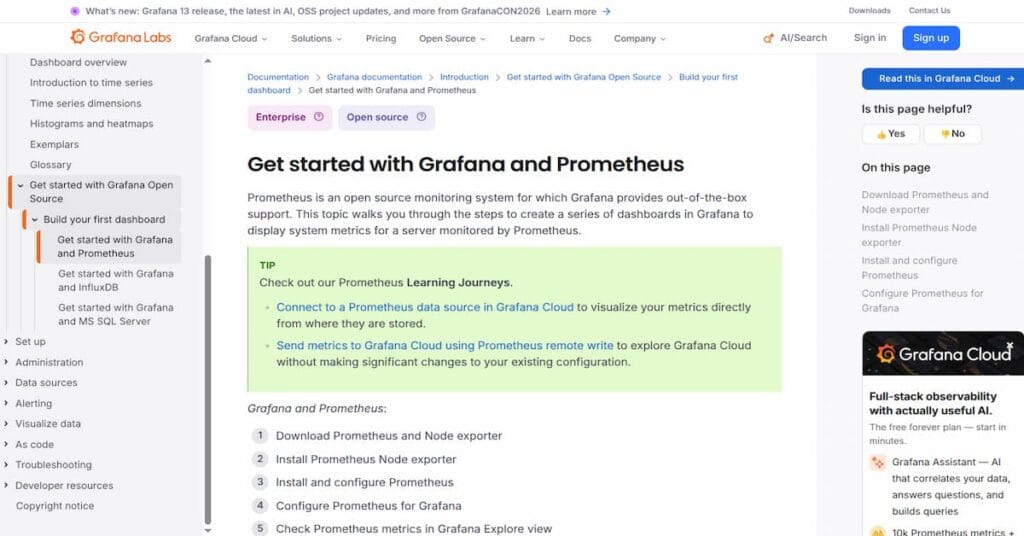
The redis_exporter by oliver006 (MIT license) is the community standard for Prometheus-native Redis monitoring.
Features
- Exposes all Redis INFO metrics as Prometheus metrics on port 9121
- Redis Cluster auto-discovery via /discover-cluster-nodes, usable in Prometheus http_sd_configs
- Supports Valkey 9.x, 8.x, and 7.x alongside Redis versions
- Redis Sentinel metrics for failover monitoring
- Key-level memory analysis via server-side Lua scripts and SCAN cursors
- TLS support, optional role label per node (primary/replica)
Grafana’s Redis monitoring solution page provides pre-built dashboards, including the official redis_exporter dashboard.
Pricing:
- redis_exporter: Free (MIT)
- Grafana self-hosted: Free (AGPLv3)
- Grafana Cloud Free: $0; 10,000 metric series, 50 GB logs/traces, 14-day retention
- Grafana Cloud Pro: $19/month + $6.50/1,000 metric series + $0.50/GB logs/traces
Best for: Teams already on Prometheus and Grafana who want Redis monitoring without a new vendor.
3. RedisInsight
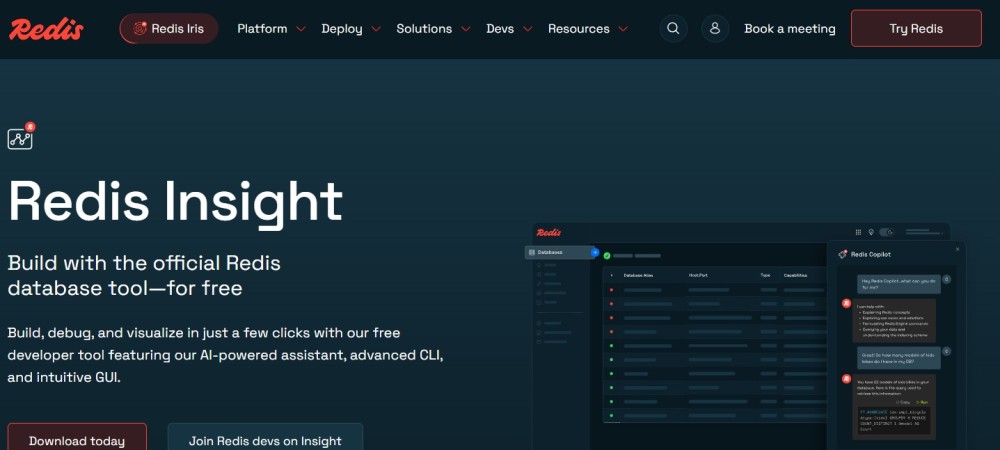
RedisInsight (v3.4.2, April 2026) is the official free Redis GUI from Redis Ltd.
Features
- Cluster topology browser for Redis Open Source, Sentinel, and managed cloud instances
- Azure Managed Redis support with Entra ID passwordless auth (added v3.2.0, February 2026)
- Slow log analysis across cluster nodes
- Memory analysis: large keys, memory per key pattern, serialization overhead
- Profiler: live view of commands being executed
- Workbench: interactive command editor with module support (JSON, Search, TimeSeries)
- Available as desktop app (Windows, macOS, Linux) and a Docker image
Pricing: Free for all users. Source available on GitHub.
Limitations: No historical metrics, no alerting, no incident management. Use alongside a metrics-based tool.
Best for: Redis developers and operators who want interactive cluster exploration, slow log investigation, and key-level memory analysis.
4. Redis Software built-in monitoring
For teams running Redis Software (formerly Redis Enterprise Software), built-in monitoring requires no additional tooling.
Features
- Real-time metrics for clusters, nodes, databases, and shards in the Cluster Manager UI
- Prometheus v2 scraping endpoint at https://<IP>:8070/v2 (GA in Redis Software 8.0.2-17+)
- Alert configuration for memory, throughput, and replication events
- Active-Active synchronization dashboard for geo-distributed deployments
Pricing: Included with Redis Software commercial license. Contact redis.io/software for pricing.
Best for: Redis Software customers who want built-in visibility with Prometheus export.
Comparison table
| Tool | Redis types covered | APM correlation | Self-hosted | Free tier | Pricing |
| Datadog | OSS, Enterprise, Sentinel, Azure Managed Redis | Yes | No | No (14-day trial) | $15/host/month (infra) |
| CubeAPM | OSS, Enterprise, Cluster, Sentinel (via OTel) | Yes | Yes | No | $0.15/GB ingested |
| Prometheus + Grafana | OSS, Cluster, Sentinel, Valkey | No | Yes | Yes (fully free) | Infrastructure costs only |
| RedisInsight | OSS, Enterprise, Cloud, Sentinel | No | Yes (desktop) | Yes (fully free) | Free |
| Redis Software built-in | Redis Software only | No | Yes (RS only) | Included with RS | Commercial |
Which Redis monitoring tool should you choose?
- Choose Datadog if your team is already on the Datadog platform and needs managed Redis monitoring with 200+ metrics, logs, APM trace correlation, and the widest Redis deployment coverage, including Azure Managed Redis, with no additional infrastructure to manage.
- Choose CubeAPM if you want Redis monitoring correlated with APM traces and infrastructure metrics in a single self-hosted platform, with ingestion-based pricing that does not scale with node count and where all monitoring data stays in your own VPC.
- Choose Prometheus redis_exporter + Grafana if you already run Prometheus and Grafana and want to add Redis cluster monitoring without a new vendor. Free, MIT-licensed, and the most widely deployed open-source Redis monitoring stack.
- Choose RedisInsight for interactive debugging, slow log investigation, and key-level memory analysis alongside your metrics-based stack. Free and officially maintained by Redis Ltd.
- Choose Redis Software built-in monitoring if you are an existing Redis Software customer who wants cluster health visibility and Prometheus metric export included in your license.
Summary
Datadog is a powerful managed solution for Redis monitoring that requires no additional infrastructure and covers virtually every Redis deployment type. Its $15/host/month infrastructure pricing works well for small to medium Redis deployments but scales directly with node count on larger clusters.
For teams that want Redis monitoring correlated with full application and infrastructure observability without per-node pricing and without data leaving their infrastructure, CubeAPM is the self-hosted alternative at $0.15/GB ingested. For teams already on Prometheus, the redis_exporter and Grafana stack is fully free and battle-tested at scale. RedisInsight rounds out any Redis monitoring setup as the definitive free tool for interactive cluster exploration.
| Tool | Best for | Free | Self-hosted |
| Datadog | Managed monitoring, widest coverage, existing Datadog users | No | No |
| CubeAPM | APM + Redis monitoring, self-hosted, no per-node fees | No | Yes |
| Prometheus + Grafana | Open-source Prometheus teams | Yes | Yes |
| RedisInsight | Interactive exploration and debugging | Yes | Yes (desktop) |
| Redis Software built-in | Redis Software customers | Included with RS | Yes (RS only) |
Disclaimer: Datadog Redis integration details (check redisdb, version 8.8.0, Agent v6.0.0+, 200+ metrics, service checks redis.can_connect and redis.replication.master_link_status, no events) confirmed from Datadog’s Redis docs. Pricing ($15/host/month infra Pro, $36/host/month APM standalone, annual) confirmed from Datadog’s pricing page and APM billing docs. RedisInsight v3.4.2 confirmed from Redis’s release notes. redis_exporter features from its GitHub repo. Grafana pricing from grafana.com/pricing. CubeAPM pricing from cubeapm.com/pricing. Verify all pricing and features with each vendor before making decisions.
Also read:
What Are the Best Data Pipeline Monitoring Tools in 2026?
Datadog LLM Observability: Examples, Pricing, and Alternatives in 2026
What Are the Best Frontend Performance Monitoring Tools for Angular in 2026?