










TimescaleDB runs as a PostgreSQL extension, which means it inherits PostgreSQL’s full monitoring surface while adding its own failure modes on top. Standard PostgreSQL monitoring tools catch most of what PostgreSQL exposes: slow queries from pg_stat_statements, connection counts from pg_stat_activity, replication lag from pg_stat_replication.
But they miss the failure modes that are specific to TimescaleDB: compression jobs that fail silently, continuous aggregates that stop refreshing and serve stale data for days, chunk counts that grow past the point where query planning overhead becomes the dominant cost, and background worker pools that exhaust while everything looks normal from the outside.
Choosing a monitoring tool for TimescaleDB requires evaluating two distinct layers. The first is PostgreSQL-level monitoring: query performance, connections, cache hit ratio, vacuum activity, replication lag. The second is TimescaleDB-specific monitoring: hypertable chunk health, compression job status, continuous aggregate freshness, and background worker health. Most tools cover the first layer well. Very few cover both.
This guide covers what to monitor in TimescaleDB, the key queries, and the best database monitoring tools for TimescaleDB in 2026.
Key Takeaways
- Standard PostgreSQL monitoring tools miss TimescaleDB-specific failure modes: compression job failures, stale continuous aggregates, chunk count bloat, and background worker pool exhaustion.
- Compression job failures are silent; the only way to detect them is to query timescaledb_information.jobs directly for last_run_status = ‘Failed’ and rising total_failures.
- Continuous aggregates serve stale data silently when the refresh job stalls; monitor timescaledb_information.continuous_aggregate_stats for completed_threshold lag.
- Part count above 300 per table begins triggering query planning overhead; alert before reaching 1,000 where inserts are blocked entirely.
- All timescaledb_information.* view names and column references are verified against TimescaleDB 2.27.0 (released May 12, 2026).
- PostgreSQL 15 support is deprecated in TimescaleDB; the June 2026 release will be the last to support it. PostgreSQL 16 or higher is required going forward.
- Datadog Database Monitoring pricing is not publicly listed on datadoghq.com/pricing; pganalyze pricing is not publicly listed on pganalyze.com/pricing. Contact each vendor directly for current rates.
- pganalyze has no TimescaleDB-specific extension monitoring and does not query timescaledb_information.* views.
What TimescaleDB Monitoring Requires Beyond PostgreSQL
- Chunk count grows silently until queries slow down: TimescaleDB partitions each hypertable into chunks by time interval. A hypertable generating thousands of small chunks causes query planning overhead that scales with chunk count, not with data volume. A query executing in 2ms can take 400ms or more once the planner has to evaluate constraints across thousands of chunks. Standard PostgreSQL monitoring shows the query as slow. It does not show why.
- Compression jobs fail without errors: TimescaleDB compresses older chunks automatically via background jobs. When a compression job fails, uncompressed chunks accumulate silently. There are no PostgreSQL-level error logs unless the job itself crashes the background worker. The only way to detect a failing compression job is to query timescaledb_information.jobs directly and check last_run_status and total_failures.
- Continuous aggregates go stale without any signal: Continuous aggregates are materialized views that refresh on a background schedule. When the refresh job stalls due to worker pool exhaustion, a lock conflict, or resource pressure, the aggregate continues serving data from its last successful refresh. There is no error, no warning, and no visible staleness indicator unless you query timescaledb_information.continuous_aggregate_stats for completed_threshold and compute the refresh lag.
- Background worker pool exhaustion affects all jobs at once: TimescaleDB runs compression, retention, and continuous aggregate refresh jobs through a shared pool of background workers. When the pool is exhausted, all jobs queue up. The symptom is multiple jobs with last_run_status = ‘Failed’ simultaneously, combined with rising chunk counts and stale aggregates. Without cross-job visibility, each symptom looks like an isolated failure.
Key TimescaleDB Monitoring Queries
These queries are the foundation of TimescaleDB-specific monitoring. All system table names are from the official TimescaleDB documentation at docs.timescale.com, verified against TimescaleDB 2.27.0 (released May 12, 2026).
Slow queries using pg_stat_statements:
SELECT

    calls,

    ROUND(mean_exec_time::numeric / 1000, 4) AS mean_exec_sec,

    ROUND(total_exec_time::numeric / 1000, 2) AS total_exec_sec,

    LEFT(query, 120) AS query_preview

FROM pg_stat_statements

WHERE calls > 10

ORDER BY mean_exec_time DESC

LIMIT 10;Chunk count and compression health per hypertable:
SELECT

    hypertable_schema,

    hypertable_name,

    COUNT(*) AS chunk_count,

    COUNT(*) FILTER (WHERE is_compressed) AS compressed_chunks,

    COUNT(*) FILTER (WHERE NOT is_compressed) AS uncompressed_chunks,

    pg_size_pretty(SUM(total_bytes)) AS total_size

FROM timescaledb_information.chunks

GROUP BY hypertable_schema, hypertable_name

ORDER BY SUM(total_bytes) DESC;Compression job health:
SELECT

    job_id,

    application_name,

    scheduled,

    last_run_status,

    last_run_started_at,

    next_start,

    total_failures,

    total_successes

FROM timescaledb_information.jobs

WHERE application_name LIKE 'Compression%'

ORDER BY total_failures DESC;Continuous aggregate freshness:
SELECT

    view_name,

    completed_threshold,

    now() - completed_threshold::timestamptz AS refresh_lag,

    last_run_status,

    total_failures

FROM timescaledb_information.continuous_aggregate_stats

ORDER BY refresh_lag DESC;All background job health at once:
SELECT

    job_id,

    application_name,

    schedule_interval,

    last_run_status,

    next_start,

    total_runs,

    total_failures,

    total_successes

FROM timescaledb_information.jobs

ORDER BY total_failures DESC, last_run_started_at DESC;Alert thresholds:
| Signal | Warning | Critical |
| Chunk count per hypertable | > 500 | > 1,000 |
| Uncompressed chunks older than policy | > 10 | > 50 |
| Compression job last_run_status = ‘Failed’ | Any | Any |
| Continuous aggregate refresh lag | > 2x schedule interval | > 4x schedule interval |
| Multiple jobs failing simultaneously | Any | Investigate background_pool_size |
Best Database Monitoring Tools for TimescaleDB
1. CubeAPM
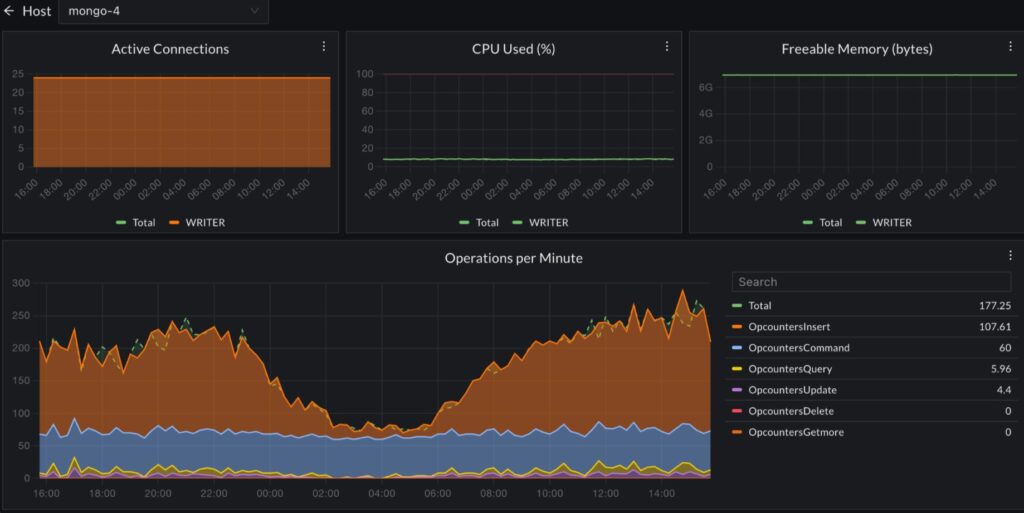
CubeAPM is a full-stack observability platform that runs inside your own infrastructure. For TimescaleDB monitoring, it collects PostgreSQL metrics via the OpenTelemetry PostgreSQL receiver, ingests TimescaleDB-specific signals from timescaledb_information.* views via the OTel Collector, and correlates database signals with application distributed traces and infrastructure metrics in one interface. Telemetry data never leaves your infrastructure.
Key features for TimescaleDB monitoring
- PostgreSQL metrics via OTel Collector PostgreSQL receiver: connections, cache hit ratio, transaction rates, replication lag
- pg_stat_statements integration for slow query detection: mean execution time, total calls, rows affected
- TimescaleDB chunk count and compression status tracking via timescaledb_information.chunks
- Compression job failure alerts via timescaledb_information.jobs
- Continuous aggregate staleness alerts via timescaledb_information.continuous_aggregate_stats
- Infrastructure metrics (CPU, disk I/O, memory) correlated with database query performance
- Distributed traces from application services correlated with database slow query spans
- Flat $0.15/GB pricing with no per-instance, per-host, or per-user fees
Best for: Teams running TimescaleDB as part of a broader application stack who want all signals (application traces, TimescaleDB health, infrastructure metrics) in one self-hosted platform with no telemetry leaving their own cloud.
Limitations: Self-hosted deployment required. Requires at least one engineer comfortable with Helm or Docker Compose.
2. Grafana with postgres_exporter
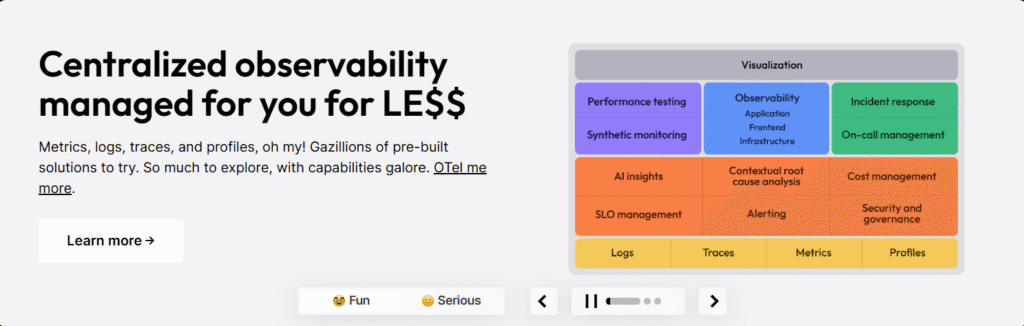
The prometheus-community/postgres_exporter scrapes PostgreSQL and TimescaleDB metrics in Prometheus format. Combined with Grafana for visualization and Alertmanager for alerting, this is the most widely deployed self-hosted TimescaleDB monitoring stack.
Key features for TimescaleDB monitoring
- pg_stat_statements metrics exposed as Prometheus gauges
- Core PostgreSQL metrics: connections, cache hit ratio, transaction rate, table bloat, vacuum activity, replication lag
- Custom query support via queries.yaml: extend postgres_exporter with any SQL against timescaledb_information.* views
- Community Grafana dashboard templates available for PostgreSQL as a starting point
Custom postgres_exporter query for chunk count:
# queries.yaml

timescaledb_chunk_count:

  query: |

    SELECT

      hypertable_name,

      COUNT(*) AS chunk_count,

      COUNT(*) FILTER (WHERE is_compressed) AS compressed_chunks

    FROM timescaledb_information.chunks

    GROUP BY hypertable_name

  metrics:

    - hypertable_name:

        usage: "LABEL"

        description: "Hypertable name"

    - chunk_count:

        usage: "GAUGE"

        description: "Total chunk count for this hypertable"

    - compressed_chunks:

        usage: "GAUGE"

description: "Number of compressed chunks"Best for: Teams already running Prometheus and Grafana for infrastructure monitoring who want to add TimescaleDB database metrics alongside existing dashboards without introducing a new platform.
Limitations: Grafana, Loki, Tempo, and Mimir are all AGPLv3. TimescaleDB-specific monitoring requires custom queries in queries.yaml. Alerting requires Alertmanager configuration. No distributed tracing correlation.
3. Datadog
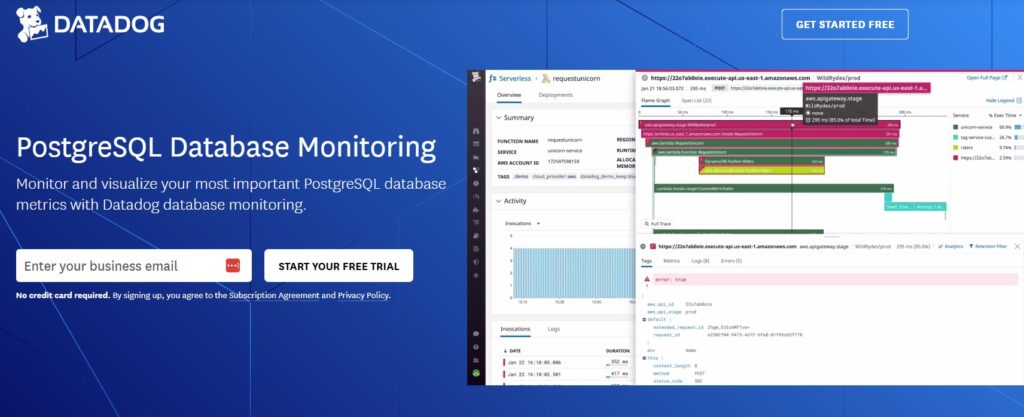
Datadog‘s PostgreSQL integration collects database metrics via pg_stat_statements and pg_stat_bgwriter alongside infrastructure-level metrics. The Database Monitoring product adds query-level execution plan analysis, live query visualization, and explain plan collection. Datadog does not have a dedicated TimescaleDB integration, so TimescaleDB-specific signals require custom check configuration.
Key features for TimescaleDB monitoring
- Database Monitoring product: query-level explain plan collection, normalized query fingerprinting, query execution history
- PostgreSQL integration: connections, cache hit ratio, transaction rate, dead tuples, autovacuum activity, replication lag
- Custom check support: add Python-based custom checks that query timescaledb_information.* views and emit custom metrics
- Infrastructure correlation: correlate database performance with host CPU, disk I/O, and memory in the same view
- Application tracing via Datadog APM correlates slow endpoint spans with database query spans
Pricing: Infrastructure Pro at $15/host/month (annual), sourced from datadoghq.com/pricing. Database Monitoring pricing is not publicly listed on the Datadog pricing page; contact datadoghq.com/pricing for current Database Monitoring per-host rates.
Best for: Enterprise teams who need query-level explain plan analysis and correlation between application traces and database queries, and who already use Datadog across the broader infrastructure stack.
Limitations: No native TimescaleDB-specific monitoring. Chunk health, compression job status, and continuous aggregate freshness require custom metric checks. Per-host pricing means costs grow directly with the number of TimescaleDB nodes.
4. pganalyze
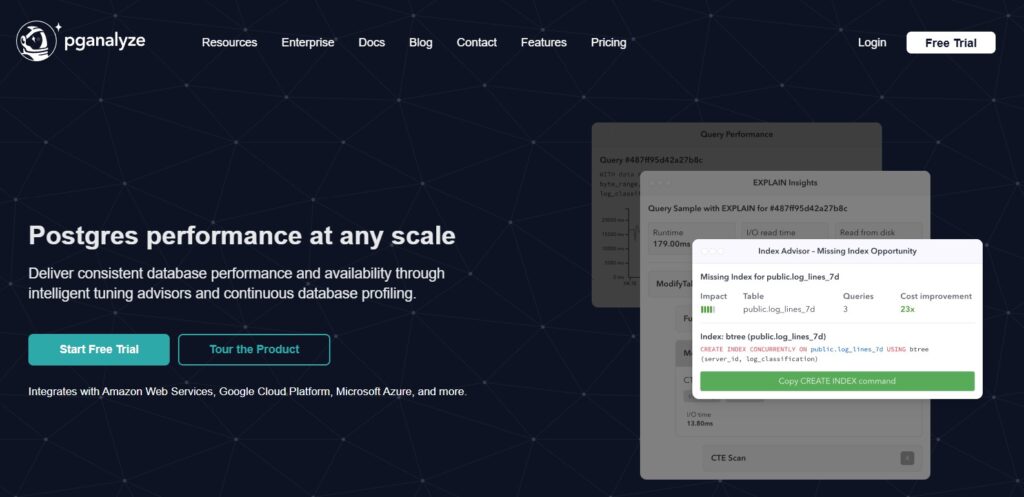
pganalyze is a purpose-built PostgreSQL performance monitoring tool focused on query analysis, EXPLAIN plan visualization, index advisor recommendations, and vacuum monitoring. It connects to PostgreSQL via a collector agent and provides deep query-level analysis not available in general-purpose monitoring platforms.
Key features
- Deep pg_stat_statements analysis: normalized query fingerprinting, p99 latency trends, query regression detection
- EXPLAIN plan collection and visualization with automated plan regression alerts
- Index advisor: identifies missing indexes and unused indexes based on query patterns
- Vacuum monitoring: dead tuple accumulation, autovacuum frequency, table bloat
- Lock monitoring: blocking lock chains and long-running lock holders
- MCP Server integration (Public Preview as of 2026): connects Claude Code, Codex, and Cursor to Postgres statistics
Important TimescaleDB caveat: pganalyze has no TimescaleDB-specific monitoring. It does not query timescaledb_information.* views, does not track chunk counts, compression job status, or continuous aggregate freshness, and has no TimescaleDB-aware recommendations. Hypertable queries appear in the query list as generic SQL statements. Teams relying on TimescaleDB-specific features need to supplement pganalyze with a separate tool or custom queries for TimescaleDB health signals.
Pricing: Not publicly listed on pganalyze.com/pricing. Contact pganalyze directly at pganalyze.com/pricing for current plan pricing.
Best for: Teams that want deep PostgreSQL query analysis, index recommendations, and explain plan regression detection on top of TimescaleDB, and are willing to handle TimescaleDB-specific chunk and compression monitoring separately.
Limitations: No TimescaleDB-specific monitoring. Focused on PostgreSQL query performance only with no infrastructure metrics (CPU, disk, memory). PostgreSQL-only with no support for other databases.
5. Prometheus with postgres_exporter and Alertmanager
Running postgres_exporter with Prometheus and Alertmanager is the most flexible self-hosted path for TimescaleDB monitoring. It gives teams complete control over what metrics are collected, how they are stored (locally, in Thanos, or in VictoriaMetrics for long-term retention), and how alerts are routed.
Key PromQL alert rules for TimescaleDB using custom queries in postgres_exporter:
groups:

  - name: timescaledb

    rules:

      - alert: TimescaleDBHighChunkCount

        expr: timescaledb_chunk_count > 1000

        for: 5m

        labels:

          severity: warning

        annotations:

          summary: "Hypertable {{ $labels.hypertable_name }} has too many chunks"

      - alert: TimescaleDBLowCacheHitRatio

        expr: pg_stat_database_blks_hit /

              (pg_stat_database_blks_hit + pg_stat_database_blks_read) < 0.95

        for: 10m

        labels:

          severity: warning

      - alert: TimescaleDBReplicationLag

        expr: pg_replication_lag > 60

        for: 5m

        labels:

severity: criticalBest for: Teams already running Prometheus and Alertmanager who want a no-new-platform approach to TimescaleDB monitoring with full control over metric collection and long-term retention.
Limitations: TimescaleDB-specific metrics require custom query configuration in queries.yaml. Grafana dashboards for TimescaleDB are community-maintained and may require adjustment. No query-level analysis comparable to pganalyze or Datadog Database Monitoring.
Comparison at a Glance
| Tool | PostgreSQL Metrics | TimescaleDB-Specific | Query Analysis | Self-hosted | Starting Cost |
| CubeAPM | Yes (OTel receiver) | Yes (custom OTel queries) | Yes (pg_stat_statements) | Yes (required) | $0.15/GB |
| Grafana + postgres_exporter | Yes | Yes (custom queries.yaml) | Yes (pg_stat_statements) | Yes (AGPLv3) | Free (infra costs) |
| Datadog | Yes | Partial (custom checks) | Deep (Database Monitoring) | No | $15/host/mo (infra) + DBM (contact) |
| pganalyze | Yes (deep) | No | Very deep | No | Contact pganalyze.com/pricing |
| Prometheus | Yes | Yes (custom queries.yaml) | Basic | Yes | Free |
Monitor Your TimescaleDB with CubeAPM
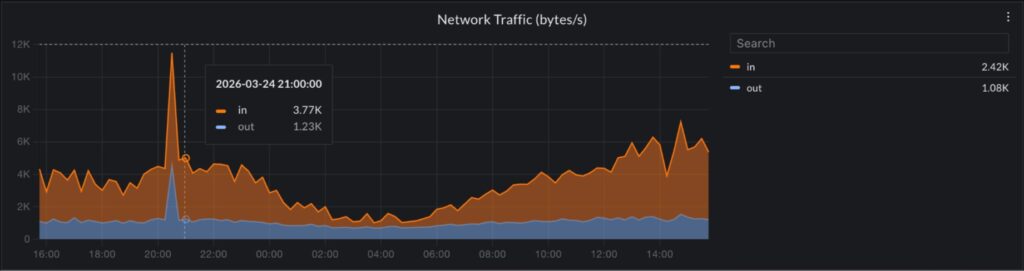
CubeAPM gives TimescaleDB teams complete observability across all four monitoring layers: PostgreSQL-level health, TimescaleDB chunk and compression status, infrastructure resource utilization, and application distributed traces, all in one self-hosted platform.
When a slow endpoint alert fires, you can navigate directly from the application trace span to the database query it triggered, see how long the query ran, check whether chunk count has grown beyond the planning overhead threshold for the relevant hypertable, and verify whether a compression job failure is contributing to uncompressed chunk accumulation. All of this is in one place with no context switching between tools.
At $0.15/GB with no per-instance, per-host, or per-user fees, monitoring a TimescaleDB cluster of any size costs only what you actually ingest.
Summary
Effective TimescaleDB monitoring requires covering both PostgreSQL-level signals and TimescaleDB-specific failure modes. Generic PostgreSQL monitoring tools miss compression job failures, stale continuous aggregates, and chunk count growth entirely.
| Monitoring area | Primary source | Key signal |
| Slow queries | pg_stat_statements | mean_exec_time, total_exec_time |
| Active slow queries | pg_stat_activity | Query duration, wait events |
| Chunk health | timescaledb_information.chunks | Chunk count, uncompressed chunk count |
| Compression jobs | timescaledb_information.jobs | last_run_status, total_failures |
| Continuous aggregate freshness | timescaledb_information.continuous_aggregate_stats | completed_threshold, refresh lag |
| Background workers | timescaledb_information.jobs | Simultaneous failures across job types |
| Cache and connections | pg_stat_database, pg_stat_bgwriter | Cache hit ratio (target > 99%), connection counts |
| Replication lag | pg_stat_replication | replay_lag, write_lag |
Disclaimer: All TimescaleDB system view names and column references sourced from the official TimescaleDB documentation at docs.timescale.com, verified against TimescaleDB 2.27.0 (released May 12, 2026; source: github.com/timescale/timescaledb/releases). PostgreSQL 15 support in TimescaleDB is deprecated; the June 2026 TimescaleDB release will be the last to support PostgreSQL 15. PostgreSQL 16 or higher is required going forward (source: TimescaleDB 2.27.0 release notes). Datadog Infrastructure Pro pricing: $15/host/month annual (source: datadoghq.com/pricing, verified June 2026). Datadog Database Monitoring pricing is not publicly listed; contact datadoghq.com/pricing for current rates. pganalyze pricing is not publicly listed on pganalyze.com/pricing; contact pganalyze.com/pricing for current plan rates. pganalyze has no TimescaleDB-specific extension monitoring (source: pganalyze.com/docs). Grafana, Loki, Tempo, and Mimir are AGPLv3 (source: grafana.com/licensing). postgres_exporter maintained at github.com/prometheus-community/postgres_exporter. CubeAPM: $0.15/GB, no per-instance or per-host fees.
Also read:
Best ClickHouse Monitoring Tools in 2026
Observability for Go Applications: Logs, Metrics, and Traces