










ClickHouse is a column-oriented OLAP database designed for high-throughput analytical queries. It is fast, but its performance characteristics are different from row-oriented databases in ways that standard monitoring tools do not capture well. A slow query in ClickHouse is rarely about missing indexes in the relational sense. It is about reading too many parts because a merge has fallen behind, scanning unnecessary columns because the query projection is wrong, or saturating memory during an aggregation that exceeds the configured memory limit.
ClickHouse exposes an unusually rich set of built-in observability through its system tables: system.query_log records every query with execution time, memory, rows read, and bytes read; system.metrics and system.asynchronous_metrics expose hundreds of real-time and background metrics; system.parts shows the storage state of every table; and system.replicas shows replication health. Effective ClickHouse monitoring means connecting these system tables to a platform that can alert on them, visualize trends, and correlate query-level problems with infrastructure-level pressure.
This guide covers what to monitor in ClickHouse, the key system table queries, and the best ClickHouse monitoring tools to use in 2026.
Key Takeaways
- ClickHouse exposes monitoring through four built-in system tables: system.query_log for query performance, system.parts for storage health, system.replicas for replication status, and system.metrics/system.asynchronous_metrics for real-time counters.
- The built-in Prometheus endpoint on port 9363 (available from ClickHouse 22.4+) exposes all system metrics as ClickHouseMetrics_*, ClickHouseProfileEvents_*, and ClickHouseAsyncMetrics_*.
- Part count above 300 per table triggers insert throttling warnings; above 1,000 ClickHouse stops accepting inserts entirely.
- ClickHouseAsyncMetrics_ReplicasMaxAbsoluteDelay is the primary replication health signal; alert when it exceeds 300 seconds.
- ClickHouse Cloud starts at $50/month (source: clickhouse.com, June 2026) and includes built-in observability via the Advanced Observability Dashboard and Query Insights without external tooling.
- HyperDX was acquired by ClickHouse Inc. in March 2025 and is now part of Managed ClickStack within ClickHouse Cloud.
- Current stable ClickHouse release: v26.3.9.8-lts (April 14, 2026).
What to Monitor in ClickHouse
Query Performance
system.query_log is the primary source for query performance analysis. ClickHouse writes a row for every completed, failed, or cancelled query.
Find slow queries (queries taking over 1 second):
SELECT

    query_start_time,

    query_duration_ms,

    read_rows,

    formatReadableSize(read_bytes)   AS read_bytes_human,

    formatReadableSize(memory_usage) AS memory_human,

    result_rows,

    user,

    query

FROM system.query_log

WHERE type = 'QueryFinish'

  AND query_duration_ms > 1000

  AND event_date = today()

ORDER BY query_duration_ms DESC

LIMIT 20;Find queries with high memory usage:
SELECT

    query_start_time,

    query_duration_ms,

    formatReadableSize(memory_usage) AS memory_human,

    read_rows,

    user,

    query

FROM system.query_log

WHERE type = 'QueryFinish'

  AND memory_usage > 1073741824  -- 1 GB

  AND event_date = today()

ORDER BY memory_usage DESC

LIMIT 10;Find failed queries and their error messages:
SELECT

    query_start_time,

    exception_code,

    exception,

    query

FROM system.query_log

WHERE type = 'ExceptionWhileProcessing'

  AND event_date = today()

ORDER BY query_start_time DESC

LIMIT 20;Key columns in system.query_log:
| Column | Description |
| query_duration_ms | Total execution time in milliseconds |
| read_rows | Rows read from storage (high values indicate full scans) |
| read_bytes | Bytes read from storage |
| memory_usage | Peak memory allocated by the query in bytes |
| result_rows | Rows returned in the result |
| type | QueryStart, QueryFinish, ExceptionWhileProcessing, ExceptionBeforeStart |
| user | User that executed the query |
| ProfileEvents | Map of profile events including CPU time, network bytes, merged rows |
Parts and Merge Health
ClickHouse’s MergeTree engine writes inserts as new data parts and consolidates them via background merges. Too many unmerged parts cause slow queries and eventually trigger insert delays.
Check part count and health per table:
SELECT

    database,

    table,

    COUNT()                                          AS part_count,

    SUM(rows)                                        AS total_rows,

    formatReadableSize(SUM(bytes_on_disk))           AS disk_size,

    formatReadableSize(SUM(data_compressed_bytes))   AS compressed_size,

    formatReadableSize(SUM(data_uncompressed_bytes)) AS uncompressed_size,

    ROUND(SUM(data_uncompressed_bytes) / SUM(data_compressed_bytes), 2) AS compression_ratio

FROM system.parts

WHERE active = 1

GROUP BY database, table

ORDER BY part_count DESC

LIMIT 20;Alert thresholds for part count:
| Signal | Warning | Critical |
| Part count per table | > 300 | > 1,000 |
| Parts per partition | > 50 | > 150 |
When part count exceeds ~300 for a single table, ClickHouse logs Too many parts warnings and begins throttling inserts. At ~1,000 parts ClickHouse stops accepting inserts entirely.
Check active merges:
SELECT

    database,

    table,

    elapsed,

    progress,

    num_parts,

    rows_read,

    rows_written,

    result_part_name

FROM system.merges

ORDER BY elapsed DESC;Replication Health
For replicated tables, system.replicas shows the replication state across all replicated tables on the current node.
SELECT

    database,

    table,

    is_leader,

    can_become_leader,

    is_readonly,

    is_session_expired,

    future_parts,

    parts_to_check,

    queue_size,

    inserts_in_queue,

    merges_in_queue,

    log_max_index,

    log_pointer,

    last_queue_update,

    absolute_delay

FROM system.replicas

WHERE is_readonly = 1

   OR is_session_expired = 1

   OR absolute_delay > 300

ORDER BY absolute_delay DESC;Key replication signals to alert on:
| Signal | Warning | Critical |
| absolute_delay | > 60 seconds | > 300 seconds |
| queue_size | > 100 | > 1,000 |
| is_readonly | Any replica | Any replica |
| is_session_expired | Any | Any |
Real-Time Metrics via system.metrics and system.asynchronous_metrics
system.metrics contains point-in-time counts for concurrent operations. system.asynchronous_metrics contains background-calculated values updated approximately once per minute.
-- Real-time concurrent operations

SELECT metric, value, description

FROM system.metrics

WHERE metric IN (

    'Query',

    'Merge',

    'ReplicatedChecks',

    'BackgroundPoolTask',

    'BackgroundMovePoolTask',

    'DiskSpaceReservedForMerge',

    'DistributedFilesToInsert',

    'PartsActive'

)

ORDER BY metric;

-- Background system health

SELECT metric, value

FROM system.asynchronous_metrics

WHERE metric IN (

    'NumberOfDatabases',

    'NumberOfTables',

    'NumberOfDetachedParts',

    'NumberOfRunningMerges',

    'UncompressedCacheBytes',

    'MarkCacheBytes',

    'MarkCacheFiles',

    'ReplicasSumQueueSize',

    'ReplicasMaxAbsoluteDelay',

    'Uptime'

)

ORDER BY metric;Prometheus Metrics Endpoint
ClickHouse exposes all metrics in Prometheus format via an HTTP endpoint, available since ClickHouse 22.4. Enable it in config.xml:
<prometheus>

    <endpoint>/metrics</endpoint>

    <port>9363</port>

    <metrics>true</metrics>

    <events>true</events>

    <asynchronous_metrics>true</asynchronous_metrics>

    <errors>true</errors>

</prometheus>The endpoint at http://<clickhouse-host>:9363/metrics exposes all system.metrics values as ClickHouseMetrics_*, all system.events values as ClickHouseProfileEvents_*, and all system.asynchronous_metrics values as ClickHouseAsyncMetrics_*.
Key Prometheus metrics for alerting:
| Metric | Alert condition |
| ClickHouseMetrics_Query | Sustained high value indicates query backlog |
| ClickHouseMetrics_BackgroundPoolTask | Approaching background_pool_size limit |
| ClickHouseAsyncMetrics_ReplicasMaxAbsoluteDelay | > 300 seconds |
| ClickHouseAsyncMetrics_NumberOfDetachedParts | > 0 |
| ClickHouseProfileEvents_FailedQuery rate | Any sustained increase |
Best ClickHouse Monitoring Tools
1. CubeAPM

CubeAPM is a full-stack observability platform that runs inside your own infrastructure. For ClickHouse monitoring, it collects Prometheus metrics from the ClickHouse endpoint, ingests system.query_log data via the OTel Collector, and correlates database-level signals with application traces and infrastructure metrics in one interface. Because CubeAPM is self-hosted, ClickHouse query logs and metrics never leave your infrastructure.
Key features for ClickHouse monitoring:
- Collects all ClickHouseMetrics_*, ClickHouseProfileEvents_*, and ClickHouseAsyncMetrics_* from the Prometheus endpoint at port 9363
- Query log ingestion via OTel Collector, correlating slow queries with application-level distributed traces
- Replication lag alerts on ReplicasMaxAbsoluteDelay with configurable thresholds
- Part count growth alerts per table before insert throttling begins
- Infrastructure metrics (CPU, disk I/O, memory) correlated with ClickHouse query performance
- No active series pricing: all ClickHouse Prometheus metrics billed at flat $0.15/GB
Best for: Teams running ClickHouse as part of a broader application stack who want all signals (application traces, ClickHouse query performance, infrastructure metrics) in one self-hosted platform with no per-metric fees and no telemetry leaving their own cloud.
Limitations: Self-hosted deployment required. Requires at least one engineer comfortable with Helm or Docker Compose.
2. Grafana with the Official ClickHouse Plugin
The official Grafana ClickHouse data source plugin is co-maintained by ClickHouse Inc. and Grafana Labs. It connects directly to ClickHouse using the native ClickHouse protocol, supports ClickHouse-specific SQL macros ($timeFilter for automatic time range filtering mapped to ClickHouse date columns), and provides ad hoc filter and template variable support for ClickHouse columns. The plugin was downloaded over 2 million times in 2025, making it one of the most popular third-party data source plugins in the Grafana ecosystem.
Key features for ClickHouse monitoring
- Direct connection to ClickHouse via native HTTP or native TCP protocol
- ClickHouse-aware SQL macros: $timeFilter maps to ClickHouse date column filters automatically
- Template variables for dynamic dashboards across databases, tables, and users
- Community dashboard templates for system.query_log, system.parts, system.replicas, and system.metrics
- Works with self-hosted Grafana (AGPLv3) or Grafana Cloud
Best for: Teams already using Grafana for infrastructure dashboards who want to add ClickHouse query performance and cluster health dashboards alongside existing Prometheus dashboards.
Limitations: Grafana is a visualization layer only. Alerting requires connecting Grafana to a metrics backend (Prometheus or Mimir). Log storage requires Loki. Grafana, Loki, Tempo, and Mimir are all AGPLv3.
3. Prometheus with ClickHouse Exporter
Collecting ClickHouse metrics into Prometheus gives teams PromQL-based alerting, long-term metric retention (via Thanos or VictoriaMetrics), and integration with existing alert routing via Alertmanager.
Enable port 9363 in config.xml as shown above, then add the scrape target to Prometheus:
scrape_configs:

  - job_name: 'clickhouse'

    static_configs:

      - targets: ['clickhouse-host:9363']

    metrics_path: /metrics

scrape_interval: 15sKey PromQL alert rules for ClickHouse:
groups:

  - name: clickhouse

    rules:

      - alert: ClickHouseHighQueryFailureRate

        expr: rate(ClickHouseProfileEvents_FailedQuery[5m]) > 0.1

        for: 5m

        labels:

          severity: warning

      - alert: ClickHouseReplicationLag

        expr: ClickHouseAsyncMetrics_ReplicasMaxAbsoluteDelay > 300

        for: 2m

        labels:

          severity: critical

      - alert: ClickHouseHighPartCount

        expr: ClickHouseAsyncMetrics_PartsActive > 1000

        for: 5m

        labels:

          severity: warning

      - alert: ClickHouseBackgroundPoolSaturation

        expr: ClickHouseMetrics_BackgroundPoolTask

              / ClickHouseAsyncMetrics_BackgroundProcessingPoolSize > 0.8

        for: 10m

        labels:

severity: warningBest for: Teams already running Prometheus and Alertmanager who want to add ClickHouse cluster monitoring without introducing a new platform. Also the right choice when long-term metric retention is needed for capacity planning.
Limitations: Prometheus alone does not cover query-level log analysis, which requires querying system.query_log directly or ingesting it into a separate log platform. No built-in distributed tracing.
4. ClickHouse Cloud Built-in Monitoring
ClickHouse Cloud (the official managed service from ClickHouse Inc.) includes built-in monitoring without requiring any external tool. ClickHouse Cloud starts at $50/month (source: clickhouse.com), with usage-based compute and storage pricing.
Key features
- Advanced Observability Dashboard: node-level CPU, memory, disk, and network metrics with historical trends, introduced November 2024
- Query Insights: turnkey visualization of system.query_log with script-level query tracking showing exact line numbers where queries originate, introduced July 2024 and enhanced throughout 2025
- Built-in alerts for cluster health, query failures, and resource saturation
- No configuration required; metrics collection is automatic for all ClickHouse Cloud deployments
- HyperDX (acquired by ClickHouse Inc. in March 2025) provides unified log, trace, and metric observability within ClickHouse Cloud via Managed ClickStack
Best for: Teams using ClickHouse Cloud who want zero-configuration monitoring without managing external tools.
Limitations: Available only for ClickHouse Cloud deployments. Not available for self-hosted ClickHouse. Less flexible than external tools for custom alerting or integration with existing observability stacks.
5. SigNoz
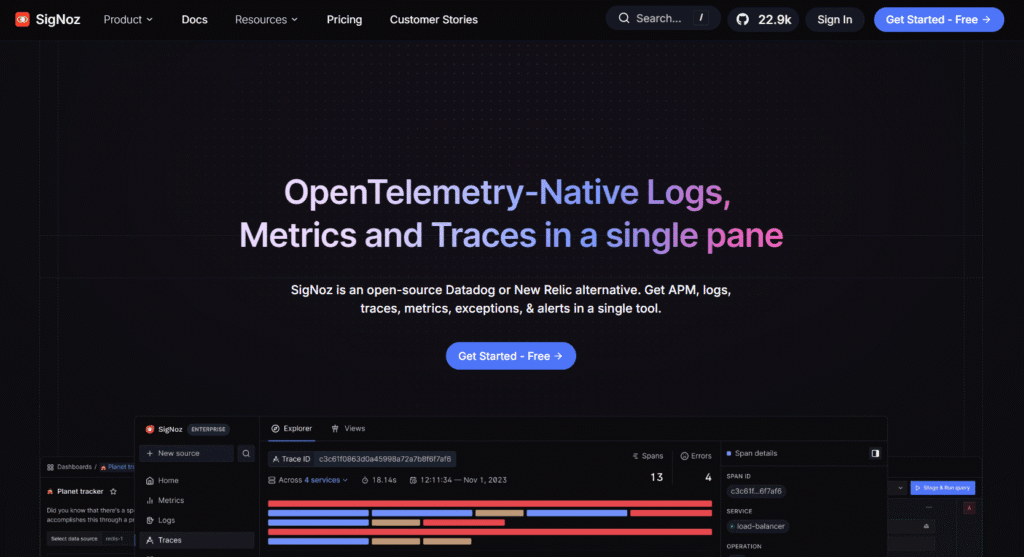
SigNoz provides a native ClickHouse monitoring integration via the OTel Collector. The integration (supported from ClickHouse v23+ and SigNoz OTel Collector v0.88.23+) collects Prometheus metrics from port 9363 and query logs from system.query_log, with a pre-built dashboard available out of the box. SigNoz itself uses ClickHouse as its own storage backend.
Key features for ClickHouse monitoring
- Pre-built out-of-the-box dashboard covering query performance, part health, replication status, and resource usage
- OTel Collector collects Prometheus metrics and query logs in one pipeline
- Supports ClickHouse v23 and newer
- Query log collection surfaces slow queries, failed queries, and memory-intensive queries in the SigNoz UI
- Community edition free to self-host under MIT Expat license; Cloud Teams from $49/month (includes $49 of usage; $0.30/GB for logs and traces, $0.10/million metric samples beyond the included amount)
Best for: Teams already using SigNoz for application monitoring who want to add ClickHouse database monitoring alongside APM and distributed tracing in the same interface.
Limitations: Community edition UI is less polished than commercial tools. ClickHouse integration requires OTel Collector v0.88.23 or later. Community code is MIT Expat, not Apache 2.0.
Comparison at a Glance
| Tool | ClickHouse Metrics | Query Log Analysis | Alerts | Self-hosted | Starting Cost |
| CubeAPM | Yes (Prometheus endpoint) | Yes (OTel Collector) | Yes | Yes (required) | $0.15/GB |
| Grafana + Plugin | Yes (direct SQL) | Yes (direct SQL) | Yes (with Prometheus) | Yes (AGPLv3) | Free (infra costs) |
| Prometheus | Yes (port 9363) | No | Yes (Alertmanager) | Yes | Free |
| ClickHouse Cloud | Yes (built-in) | Yes (Query Insights) | Yes (built-in) | No (Cloud only) | From $50/month |
| SigNoz | Yes (OTel Collector) | Yes (OTel Collector) | Yes | Yes | Free / $49/mo Cloud |
Monitor Your ClickHouse Cluster with CubeAPM
CubeAPM connects to your ClickHouse cluster’s Prometheus endpoint on port 9363, ingests system.query_log data via the OTel Collector, and correlates ClickHouse performance signals with application distributed traces and infrastructure metrics in one self-hosted platform.
A team running ClickHouse as the backend for an analytics application can jump from a slow API response in the distributed trace directly to the ClickHouse query that caused it, see which specific table partition was read, and check whether a background merge was competing for disk I/O at the same time. All three signals: application trace, ClickHouse query log entry, and infrastructure disk metric, are in one place with no context switching.
At $0.15/GB with no per-metric or per-host fees, all ClickHouse Prometheus metrics and query log data are ingested at a predictable cost regardless of cluster size.
Summary
Effective ClickHouse monitoring requires watching four distinct failure modes: query performance degradation (from system.query_log), part count growth before insert throttling (from system.parts), replication lag (from system.replicas), and background pool saturation (from system.metrics and system.asynchronous_metrics). The Prometheus endpoint on port 9363 exposes all of these in a format compatible with every monitoring tool in this guide.
| Monitoring area | Primary source | Key signal |
| Slow queries | system.query_log | query_duration_ms, memory_usage, read_rows |
| Query failures | system.query_log | type = ExceptionWhileProcessing |
| Part health | system.parts | Part count per table (alert above 300) |
| Merge health | system.merges, system.asynchronous_metrics | NumberOfRunningMerges, active merge count |
| Replication | system.replicas | absolute_delay, queue_size, is_readonly |
| Real-time concurrency | system.metrics | Query, Merge, BackgroundPoolTask |
| Prometheus alerts | Port 9363 endpoint | FailedQuery rate, ReplicasMaxAbsoluteDelay, PartsActive |
Disclaimer: All ClickHouse system table column names and Prometheus metric name prefixes sourced from the official ClickHouse documentation at clickhouse.com/docs, verified June 2026. Current stable ClickHouse release: v26.3.9.8-lts (April 14, 2026). The built-in Prometheus endpoint on port 9363 is available from ClickHouse 22.4+. ClickHouse Cloud pricing starts at $50/month (source: clickhouse.com, June 2026). ClickHouse Cloud Advanced Observability Dashboard introduced November 2024; Query Insights introduced July 2024 (source: clickhouse.com/blog/clickhouse-2025-roundup). HyperDX acquired by ClickHouse Inc. in March 2025 (source: clickhouse.com). SigNoz ClickHouse integration requires ClickHouse v23+ and SigNoz OTel Collector v0.88.23+ (source: signoz.io/docs/integrations/clickhouse/). SigNoz community code: MIT Expat license; Cloud Teams from $49/month including $49 of usage, $0.30/GB logs and traces, $0.10/million metric samples (source: signoz.io/pricing/). Grafana ClickHouse plugin co-maintained by ClickHouse Inc. and Grafana Labs; downloaded over 2 million times in 2025 (source: ClickHouse 2025 State of ClickHouse Survey). Grafana, Loki, Tempo, and Mimir: AGPLv3. CubeAPM: $0.15/GB, no per-metric or per-host fees.
Also read:
Observability for Go Applications: Logs, Metrics, and Traces
Observability for Java Applications: A Complete Guide
Observability for Node.js Applications: Logs, Metrics, and Traces