









If your application uses Amazon Cognito for authentication, knowing what is happening inside your user pool matters a lot. Authentication failures, token refresh errors, and throttling events can signal anything from a misconfigured client to an active credential stuffing attack. Yet, many teams run Cognito without any visibility into these events until something breaks.
This guide walks you through exactly how to monitor AWS Cognito authentication failures and token usage. You will learn which metrics to track, how to set up CloudWatch and CloudTrail, how to write Logs Insights queries that isolate failures, and how to build alerts that fire before a small problem becomes an outage.
-
✓ Amazon Cognito does not expose a single “failed sign-in” metric. You must calculate failures by subtracting the Sum from the SampleCount of
SignInSuccessesin the AWS/Cognito CloudWatch namespace. - ✓ CloudWatch Metrics give you aggregated counts. CloudTrail gives you per-request detail including IP address, user agent, and client ID. You need both for complete visibility.
- ✓ Advanced Security Features (Cognito Plus tier) must be enabled to stream per-event user activity logs to CloudWatch Logs, Amazon Data Firehose, or Amazon S3.
-
✓ M2M token usage tracking requires reading the
clientIdfield from theadditionalEventDatablock in CloudTrail logs. -
✓ Throttle spikes (
SignInThrottles,TokenRefreshThrottles) are your first early-warning signal for brute-force attacks or misconfigured clients hammering your endpoint. - ✓ CloudWatch Logs Insights queries let you filter, count, and aggregate Cognito events in seconds without leaving the AWS Console.
Why AWS Cognito Monitoring Matters
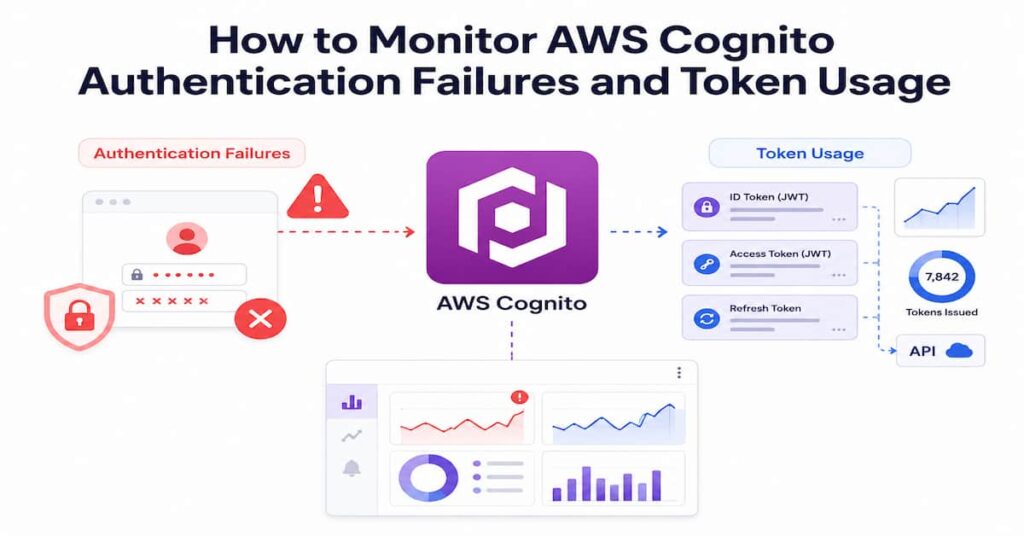
Amazon Cognito manages user sign-up, sign-in, and access control for web and mobile applications. According to the
AWS official documentation, monitoring is critical to maintaining the reliability, availability, and performance of your authentication layer.
Without proper monitoring, you cannot detect:
- Credential stuffing attacks where bots test thousands of username and password combinations
- Brute force attacks identified by sudden spikes in sign-in failures from a single IP
- Token theft indicated by unusual token refresh patterns outside normal session windows
- Account enumeration where attackers probe your user pool to discover valid usernames
- Password reset abuse used to take over accounts
- M2M authorization anomalies where a machine client suddenly starts requesting far more tokens than expected
Each of these events leaves a trace in Cognito’s metrics and logs. The challenge is knowing where to look and how to surface the signal from the noise.
The Three Pillars of AWS Cognito Monitoring
Effective aws cognito monitoring relies on three data sources that serve different purposes:
1. Amazon CloudWatch Metrics
CloudWatch Metrics give you aggregated statistics for your user pool. Cognito publishes metrics to the AWS/Cognito namespace. These metrics are best for dashboards, trend analysis, and threshold-based alerts. They do not give you per-user or per-request detail.
2. AWS CloudTrail
CloudTrail records every API call made to Cognito. It captures who made the request, the source IP address, the user agent, the timestamp, and whether the call succeeded or failed. This is the right tool for per-request forensics, compliance audits, and tracking M2M client activity.
3. Cognito User Activity Logs (CloudWatch Logs)
When you enable Cognito Advanced Security Features (now called Cognito Plus), your user pool can stream detailed per-event logs to a CloudWatch Log Group, an Amazon Data Firehose stream, or an Amazon S3 bucket. These logs include risk scores, event outcomes, device fingerprints, and whether an action was blocked or allowed.
Key CloudWatch Metrics for AWS Cognito Monitoring
The table below lists the most important CloudWatch metrics for tracking authentication failures and token usage. All metrics sit in the AWS/Cognito namespace and use UserPool and UserPoolClient as dimensions.
| Metric Name | Namespace | What It Measures | How to Find Failures |
|---|---|---|---|
| SignInSuccesses | AWS/Cognito | Total sign-in attempts and successes | SampleCount minus Sum = failures |
| SignInThrottles | AWS/Cognito | Throttled sign-in requests | Sum = total throttled attempts |
| TokenRefreshSuccesses | AWS/Cognito | Token refresh attempts and successes | SampleCount minus Sum = failed refreshes |
| SignUpSuccesses | AWS/Cognito | New user registration attempts | SampleCount minus Sum = failed registrations |
| SignUpThrottles | AWS/Cognito | Throttled sign-up requests | Sum = total throttled sign-ups |
| FederationSuccesses | AWS/Cognito | Federated sign-in events | SampleCount minus Sum = federation failures |
| TokenRefreshThrottles | AWS/Cognito | Throttled token refresh requests | Sum = total throttled refreshes |
Important: Metrics that have had no data points in the past two weeks will not appear in the CloudWatch console. If you are not seeing metrics, verify that your user pool is receiving traffic and that you are looking at the correct time range.
Calculating Authentication Failure Rate
Cognito does not give you a dedicated failure metric. Use metric math in CloudWatch to derive it:
Failure Count  = SignInSuccesses (SampleCount) - SignInSuccesses (Sum)

Failure Rate % = (Failure Count / SampleCount) * 100Apply the same pattern to token refresh failures:
Refresh Failure Count = TokenRefreshSuccesses (SampleCount) - TokenRefreshSuccesses (Sum)Setting Up CloudWatch Logs for AWS Cognito
To get per-event logs, you need to enable Advanced Security Features and configure log export. Here is the full setup process.
Step 1: Enable Advanced Security Features
Advanced Security Features (ASF) must be active to stream user activity logs. Note that enabling ASF adds cost based on Monthly Active Users.
- Open the Amazon Cognito console and select your User Pool
- Navigate to App integration, then Advanced security
- Set Advanced security mode to Audit or Enforced (Audit logs events without blocking; Enforced blocks high-risk actions)
- Configure your risk tolerance settings for adaptive authentication
Step 2: Configure the Log Destination
In your User Pool settings:
- Navigate to Sign-in experience, then User activity logging
- Click Edit under Logging configuration
- Choose your destination: CloudWatch Logs (easiest to query), Amazon Data Firehose (for downstream analytics), or Amazon S3 (for long-term archival)
- Set the log level: ERROR for delivery failures only, INFO for all user activity events including sign-ins and token refreshes
- Select or create a CloudWatch Log Group. The recommended naming format is /aws/cognito/userpool/<pool-name>
Step 3: Set IAM Permissions
Cognito needs permission to write to your chosen destination. Create or verify this IAM policy for CloudWatch Logs:
{ "Version": "2012-10-17", "Statement": [{ "Effect": "Allow", "Action": [ "logs:CreateLogGroup", "logs:CreateLogStream", "logs:PutLogEvents", "logs:DescribeLogStreams" ], "Resource": "arn:aws:logs:*:*:log-group:/aws/cognito/userpool/*" }]}Attach this policy to the Cognito service role. Alternatively, use the AWS-managed CognitoServiceRole policy which includes these permissions already.
Using AWS CloudTrail for Cognito Event Auditing
CloudTrail automatically logs Cognito API calls if you have a trail configured. It captures administrative events such as CreateUserPool, UpdateUserPool, CreateUserPoolClient, and SetUserPoolMfaConfig. For authentication events, it records InitiateAuth, RespondToAuthChallenge, and GetUser calls.
Key CloudTrail Events to Monitor
- InitiateAuth: Every sign-in attempt. Check errorCode for NotAuthorizedException and UserNotFoundException to count failures
- RespondToAuthChallenge: MFA and custom challenge responses. Failures here indicate wrong MFA codes or expired challenges
- GetUser: Token validation calls. Failures indicate expired or invalid tokens
- CreateUserPoolClient and UpdateUserPoolClient: Administrative changes that could expand attack surface
- SetUserPoolMfaConfig: Changes to MFA settings, a common target in account takeover attacks
Routing CloudTrail Logs to CloudWatch Logs Insights
To query CloudTrail data with Logs Insights, route your trail to a CloudWatch Log Group:
- Open CloudTrail in the AWS Console
- Select your trail and click Edit
- Under CloudWatch Logs, click Configure
- Create or select a log group such as /aws/cloudtrail/cognito-events
- CloudTrail will begin streaming API call records to this log group within a few minutes
CloudWatch Logs Insights Queries for Cognito Monitoring
Once your logs are flowing, these queries let you pinpoint authentication failures and token anomalies without writing custom scripts.
Query 1: Failed Sign-In Attempts by Error Code
Run this against your CloudTrail log group:
fields @timestamp, eventName, errorCode, errorMessage, sourceIPAddress, userAgent| filter eventSource = 'cognito-idp.amazonaws.com'| filter eventName = 'InitiateAuth'| filter ispresent(errorCode)| stats count(*) as failCount by errorCode, sourceIPAddress| sort failCount desc| limit 50Query 2: Token Refresh Failures Over Time
fields @timestamp, eventName, errorCode, sourceIPAddress| filter eventSource = 'cognito-idp.amazonaws.com'| filter eventName = 'InitiateAuth'| filter errorCode like /Token/| stats count(*) as refreshFailures by bin(5m)| sort @timestamp descQuery 3: Top Source IPs Triggering Failures (Brute Force Detection)
fields @timestamp, sourceIPAddress, errorCode| filter eventSource = 'cognito-idp.amazonaws.com'| filter ispresent(errorCode)| stats count(*) as attempts by sourceIPAddress| sort attempts desc| limit 20Query 4: M2M App Client Token Usage
For machine-to-machine monitoring, the client ID lives in additionalEventData. Route your CloudTrail logs to CloudWatch Logs and use:
fields @timestamp, additionalEventData.sub, additionalEventData.clientId, eventName| filter eventSource = 'cognito-idp.amazonaws.com'| filter eventName = 'Token'| stats count(*) as tokenRequests by additionalEventData.clientId| sort tokenRequests descSetting Up CloudWatch Alarms for Cognito
Alarms let you respond to problems automatically or notify your team before users start complaining.
Alarm 1: Authentication Failure Rate Spike
- Metric: SignInSuccesses (use metric math for failure rate)
- Threshold: Alert when failure rate exceeds 20% of total attempts over a 5-minute window
- Notification: SNS topic to your security team Slack channel or PagerDuty
Alarm 2: Throttling Spike (Possible Brute Force)
- Metric: SignInThrottles with Sum statistic
- Threshold: Alert when Sum exceeds 100 in a 1-minute window
- Rationale: A sudden spike in throttled requests indicates a client is hammering your endpoint
Alarm 3: Token Refresh Failures
- Metric: TokenRefreshSuccesses (derived failure count via metric math)
- Threshold: Alert when refresh failure count exceeds 50 in a 5-minute window
- Rationale: High refresh failure counts can indicate token revocation events or session hijack attempts
Create an Alarm via AWS CLI
aws cloudwatch put-metric-alarm \ --alarm-name "CognitoSignInThrottleSpike" \ --alarm-description "Fires when Cognito sign-in throttles exceed 100 in 1 minute" \ --metric-name SignInThrottles \ --namespace AWS/Cognito \ --statistic Sum \ --period 60 \ --threshold 100 \ --comparison-operator GreaterThanThreshold \ --evaluation-periods 1 \ --alarm-actions arn:aws:sns:us-east-1:123456789:CognitoAlertsMonitoring M2M Token Usage in Amazon Cognito
Machine-to-machine authorization uses the client_credentials OAuth 2.0 grant type. Each service or application that calls your APIs gets a dedicated app client ID and secret in exchange for an access token. Monitoring M2M token usage is important both for cost control (Cognito Plus charges per token request above a free tier) and for security.
What to Monitor for M2M
- Token request volume per client ID: Sudden increases indicate a misconfigured service or a compromised credential
- Token request frequency: M2M clients that request a new token on every API call instead of caching and reusing are both expensive and suspicious
- Geographic distribution of token requests: M2M clients should request tokens from a consistent region. Requests from unexpected regions signal credential compromise
- Failed token requests: A spike in client_credentials failures often means a secret was rotated in one place but not another
Best Practices for M2M Security
- Store client secrets in AWS Secrets Manager and rotate them on a schedule
- Use AWS WAF in front of your Cognito user pool endpoint to rate-limit token requests per client
- Enable API Gateway caching to reduce redundant token requests from well-behaved clients
- Define narrow OAuth scopes for each app client so a compromised credential cannot access unintended resources
Monitoring OIDC and Federated Sign-In Events
If you use Cognito as an OIDC provider or federate identities from external providers such as Google, Facebook, or a SAML IdP, add these monitoring points:
- FederationSuccesses metric: Tracks federated sign-in attempts. Calculate failures as SampleCount minus Sum
- Token endpoint calls in CloudTrail: Look for calls to /oauth2/token in your CloudTrail data for OIDC flow debugging
- Callback URL mismatches: These appear as InvalidParameterException errors in CloudTrail and usually indicate a configuration error or a redirect URI manipulation attempt
For OIDC-specific debugging, AWS recommends enabling user activity logs at INFO level because CloudTrail alone does not expose all the internal steps of the OIDC authorization code flow.
Troubleshooting Common Cognito Authentication Failures
Understanding what a failure means helps you respond quickly. The most common Cognito error codes and their operational implications are:
- NotAuthorizedException: Could mean wrong password, disabled user account, invalid refresh token, or app client secret mismatch. Check user status in the console before assuming a password error
- UserNotFoundException: The username does not exist. If you see high volumes of this error from a single IP, it is likely account enumeration
- TooManyRequestsException: You have hit Cognito rate limits. Check SignInThrottles in CloudWatch to confirm and review whether a single client is responsible
- TokenExpiredException: The access token or ID token has expired. Standard expiry is 1 hour. Check whether your application is refreshing tokens proactively
- NotAuthorizedException on token refresh: The refresh token has expired (default 30 days) or has been revoked by an admin call to GlobalSignOut or RevokeToken
- ✓ Prebuilt Cognito dashboards tracking sign-in failures, token refresh rates, and throttle spikes
- ✓ Real-time alerts on brute-force patterns, M2M token anomalies, and credential stuffing
- ✓ Unified view correlating Cognito events with downstream API and application performance
- ✓ One-click integration with CloudWatch Metrics and CloudTrail logs
Conclusion
Monitoring AWS Cognito authentication failures and token usage is not optional for any production application. The combination of CloudWatch Metrics for aggregate trends, CloudTrail for per-request audit records, and Cognito user activity logs for detailed event streams gives you full visibility into what is happening inside your user pool.
Start with the metrics table in this guide to build your baseline dashboard. Add the Logs Insights queries to your runbook for incident investigation. Set up the three CloudWatch alarms for failure rate, throttle spikes, and token refresh failures. Then, as your monitoring matures, layer in third-party integrations or a dedicated observability tool like CubeAPM to reduce the manual work of querying and correlating across data sources.
The goal of aws cognito monitoring is not to generate more alerts. It is to know what normal looks like so that anything abnormal surfaces immediately and with enough context to act.
Disclaimer
The information in this article is provided for general educational purposes only. AWS services, pricing structures, feature availability, and documentation are subject to change. Always refer to the official Amazon Web Services documentation at docs.aws.amazon.com for the most current and authoritative guidance. CubeAPM is an independent product. References to third-party tools and services are for informational purposes and do not constitute endorsement. Consult your security and compliance teams before making changes to production authentication configurations.
FAQs
1. What is the difference between CloudWatch Metrics and CloudTrail for Cognito monitoring?
CloudWatch Metrics give you aggregated, near-real-time counts of events such as total sign-ins, total throttles, and total token refreshes. They are ideal for dashboards and threshold alarms. CloudTrail gives you a per-request audit log with details such as the source IP address, the user agent, the specific API call made, and whether it succeeded or failed. You need both: metrics for volume trends and alerting, CloudTrail for investigation and compliance.
2. Do I need Advanced Security Features to monitor Cognito?
You do not need Advanced Security Features to access CloudWatch Metrics or CloudTrail logs. Both are available on all Cognito user pools. However, you do need to enable Advanced Security Features (Cognito Plus tier) to stream per-event user activity logs to CloudWatch Logs, Amazon Data Firehose, or Amazon S3. These granular logs include risk scores, device fingerprints, and individual event outcomes.
3. How do I find authentication failures in CloudWatch?
Cognito does not publish a dedicated failure metric. To calculate failures, use metric math in CloudWatch: take the SampleCount attribute of the SignInSuccesses metric (total attempts) and subtract the Sum attribute (successful attempts). The result is the number of failed sign-in events in your selected time window.
4. How do I monitor M2M token usage in Cognito?
Machine-to-machine token usage is recorded in AWS CloudTrail under the Token API call. The client ID for each M2M app client is stored in the additionalEventData.clientId field of the CloudTrail log entry. Route your CloudTrail logs to a CloudWatch Log Group and use Logs Insights to query token request counts grouped by client ID. Use AWS Secrets Manager to rotate client secrets and AWS WAF to rate-limit requests at the endpoint level.
5. Can I monitor OIDC flows in Cognito?
CloudTrail captures OIDC-related API calls, but it does not expose all the internal steps of the authorization code flow. For more detailed OIDC debugging, enable user activity logging at INFO level in your Cognito user pool settings. This streams per-event logs including token endpoint calls, redirect URI validation outcomes, and federation events to your chosen destination.
6. What should I alert on for AWS Cognito security?
The three most important alerts for security are: a sign-in failure rate that exceeds 20 percent of total attempts (possible credential stuffing), a spike in SignInThrottles exceeding 100 per minute (possible brute force), and a spike in token refresh failures exceeding 50 in five minutes (possible token theft or revocation events). Add alerts for administrative API calls such as UpdateUserPool and SetUserPoolMfaConfig to detect unauthorized configuration changes.
7. Does Cognito log which app client was used for a sign-in?
Yes. The app client ID is captured in AWS CloudTrail logs under the requestParameters field for InitiateAuth calls. This lets you attribute authentication events to specific clients in your user pool. For M2M flows using the client_credentials grant, the client ID also appears in the additionalEventData block. There is no built-in CloudWatch metric dimension for app client usage; you need CloudTrail queries to get per-client breakdown.