










Splunk Observability Cloud is Cisco’s cloud-native observability platform for infrastructure monitoring, application performance monitoring, real user monitoring, synthetic monitoring, database monitoring, and incident response. It is part of the wider Splunk portfolio, which Cisco officially acquired on March 18, 2024.
This review explains Splunk Observability Cloud pricing, what each plan includes, what drives real-world cost, what users like and dislike, and how it compares with alternatives such as CubeAPM, Datadog, Dynatrace, and New Relic.
What Is Splunk Observability Cloud?
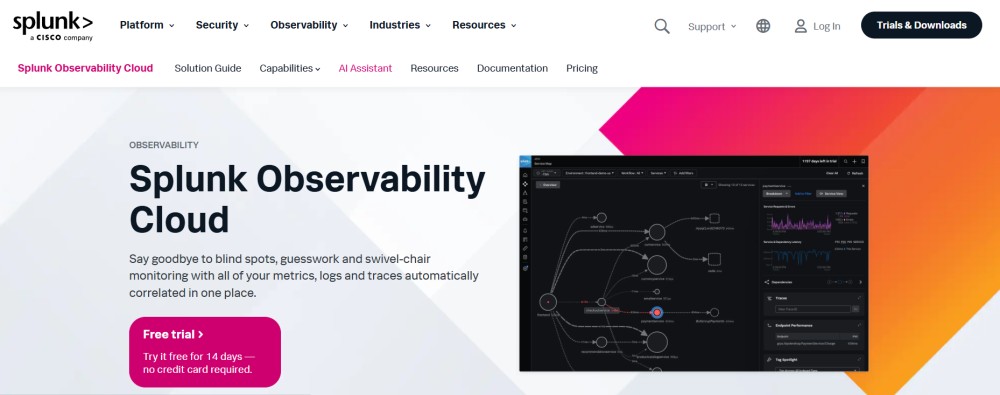
Splunk Observability Cloud is a SaaS observability platform built for DevOps, SRE, platform, and enterprise IT teams. It helps teams monitor infrastructure, applications, Kubernetes, user experience, databases, APIs, and digital services from one platform.
Splunk Observability Cloud is especially useful for teams already using Splunk for logs or security, because Log Observer Connect can link observability workflows with existing Splunk log data. However, this also means teams that want full log storage and indexing may still need a separate Splunk Cloud Platform or Splunk Enterprise license.
Supported Languages, Integrations, and Data Sources
Splunk Observability Cloud supports modern cloud-native and hybrid environments. Its public pricing page lists OpenTelemetry ingestion, Kubernetes Navigator, Network Explorer, 200+ out-of-the-box integrations, high-cardinality analytics, and AI-driven alerts as part of the infrastructure monitoring offering.
Common coverage includes:
| Area | Splunk Observability Cloud support |
| Languages | Java, Python, Node.js, .NET, Go, Ruby, PHP, Swift, and more through OpenTelemetry and Splunk instrumentation |
| Infrastructure | Linux, Windows, Kubernetes, containers, cloud services, hybrid infrastructure |
| Cloud platforms | AWS, Microsoft Azure, Google Cloud, VMware, and other cloud/hybrid systems |
| Data collection | OpenTelemetry Collector, Splunk distributions, Prometheus, Telegraf, collectd |
| Integrations | 200+ integrations listed by Splunk |
| Incident workflows | Splunk On-Call, ServiceNow, Slack, Jira, PagerDuty-style workflows, webhooks |
Key Features of Splunk Observability Cloud
Splunk Infrastructure Monitoring provides real-time visibility into hosts, containers, Kubernetes, cloud services, and hybrid infrastructure. Splunk lists streaming analytics, instant visualization, customizable dashboards, OpenTelemetry ingestion, Kubernetes Navigator, Network Explorer, high-cardinality analytics, and AI-driven alerts as key capabilities.
This is the entry point for Splunk Observability Cloud pricing. The Infrastructure plan starts at $15 per host per month, billed annually.
Splunk APM is designed for distributed tracing, service maps, dependency visibility, and application troubleshooting. Splunk lists NoSample full-fidelity trace ingest, dependency-aware service maps, Business Workflows, OpenTelemetry ingestion, AlwaysOn continuous profiling, and AI-driven analytics as APM capabilities.
Standalone Splunk APM starts at $55 per host per month, billed annually. It is also included in the App & Infrastructure bundle, which starts at $60 per host per month.
Splunk RUM helps teams monitor real user sessions across web and mobile applications. It supports front-end troubleshooting, Core Web Vitals, high-cardinality session analysis, OpenTelemetry-based collection, and correlation with Splunk APM. Splunk lists RUM pricing at $14 per 10,000 sessions.
Splunk defines a RUM session as a group of user interactions that can last up to four hours. Sessions can end when the app is closed, the browser tab is closed, the app crashes, or after 15 minutes of inactivity.
Splunk Synthetic Monitoring covers uptime checks, API tests, browser tests, Lighthouse scores, Core Web Vitals, waterfall charts, private locations, CI/CD integration, and third-party dependency analysis. Splunk lists Synthetic Monitoring pricing at $1 per 10,000 uptime requests.
This is useful for teams that want to detect outages before users report them.
Splunk Database Monitoring helps teams find slow and resource-heavy queries, analyze execution plans, correlate database issues with application traces, and connect database performance to host CPU, memory, and I/O. Splunk lists Database Monitoring at $75 per database instance per month, billed annually.
Splunk Secure Application focuses on application vulnerability detection and risk prioritization. Splunk lists real-time detection, CVSS and Cisco Security Risk Scores, remediation guidance, and integration with existing Splunk APM agents. Public pricing starts at $22 per host per month, billed annually.
Log Observer Connect is important, but it is easy to misunderstand. It gives teams a no-code log exploration experience inside Splunk Observability Cloud, but it connects to logs already stored in Splunk. It is not the same as buying native log ingestion as part of Observability Cloud.
For teams already using Splunk Cloud Platform or Splunk Enterprise, this is useful. For teams not already using Splunk for logs, log management can become a separate cost area.
Splunk On-Call is a separate incident response product. Splunk lists pricing at $5 per user per month for up to 10 seats, billed annually.
It is useful for alert routing, escalation, mobile incident response, collaboration, and ITSM integration.
Splunk Observability Cloud Pricing in 2026
Splunk Observability Cloud has three main public bundles: Infrastructure, App & Infrastructure, and End-to-End. Splunk lists these prices as billed annually.
| Plan | Starting price | Main use case |
| Infrastructure | $15/host/month | Infrastructure and cloud monitoring |
| App & Infrastructure | $60/host/month | Infrastructure monitoring plus APM |
| End-to-End | $75/host/month | Broader full-stack observability coverage |
Splunk also sells individual observability offerings.
| Product | Starting price | Billing unit |
| Infrastructure Monitoring | $15 | Per host/month |
| APM | $55 | Per host/month |
| RUM | $14 | Per 10,000 sessions |
| Synthetic Monitoring | $1 | Per 10,000 uptime requests |
| Database Monitoring | $75 | Per database instance/month |
| Secure Application | $22 | Per host/month |
| Splunk On-Call | $5 | Per user/month, up to 10 seats |
Is There a Free Tier in Splunk Observability Cloud?
Splunk’s pricing FAQ says Observability Cloud is available for free for up to 15 hosts, with all features included. The public pricing page also says paid Observability Cloud starts “over 15 hosts” at $15 per host per month.
That makes the free option useful for evaluation, small testing environments, or proof-of-concept work. However, production teams should still confirm trial limits, feature entitlements, and usage rules with Splunk before making a long-term decision.
How Splunk Measures Hosts
Splunk defines a host as a physical or virtual instance reporting metric data to Splunk Observability Cloud. For Infrastructure Monitoring, Splunk counts unique hosts reporting data on an hourly basis, then calculates the average across the billing month. For APM, Splunk counts unique hosts reporting to APM per minute and calculates the monthly average.
This matters because Splunk does not simply bill based on one short peak. Monthly charges are based on average usage during the month, and Splunk says overages happen only when average monthly usage is above the purchased allocation.
What Does Splunk Observability Cloud Really Cost?
⚠️ Disclaimer
The scenarios below are directional editorial estimates, not official Splunk quotes. Splunk publishes public list pricing for Observability Cloud, but final cost can change based on host count, selected bundle, RUM sessions, synthetic monitoring usage, database instances, Secure Application usage, support level, volume discounts, custom contract terms, and whether the team also needs Splunk Cloud Platform or Splunk Enterprise for log storage.
Splunk Observability Cloud pricing is mainly host-based for its public bundles. Infrastructure starts at $15/host/month, App & Infrastructure starts at $60/host/month, and End-to-End starts at $75/host/month, billed annually. Splunk also lists separate pricing for RUM, Synthetic Monitoring, Database Monitoring, Secure Application, and Splunk On-Call.
Splunk is not priced like a pure ingest-based observability tool. A team producing 5 TB/month of telemetry does not automatically pay for 5 TB inside Splunk Observability Cloud’s public bundle model. The main cost driver is usually how many hosts are monitored and which Splunk capabilities are enabled.
Pricing Assumptions Used in These Scenarios
These scenarios use the workload profiles from the CubeAPM calculator, but map the Splunk estimate to Splunk Observability Cloud’s public pricing model.
| Scenario | Splunk pricing anchor | Splunk estimate | CubeAPM estimate |
| Small team | 10 hosts, App & Infrastructure-style monitoring | ~$612/month | ~$522/month |
| Growing team | 50 hosts, App & Infrastructure + RUM + synthetics | ~$3,122/month | ~$919/month |
| Mid-market team | 250 hosts, End-to-End-style monitoring | ~$18,750/month | ~$4,594/month |
These estimates do not include premium support, professional services, custom Splunk log-platform costs, enterprise discounts, or contract-specific usage limits.
Workload Assumptions Used for Splunk Estimates
| Team size | Infrastructure context | Telemetry context | Splunk usage assumption | Estimated Splunk cost |
| Small team | 10 hosts | ~1 TB/month | App/APM monitoring, light RUM, light synthetics | ~$612/month |
| Growing team | 50 hosts | ~5 TB/month | App/APM monitoring, RUM, API and browser synthetics | ~$3,122/month |
| Mid-market team | 250 hosts | ~27 TB/month | End-to-End bundle for broader full-stack coverage | ~$18,750/month |
The telemetry volume is included for comparison with ingest-based tools like CubeAPM. For Splunk Observability Cloud, the main public price calculation still depends on hosts and product tier.
Scenario 1: Small Team, ~10hosts
Situation
A small production team runs around 10 hosts and produces roughly 1 TB of monthly telemetry across logs, traces, and metrics. The team needs infrastructure monitoring, APM, basic frontend visibility, and lightweight synthetic monitoring.
For Splunk Observability Cloud, the 1 TB/month telemetry estimate does not directly drive the main bill. The stronger pricing factor is the 10 monitored hosts and whether the team needs the App & Infrastructure bundle.
Why teams at this stage consider Splunk Observability Cloud
Teams at this stage may consider Splunk because they want production-grade APM, infrastructure monitoring, Kubernetes visibility, synthetic checks, and enterprise-style troubleshooting. The App & Infrastructure bundle is the most relevant public plan when a team needs both infrastructure monitoring and APM.
Estimated profile
| Configuration | Detail |
| Infrastructure context | 10 hosts |
| Telemetry context | ~1 TB/month |
| Base Splunk package | App & Infrastructure |
| RUM sessions | 5,000/month |
| Synthetic activity | 50,000 API runs + 2,000 browser runs/month |
| Pricing basis | Host-based bundle + light RUM/synthetic usage |
Estimated monthly cost
Disclaimer: This estimate uses Splunk’s public pricing model as a planning anchor. Splunk also has a free option for small host counts, but this scenario models a paid production setup instead of assuming the free option will cover production needs.
| Component | Assumption | Monthly cost |
| App & Infrastructure bundle | 10 hosts × $60/host | $600 |
| RUM | 5,000 sessions | ~$7 |
| Synthetic Monitoring | Light API/browser synthetic usage | ~$5 |
| Database Monitoring | Not assumed | $0 |
| Estimated total | Production app + infra setup | ~$612/month |
CubeAPM cost comparison
| Platform | Pricing basis | Estimated monthly cost |
| Splunk Observability Cloud | 10 hosts on App & Infrastructure + light RUM/synthetics | ~$612/month |
| CubeAPM | ~1.1 TB/month ingestion estimate | ~$522/month |
| Estimated savings with CubeAPM | Difference vs Splunk | ~$90/month |
| Percentage savings | $90 ÷ $612 | ~15% lower |
What this scenario shows
For a small team, Splunk’s bill is mostly driven by the host-based App & Infrastructure bundle. CubeAPM is slightly cheaper here because it does not charge per host. It uses ingestion-based pricing, so small teams can keep logs, metrics, traces, dashboards, and APM in one platform without every host directly increasing the bill.
Scenario 2: Growing Team, ~50 hosts
Situation
A growing SaaS team runs around 50 hosts and produces roughly 5 TB of monthly telemetry. The team has more services, more customer traffic, and more production workflows. It needs infrastructure monitoring, APM, RUM, API checks, and browser-style synthetic coverage.
For Splunk, the 5 TB/month figure is useful for planning, but it is not the main pricing unit. The main cost comes from the 50 monitored hosts and the selected App & Infrastructure bundle.
Why teams at this stage consider Splunk Observability Cloud
At this stage, teams usually need stronger production visibility, frontend-to-backend correlation, better alerting, and more reliable troubleshooting. Splunk becomes attractive because it brings infrastructure monitoring, APM, high-cardinality analytics, RUM, and synthetic monitoring into one enterprise observability platform.
Estimated profile
| Configuration | Detail |
| Infrastructure context | 50 hosts |
| Telemetry context | ~5 TB/month |
| Base Splunk package | App & Infrastructure |
| RUM sessions | 50,000/month |
| Synthetic activity | 500,000 API runs + 20,000 browser runs/month |
| Pricing basis | Host-based bundle + RUM + synthetic monitoring |
Estimated monthly cost
Disclaimer: This estimate uses Splunk public list pricing as a planning model. Synthetic Monitoring pricing can vary based on the exact test type, bundle, and contract terms, so buyers should confirm API and browser synthetic entitlements directly with Splunk.
| Component | Assumption | Monthly cost |
| App & Infrastructure bundle | 50 hosts × $60/host | $3,000 |
| RUM | 50,000 sessions | ~$70 |
| Synthetic Monitoring | API and browser synthetic usage | ~$52 |
| Database Monitoring | Not assumed | $0 |
| Estimated total | Growing app + infra setup | ~$3,122/month |
CubeAPM cost comparison
| Platform | Pricing basis | Estimated monthly cost |
| Splunk Observability Cloud | 50 hosts on App & Infrastructure + RUM/synthetics | ~$3,122/month |
| CubeAPM | ~5.4 TB/month ingestion estimate | ~$919/month |
| Estimated savings with CubeAPM | Difference vs Splunk | ~$2,203/month |
| Percentage savings | $2,203 ÷ $3,122 | ~71% lower |
What this scenario shows
This is where CubeAPM becomes much more cost-effective. Splunk’s cost rises quickly because the team now has 50 monitored hosts. CubeAPM stays lower because its pricing follows ingested telemetry volume instead of host count. For growing teams adding more services, containers, or nodes, this can make budgeting easier and reduce the penalty for infrastructure growth.
Scenario 3: Mid-Market Team, ~250 hosts
Situation
A mid-market team runs around 250 hosts and produces roughly 27 TB of monthly telemetry. The environment may include multiple Kubernetes clusters, customer-facing applications, backend services, databases, APIs, queues, and frontend user journeys.
At this stage, the team is usually not buying only basic infrastructure monitoring. It likely needs broader full-stack observability across APM, infrastructure, RUM, synthetics, database monitoring, dashboards, and alerting.
Why teams at this stage consider Splunk Observability Cloud
At mid-market scale, Splunk is attractive because it offers a broad enterprise observability platform with infrastructure monitoring, APM, RUM, synthetics, database monitoring, high-cardinality analytics, and strong Splunk ecosystem integration. Teams already using Splunk for logs or security may also prefer to keep observability close to existing Splunk data.
Estimated profile
| Configuration | Detail |
| Infrastructure context | 250 hosts |
| Telemetry context | ~27 TB/month |
| Base Splunk package | End-to-End |
| RUM sessions | 200,000/month |
| Synthetic activity | 2,000,000 API runs + 80,000 browser runs/month |
| Pricing basis | End-to-End host-based bundle |
Estimated monthly cost
Disclaimer: This estimate uses Splunk’s public End-to-End list price of $75/host/month. It does not separately add RUM, synthetic browser monitoring, database monitoring, or Secure Application because the End-to-End bundle is the closest public Splunk plan for this full-stack use case. Buyers should confirm included limits, overages, support terms, and volume discounts directly with Splunk.
| Component | Assumption | Monthly cost |
| End-to-End bundle | 250 hosts × $75/host | $18,750 |
| RUM | Treated as part of End-to-End-style coverage; confirm limits | $0 separately |
| Synthetic API/browser monitoring | Treated as part of End-to-End-style coverage; confirm limits | $0 separately |
| Database Monitoring | Treated as part of End-to-End-style coverage; confirm limits | $0 separately |
| Estimated total | Mid-market full-stack setup | ~$18,750/month |
CubeAPM cost comparison
| Platform | Pricing basis | Estimated monthly cost |
| Splunk Observability Cloud | 250 hosts on End-to-End plan | ~$18,750/month |
| CubeAPM | ~27 TB/month ingestion estimate | ~$4,594/month |
| Estimated savings with CubeAPM | Difference vs Splunk | ~$14,156/month |
| Percentage savings | $14,156 ÷ $18,750 | ~76% lower |
What this scenario shows
At mid-market scale, the cost gap becomes very clear. Splunk’s public estimate reaches almost $19,000/month because pricing is tied to 250 hosts on the End-to-End plan. CubeAPM is much lower because it charges by ingested telemetry volume instead of hosts, users, or separate observability modules. For teams with many hosts and predictable telemetry volume, CubeAPM can reduce observability spend while still keeping full-stack visibility inside the customer’s own infrastructure.
Summary: Splunk vs CubeAPM Estimated Monthly Cost
Disclaimer: These are directional planning estimates, not official quotes. Splunk’s final pricing can change with discounts, contract terms, support level, and product entitlements. CubeAPM’s value is strongest for teams that want full-stack observability without per-host fees, per-user fees, or separate pricing for every signal. Its $0.15/GB ingestion model makes it especially cost-effective as host count grows.
| Team profile | Splunk estimate | CubeAPM estimate | Monthly savings with CubeAPM | Percentage savings |
| Small team | ~$612/month | ~$522/month | ~$90/month | ~15% |
| Growing team | ~$3,122/month | ~$919/month | ~$2,203/month | ~71% |
| Mid-market team | ~$18,750/month | ~$4,594/month | ~$14,156/month | ~76% |
What Drives Splunk Observability Cloud Costs?
Host count is the main cost driver for Splunk Observability Cloud. Infrastructure starts at $15 per host per month, App & Infrastructure starts at $60 per host per month, and End-to-End starts at $75 per host per month.
Because Splunk uses monthly average usage, teams should track steady-state host count, autoscaling behavior, Kubernetes node count, and ephemeral infrastructure.
The jump from Infrastructure to App & Infrastructure is significant. For 100 hosts, the difference between $15 and $60 per host is $4,500/month. Teams should avoid buying a broader bundle unless they actually need APM and related capabilities.
RUM starts at $14 per 10,000 sessions. That looks small at low traffic, but it grows quickly for consumer apps, SaaS dashboards, ecommerce products, and mobile applications with high monthly usage.
Database Monitoring starts at $75 per database instance per month. This matters for microservice architectures where each service may have its own database, read replica, or managed database instance.
Secure Application starts at $22 per host per month when bought separately. At 100 hosts, that is $2,200/month before discounts.
Log Observer Connect is useful, but it depends on logs already ingested into Splunk. Teams that are not already using Splunk Cloud Platform or Splunk Enterprise should treat log storage and indexing as a separate cost area.
Splunk says product purchases include support, and Premium Support is available as an optional upgrade. However, Premium Support pricing is not listed publicly on the pricing page, so buyers should confirm it during procurement.
Splunk Observability Cloud User Reviews
Splunk Observability Cloud has strong review visibility across major review platforms. G2 lists Splunk Observability Cloud at 4.3/5, based on 54 reviews. Gartner Peer Insights lists it at 4.3/5, based on 246 ratings. PeerSpot gives it an average rating of 4.1/5.
| Review source | Rating shown publicly |
| G2 | 4.3/5 |
| Gartner Peer Insights | 4.3/5 |
| PeerSpot | 4.1/5 |
What Users Like
G2’s review summary says users praise Splunk Observability Cloud for ease of use, real-time monitoring, integrations, and useful insights. This matches Splunk’s own positioning around streaming analytics and low-latency alerting.
Users on G2 highlight metrics observability, log monitoring, alert setup, and visibility across services. This fits Splunk’s strength in enterprise monitoring and high-cardinality analytics.
PeerSpot ranks Splunk Observability Cloud highly across digital experience monitoring, cloud monitoring, APM, infrastructure monitoring, network monitoring, and container management categories. That makes it a strong fit for larger environments that need broad observability coverage.
TrustRadius reviews show users applying Splunk Observability Cloud for end-to-end monitoring, cloud-native application visibility, custom dashboards, alerts, log management, and proactive incident detection.
What Users Criticize
Disclaimer: The following points reflect public user-review themes from review platforms. They should be treated as user feedback, not universal limitations of Splunk Observability Cloud.
G2’s review summary says high cost is a common concern, especially when scaling to larger data volumes. G2’s pros-and-cons page also highlights expense as a repeated user concern.
G2 review patterns mention complex or difficult setup. This is common with enterprise observability tools because teams must configure agents, OpenTelemetry pipelines, dashboards, alerts, service maps, and ownership workflows.
Some G2 reviewers mention dashboard usability and customization limits. This does not mean the dashboarding is weak overall, but it suggests teams with highly specific reporting needs should test dashboard workflows during the trial.
This is not always framed as a review complaint, but it is a real buying concern. Log Observer Connect is valuable for existing Splunk customers, but teams that want logs, metrics, and traces in one self-contained product should confirm whether they need a separate Splunk Cloud Platform or Splunk Enterprise subscription.
Splunk Observability Cloud Alternatives: How It Compares to Competitors
Splunk Observability Cloud vs CubeAPM
Splunk Observability Cloud is a SaaS enterprise platform with host-based pricing. CubeAPM is a self-hosted, vendor-managed observability platform with per-GB pricing. CubeAPM is stronger for teams that want OpenTelemetry-native observability, native logs, traces, metrics, and data ownership inside their own cloud.
CubeAPM lists pricing at $0.15/GB of data ingestion. It is a strong alternative for teams that want predictable per-GB observability pricing instead of host-based scaling.
| Category | Splunk Observability Cloud | CubeAPM |
| Deployment | SaaS | Self-hosted, vendor-managed |
| Pricing model | Per host/month | $0.15/GB ingestion |
| Log management | Connected through Splunk logs | Native log ingestion |
| Data control | Splunk-hosted | Runs in customer environment |
| Best for | Enterprises already using Splunk/Cisco | Teams needing lower-cost self-hosted observability |
Splunk Observability Cloud vs Datadog
Datadog is the closest direct competitor because both platforms are strong enterprise observability products with infrastructure monitoring, APM, logs, RUM, synthetics, and many integrations. Datadog’s Infrastructure Pro plan is listed at $15 per host per month when billed annually, while Datadog APM pricing starts at $31 per host per month.
Datadog may be easier for teams that want native log ingestion in the same SaaS platform. Splunk may appeal more to teams already standardized on Splunk for logs, security, and enterprise data workflows.
| Category | Splunk Observability Cloud | Datadog |
| Infrastructure pricing | Starts at $15/host/month | Starts at $15/host/month |
| APM pricing | $55 standalone; $60 in App & Infra bundle | Starts at $31/host/month |
| Logs | Requires Splunk log platform | Native log ingestion |
| Trace approach | NoSample full-fidelity APM | Configurable/intelligent sampling |
| Best for | Splunk/Cisco enterprise environments | Teams wanting broad SaaS observability with native logs |
Splunk Observability Cloud vs Dynatrace
Dynatrace uses a different pricing model. Its public rate card lists Full-Stack Monitoring at $0.01 per memory-GiB-hour and Infrastructure Monitoring at $0.04 per hour for any size host.
Dynatrace is often stronger when automation and root-cause analysis are the top priority. Splunk is stronger when teams want high-cardinality observability tied to the broader Splunk ecosystem.
| Category | Splunk Observability Cloud | Dynatrace |
| Pricing model | Per host/month | Consumption-based |
| APM | NoSample full-fidelity APM | OneAgent and Davis AI |
| Automation | AI-driven alerts and analytics | Strong automated root-cause analysis |
| Best for | Existing Splunk/Cisco customers | Large teams wanting deep automation |
Splunk Observability Cloud vs New Relic
New Relic uses a data-ingest and user-based pricing model. Its public pricing page lists 100 GB/month free and $0.40/GB for Original Data beyond the free limit on Standard, with Data Plus at $0.60/GB.
| Category | Splunk Observability Cloud | New Relic |
| Pricing model | Per host/month | Data ingest + users |
| Free tier | Free up to 15 hosts | 100 GB/month free |
| Logs | Requires Splunk log platform | Native log ingestion |
| Best for | Predictable host-based enterprise monitoring | Teams that prefer ingest-based pricing |
New Relic can be easier to start with because of the 100 GB/month free ingest. Splunk may be easier to forecast for teams that think in host counts rather than telemetry volume.
Is Splunk Observability Cloud the Right Choice?
Splunk Observability Cloud Works Best For
Splunk Observability Cloud makes the most sense when a company already uses Splunk Enterprise or Splunk Cloud Platform for logs, security, or machine data. Log Observer Connect becomes more valuable in that setup.
The platform is built for enterprise environments with many teams, many services, hybrid infrastructure, and high observability demands. The Gartner Leader recognition and large review footprint support this positioning.
Splunk APM’s NoSample full-fidelity trace ingest is a major differentiator. It is useful for teams that do not want to lose trace data during incidents.
Splunk is strong for environments where teams need to slice metrics and traces by service, customer, region, deployment, host, Kubernetes metadata, or business workflow.
Since Splunk is now part of Cisco, the platform may be especially attractive to organizations already investing in Cisco networking, security, and full-stack observability products.
Splunk Observability Cloud May Not Be the Right Fit For
Splunk Observability Cloud is SaaS. Splunk’s FAQ says it can monitor on-prem and cloud environments, but Observability Cloud itself runs in the cloud. Teams needing telemetry to stay inside their own infrastructure may prefer a self-hosted option.
User reviews commonly mention cost as a concern, especially at larger scale. Teams should model host count, RUM sessions, database instances, support, and log licensing before committing.
Conclusion
Splunk Observability Cloud is a strong enterprise observability platform, especially for companies already using Splunk or Cisco. Its main strengths are NoSample APM, high-cardinality analytics, Kubernetes and infrastructure visibility, strong enterprise positioning, and integration with the broader Splunk ecosystem.
The pricing is more transparent than many enterprise observability tools. Public prices start at $15 per host/month for Infrastructure, $60 per host/month for App & Infrastructure, and $75 per host/month for End-to-End. Splunk also lists standalone pricing for APM, RUM, synthetics, database monitoring, Secure Application, and On-Call.
The main trade-offs are cost, setup complexity, and log-management dependency. Splunk Observability Cloud is not always the cheapest or simplest option, especially for teams that are not already using Splunk for logs. For buyers who need self-hosted, OpenTelemetry-native observability with native log ingestion and predictable per-GB pricing, CubeAPM is a strong alternative to evaluate alongside Splunk.
Disclaimer: Pricing, packaging, included entitlements, support terms, and product limits can change. The cost examples in this article are editorial estimates based on publicly available pricing as of June 2026. Always confirm final pricing, usage limits, discounts, and contract terms directly with Splunk before purchase.
FAQs
1. How much does Splunk Observability Cloud cost?
Splunk Observability Cloud starts at $15 per host per month for Infrastructure, $60 per host per month for App & Infrastructure, and $75 per host per month for End-to-End, billed annually.
2. Is Splunk Observability Cloud priced per vCPU?
No. Splunk Observability Cloud is mainly priced per host for its main bundles. The vCPU pricing model belongs to Splunk AppDynamics, which is a separate product listed on Splunk’s pricing page.
3. Does Splunk Observability Cloud include log management?
It includes Log Observer Connect, which lets teams analyze logs already ingested into Splunk. It does not remove the need for Splunk Cloud Platform or Splunk Enterprise if the team needs full Splunk log storage and indexing.
4. What drives Splunk Observability Cloud cost?
The biggest cost drivers are host count, selected plan, RUM session volume, database instance count, Secure Application usage, support tier, and whether the team also needs Splunk Cloud Platform or Splunk Enterprise for logs.
5. What are the best Splunk Observability Cloud alternatives?
The strongest alternatives are CubeAPM, Datadog, Dynatrace, and New Relic. CubeAPM is best for self-hosted, OpenTelemetry-native observability with per-GB pricing. Datadog is best for broad SaaS observability with native logs. Dynatrace is best for automated root-cause analysis. New Relic is best for teams that prefer ingest-based pricing with a free data tier.