










PostHog has become popular with engineering-led teams because it brings product analytics, web analytics, session replay, feature flags, experiments, surveys, error tracking, data pipelines, logs, and AI-related workflows into one platform. Instead of buying separate tools for analytics, replay, flags, surveys, and product experimentation, teams can manage many of these workflows in one place.
Its biggest pricing advantage is the free tier. PostHog’s official pricing page lists free monthly allowances across analytics, session replay, feature flags, experiments, error tracking, surveys, data warehouse, data pipelines, AI observability, PostHog AI, workflows, and logs. Paid usage starts only after those limits are crossed, and teams can set billing limits per product to avoid unexpected bills.
This PostHog pricing and review guide explains what PostHog does, how its pricing works, what teams like about it, where costs can rise, and how it compares with tools such as CubeAPM, Datadog, New Relic, Dynatrace, Sentry, and LogRocket.
What Is PostHog?
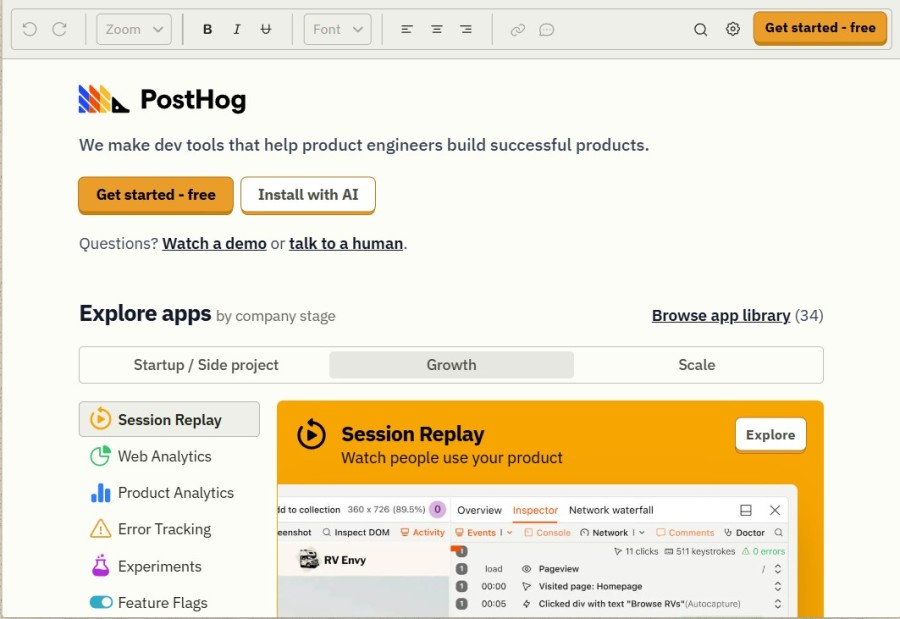
PostHog is an open-source product analytics and developer platform. Its GitHub page describes it as an all-in-one platform for building successful products, including product analytics, web analytics, session replay, error tracking, feature flags, experimentation, surveys, CDP capabilities, data warehouse, and AI-related product workflows.
In simple terms, PostHog helps teams answer product questions such as:
- What are users doing inside the product?
- Where do users drop off?
- Which features are being adopted?
- What happened before an error?
- Which experiment improved the metric?
- Which users should see a new feature first?
Key Features of PostHog
Product analytics is PostHog’s core strength. Teams can track custom events, build funnels, analyze retention, create cohorts, and understand how users move through the product.
PostHog also supports web analytics. Web analytics is billed with product analytics, so website event volume should be included when estimating total analytics cost.
Session replay lets teams watch user sessions to understand UX issues, failed flows, rage clicks, confusion, and bugs. PostHog includes 5,000 free web recordings per month and 2,500 free mobile recordings per month.
PostHog includes feature flags for controlled rollouts, experiments, and targeted releases. The free tier includes 1 million feature flag requests per month, and paid usage starts after that.
Experiments are billed with feature flags. This means teams should model experiment cost based on feature flag request volume, not just the number of tests created.
PostHog surveys help teams collect user feedback directly inside the product. The free tier includes 1,500 responses per month, with paid usage starting at $0.10 per response after the free tier.
PostHog includes error tracking and logs. This can help product teams connect user behavior with technical issues. However, teams that need deep APM, distributed tracing, infrastructure monitoring, service maps, and root-cause analysis may still need a dedicated observability platform.
PostHog can be self-hosted. Its docs say PostHog is open source and freely available to host, with a free Docker Compose deployment under an MIT license. The same docs also make clear that self-hosting means the team manages infrastructure, deployments, URLs, scaling, and related operations.
PostHog Pricing Options in 2026
PostHog uses usage-based pricing. There is a broad free tier, pay-as-you-go pricing after monthly free limits, and optional platform packages for teams that need stronger governance, support, SSO, security, or enterprise controls.
| Pricing option | Public price | Key details |
| Free | $0 | 1 project, 1-year retention, community support, monthly free usage limits |
| Pay-as-you-go | Starts at $0/month, then usage-based | 6 projects, 7-year retention, email support, product-level billing limits |
| Boost package | $250/month | Unlimited projects, white labeling, HIPAA BAA, SSO enforcement, collaboration features |
| Scale package | $750/month | Priority support, SAML, and Scale features; includes Boost |
| Enterprise | Contact sales | RBAC, dedicated support, training, custom MSA, custom pricing |
PostHog Free Tier and Paid Usage
| Product area | Free monthly allowance | Starting paid rate after free tier |
| Product analytics | 1M events | From $0.0000500/event |
| Session replay | 5K web recordings | From $0.0050/recording |
| Mobile session replay | 2.5K mobile recordings | From $0.0100/mobile recording |
| Feature flags | 1M requests | From $0.000100/request |
| Experiments | Billed with feature flags | Uses feature flag request pricing |
| Surveys | 1,500 responses | From $0.100/response |
| Managed warehouse | 1M rows + free historical syncs | From $0.000015/row |
| Data pipelines | 10K trigger events + 1M batch rows | Realtime and batch pricing apply |
| Error tracking | 100K exceptions | From $0.000370/exception |
| AI observability | 100K events | From $0.00006/event |
| PostHog AI | 2K credits | $0.01/credit |
| Workflows | 10K messages per channel | Paid tiers vary by channel |
| Logs | 50 GB ingested | $0.25/GB from 50–300 GB, then $0.15/GB after 300 GB |
Product Analytics Pricing
| Monthly event volume | Price |
| First 1 million events | Free |
| 1–2 million events | $0.0000500/event |
| 2–15 million events | $0.0000343/event |
| 15–50 million events | $0.0000295/event |
| 50–100 million events | $0.0000218/event |
| 100–250 million events | $0.0000150/event |
| 250 million+ events | $0.0000090/event |
Session Replay, Feature Flags, and Surveys Pricing
| Product | Free tier | Starting paid price |
| Web session replay | First 5,000 recordings | From $0.0050/recording |
| Mobile session replay | First 2,500 mobile recordings | From $0.0100/mobile recording |
| Feature flags | First 1 million requests | From $0.000100/request |
| Experiments | Billed with feature flags | Uses feature flag request pricing |
| Surveys | First 1,500 responses | From $0.100/response |
What Does PostHog Really Cost?
⚠️ Disclaimer
The scenarios below are directional editorial estimates based on PostHog’s public usage-based pricing as of June 2026. They are not official PostHog quotes. Final cost can vary based on event volume, session replay recordings, feature flag requests, error tracking events, log ingestion, survey responses, and whether the team uses PostHog Cloud or self-hosts.
For this model, we only include usage areas that map directly to PostHog’s public pricing model: logs, web session replay, and error tracking. We do not include hosts, traces, metrics, RUM pricing, or synthetic monitoring because PostHog does not bill for those in the same way.
PostHog prices logs by ingested GB, web session replay by monthly recordings, and error tracking by captured exception events. Product analytics, feature flags, surveys, warehouse rows, data pipelines, AI observability, PostHog AI, and workflows are excluded from this model because no usage assumptions were provided for those meters.
Pricing Assumptions
PostHog includes 50 GB of logs per month for free. After that, logs are priced at $0.25/GB from 50 GB to 300 GB, then $0.15/GB after 300 GB. Web session replay includes 5,000 free recordings per month, then uses tiered recording pricing. Error tracking includes the first 100,000 exceptions free, then charges $0.000370/exception from 100,000 to 325,000 exceptions, $0.000140/exception from 325,000 to 10 million exceptions, and $0.000115/exception above 10 million exceptions.
Workload Assumptions
| Team size | Logs | Web session replay | Error tracking |
| Small team | 720 GB/month | 5,000 recordings/month | 250K exceptions/month |
| Growing team | 3.6 TB/month | 50,000 recordings/month | 2M exceptions/month |
| Mid-market team | 18 TB/month | 200,000 recordings/month | 10M exceptions/month |
Scenario 1: Small Team, 720 GB Logs + 5,000 Recordings + 250K Exceptions
A small engineering team uses PostHog for product debugging, session review, log search, and basic error tracking. The team records a limited number of sessions but sends enough logs and exceptions to move beyond the free tier.
Teams at this stage may consider PostHog because replay stays free up to 5,000 recordings, and error tracking has a 100K exception free tier. In this scenario, logs are still the main cost driver.
Usage Profile
| Usage area | Monthly volume |
| Logs | 720 GB |
| Web session replay | 5,000 recordings |
| Error tracking | 250K exceptions |
Estimated Monthly Cost
| Component | Calculation | Monthly cost |
| Logs | 50 GB free + 250 GB × $0.25 + 420 GB × $0.15 | ~$125.50 |
| Web session replay | 5,000 recordings, within free tier | $0 |
| Error tracking | 100K free + 150K × $0.000370 | ~$55.50 |
| Total estimated cost | Logs + replay + errors | ~$181/month |
At small-team scale, PostHog can still be affordable if replay stays inside the free tier. In this model, the bill comes mainly from logs, with error tracking adding a smaller but noticeable cost.
Scenario 2: Growing Team, 3.6 TB Logs + 50,000 Recordings + 2M Exceptions
A growing SaaS team uses PostHog to investigate user sessions, review production logs, and track application exceptions across more product traffic. Usage is now above the free tier for logs, replay, and error tracking.
Teams at this stage may still find PostHog easy to model because each meter is public and usage-based. However, log ingestion, replay sampling, and exception volume now need active control.
Usage Profile
| Usage area | Monthly volume |
| Logs | 3.6 TB |
| Web session replay | 50,000 recordings |
| Error tracking | 2M exceptions |
Estimated Monthly Cost
| Component | Calculation | Monthly cost |
| Logs | 50 GB free + 250 GB × $0.25 + 3,300 GB × $0.15 | ~$557.50 |
| Web session replay | 10K × $0.005 + 35K × $0.0035 | ~$172.50 |
| Error tracking | 225K × $0.000370 + 1.675M × $0.000140 | ~$317.75 |
| Total estimated cost | Logs + replay + errors | ~$1,048/month |
At growing-team scale, logs remain the largest cost driver, but error tracking becomes meaningful too. Teams should review noisy exceptions, repeated client-side errors, replay sampling, and log volume before scaling PostHog broadly.
Scenario 3: Mid-Market Team, 18 TB Logs + 200,000 Recordings + 10M Exceptions
A mid-market engineering team uses PostHog across a larger product surface, with high log volume, many recorded sessions, and large exception volume from production services.
At this scale, PostHog’s public pricing is still clear, but buyers should model every active product separately. Logs, replay, and error tracking alone can create a meaningful monthly bill before analytics events, feature flags, surveys, data pipelines, warehouse rows, AI, or workflows are added.
Usage Profile
| Usage area | Monthly volume |
| Logs | 18 TB |
| Web session replay | 200,000 recordings |
| Error tracking | 10M exceptions |
Estimated Monthly Cost
| Component | Calculation | Monthly cost |
| Logs | 50 GB free + 250 GB × $0.25 + 17,700 GB × $0.15 | ~$2,717.50 |
| Web session replay | 10K × $0.005 + 35K × $0.0035 + 100K × $0.002 + 50K × $0.0017 | ~$457.50 |
| Error tracking | 225K × $0.000370 + 9.675M × $0.000140 | ~$1,437.75 |
| Total estimated cost | Logs + replay + errors | ~$4,613/month |
At mid-market scale, log ingestion is still the largest cost driver, but error tracking becomes a major part of the estimate. Buyers should confirm expected exception volume, suppression rules, replay sampling, log retention needs, and billing limits before relying on PostHog across many services.
What These Estimates Show
PostHog can stay low-cost when teams remain inside the free tiers, especially for session replay and error tracking. But once log volume reaches hundreds of GB or multiple TB per month, logs become the main cost driver.
Error tracking also matters as products scale. PostHog bills by captured exception events, not by the number of issues, resolved issues, or stored errors. That means repeated exceptions, noisy client-side errors, and unfiltered error capture can raise costs quickly.
These estimates only include logs, web session replay, and error tracking. If a team also uses PostHog for product analytics, feature flags, experiments, surveys, warehouse rows, data pipelines, AI observability, PostHog AI, or workflows, the final monthly cost will be higher.
What Actually Drives PostHog Costs?
PostHog analytics pricing is mainly driven by captured events. Costs stay easier to control when teams track only useful product events instead of sending every click, page load, and backend action without a clear purpose.
Session replay can become expensive if every user session is recorded. Teams should sample recordings, focus on important flows, and avoid recording low-value traffic.
Feature flags are billed by request volume after the free tier. Costs can rise when flags are evaluated often across frontend, backend, mobile, and high-traffic services.
Survey pricing depends on response volume. Broad surveys across large user bases can cross the free tier quickly, so teams should estimate expected responses before launching them.
PostHog’s data pipelines and managed warehouse have separate billing drivers. Teams should model exported rows, realtime trigger events, and warehouse sync volume separately from analytics events.
Logs, AI observability, and PostHog AI are priced separately from product analytics. These areas should be budgeted on their own because they can grow independently from normal product usage.
Boost, Scale, and Enterprise can add fixed or custom costs beyond usage. Teams should only add these packages when they need support, SSO, governance, security, or enterprise controls.
Additional Costs and Operational Overhead Buyers Should Plan For
PostHog works best when events are clean. If every team creates different names, properties, and user identifiers, dashboards and funnels become harder to trust.
Teams may need time for SDK installation, autocapture setup, identity management, custom events, replay masking, feature flags, experiments, surveys, warehouse syncs, and data pipelines.
PostHog is strong for product engineers, but non-technical users may need onboarding. G2 reviews show users praising PostHog’s flexibility while also mentioning that the platform can feel technical or overwhelming at first.
Session replay is useful, but it needs careful configuration. Teams should review masking, sensitive fields, retention settings, access permissions, and compliance requirements before recording user sessions.
Self-hosting gives teams more control, but it also adds responsibility. PostHog’s own docs say self-hosting means the team manages infrastructure, deployments, URLs, and scaling.
PostHog includes error tracking and logs, but it is not a full APM or infrastructure observability platform. Teams that need distributed tracing, infrastructure monitoring, service graphs, synthetic monitoring, and root-cause analysis may still compare tools like CubeAPM, Datadog, New Relic, Dynatrace, Grafana, or Sentry.
PostHog User Reviews in 2026
G2 lists PostHog at 4.5/5 from 1,045 reviews. Recent G2 feedback praises the platform for product analytics, session replay, event tracking, feature flags, setup, and developer-friendly workflows. Reviewers also mention learning curve, technical complexity, replay confusion, documentation gaps for advanced cases, and occasional SDK or performance issues.
| Review signal | Verified detail |
| G2 rating | 4.5/5 |
| G2 review count | 1,045 reviews |
| Common praise | Product analytics, session replay, flexible event tracking, feature flags, developer-friendly setup |
| Common criticism | Learning curve, complexity, replay confusion, advanced documentation gaps, some SDK/replay issues |
| Open-source signal | PostHog is public on GitHub and describes itself as open source |
What Users Praise
Users like that PostHog combines analytics, session replay, feature flags, experiments, surveys, and related workflows in one product. This reduces the need to stitch together multiple tools.
Session replay is one of PostHog’s strongest user-praised features. G2 reviews mention using recordings to understand user behavior, detect bugs, and see where users get confused.
PostHog is often described as developer-friendly. G2 reviews mention easy setup, custom event tracking, feature flags, and direct connection to the data stack.
Users praise PostHog’s flexibility because it can track custom events, funnels, onboarding paths, retention, and product behavior across web and mobile apps.
PostHog’s free tier is broad and includes monthly allowances across many products, including analytics, replay, feature flags, error tracking, surveys, data warehouse, pipelines, AI observability, workflows, and logs.
What Users Criticize
⚠️ Disclaimer
These points reflect public user feedback and pricing analysis. They should not be treated as universal product limitations for every PostHog customer.
Some users mention that PostHog takes time to learn because it is flexible and technical. This is especially true when teams need to design events, funnels, dashboards, cohorts, and experiments correctly.
PostHog is strong for technical teams, but non-technical teams may need training. Some users say it can feel overwhelming without technical comfort.
Some reviewers mention confusion around replay behavior, visitor counts, recording rules, or bulk deletion. Teams should test replay sampling and retention before relying on it heavily.
Some users mention SDK or replay-related performance issues in specific cases. This does not mean every team will face the same problem, but teams should test PostHog in mobile apps and performance-sensitive environments.
PostHog pricing is transparent, but usage-based pricing still requires forecasting. Events, replay recordings, feature flag requests, logs, pipelines, warehouse rows, and AI usage can grow independently.
PostHog Alternatives: How It Compares to Competitors
PostHog vs CubeAPM
PostHog and CubeAPM are not direct one-to-one replacements. PostHog is strongest for product analytics, session replay, feature flags, experiments, surveys, and product data workflows. CubeAPM is built for full-stack observability, including APM, distributed tracing, log management, infrastructure monitoring, RUM, synthetic monitoring, error tracking, service graphs, SLOs, dashboards, and alerting. CubeAPM’s public pricing page lists Pro pricing at $0.15/GB.
| Category | PostHog | CubeAPM |
| Primary role | Product analytics and product engineering platform | Full-stack observability and APM |
| Best for | Funnels, replay, feature usage, flags, experiments | Traces, logs, metrics, infra, incidents, root-cause analysis |
| Pricing model | Usage-based by product | Usage-based ingestion pricing |
| Public pricing | Detailed product-level pricing | $0.15/GB for Pro |
| Session replay / RUM | Session replay is a core feature | RUM focused on performance visibility |
| Feature flags | Core product area | Not the main product focus |
| Best fit | Product and engineering teams improving product usage | DevOps, SRE, and platform teams troubleshooting systems |
PostHog vs New Relic
PostHog is better suited for teams that want product analytics, session replay, feature flags, experiments, and user behavior tracking in one developer-friendly platform. New Relic is stronger for full-stack observability because it covers APM, infrastructure monitoring, logs, errors, digital experience monitoring, synthetics, and 50+ platform capabilities. New Relic pricing is based mainly on data ingest and users, with 100 GB of free ingest per month and $0.40/GB beyond that for original data.
| Category | PostHog | New Relic |
| Primary use case | Product analytics and product engineering | Full-stack observability |
| Strongest areas | Analytics, replay, flags, experiments, surveys | APM, logs, infra, errors, synthetics, RUM |
| Pricing model | Usage-based by product meter | Data ingest + user/compute pricing |
| Free tier | Broad product-level free allowances | 100 GB ingest + one full platform user |
| Best for | Product and engineering teams tracking user behavior | Engineering teams monitoring application and infrastructure health |
PostHog vs Dynatrace
PostHog is a better fit when the main goal is to understand product usage, run experiments, watch sessions, and connect user behavior with product decisions. Dynatrace is a deeper enterprise observability platform with APM, infrastructure monitoring, logs, traces, RUM, synthetics, automation, and security-related capabilities. Dynatrace lists Real User Monitoring at $2.25 per 1,000 sessions and RUM with Session Replay at $4.50 per 1,000 sessions.
| Category | PostHog | Dynatrace |
| Primary use case | Product analytics and user behavior | Enterprise observability and automation |
| Strongest areas | Replay, analytics, flags, experiments | APM, infra, RUM, logs, synthetics, AI-assisted monitoring |
| Pricing model | Usage-based by product meter | Capability-based usage pricing |
| Session replay pricing | Based on monthly recordings | RUM with Session Replay priced per session |
| Best for | Engineering-led product teams | Large teams needing deep system visibility |
PostHog vs Datadog
PostHog works best when teams need product analytics, feature flags, replay, surveys, and experimentation. Datadog is stronger when teams need infrastructure monitoring, APM, log management, custom metrics, RUM, synthetics, security monitoring, and broad cloud visibility. Datadog’s pricing is split across many products, with examples such as Infrastructure Pro from $15 per host/month annually and custom metrics from $5 per 100 custom metrics/month.
| Category | PostHog | Datadog |
| Primary use case | Product analytics and product engineering | Cloud-scale observability and monitoring |
| Strongest areas | Analytics, replay, flags, experiments, surveys | Infra, APM, logs, metrics, RUM, synthetics |
| Pricing model | Usage-based by PostHog product | Product-by-product usage and host-based pricing |
| Cost risk | Events, replay, flags, logs, errors | Hosts, logs, metrics, APM, RUM, add-ons |
| Best for | Teams improving product usage and feature adoption | DevOps, SRE, and platform teams monitoring systems |
PostHog vs Sentry
PostHog includes error tracking, but its broader strength is product analytics and user behavior. Sentry is more focused on developer diagnostics, including error monitoring, tracing, session replay, logs, uptime monitoring, cron monitoring, and profiling. Sentry’s pricing docs say paid plans include preset monthly event volumes such as errors, logs, spans, and replays, and then bill based on data processed.
| Category | PostHog | Sentry |
| Primary use case | Product analytics and user behavior | Error monitoring and developer diagnostics |
| Strongest areas | Replay, analytics, flags, experiments | Errors, traces, replays, logs, profiling |
| Pricing model | Usage-based by product meter | Event-based pricing across product areas |
| Error tracking | Included | Core product focus |
| Best for | Product usage and experimentation | Debugging errors and app performance issues |
PostHog vs LogRocket
PostHog and LogRocket overlap more directly around session replay, product analytics, and frontend debugging. PostHog is broader for engineering-led product teams because it also includes feature flags, experiments, surveys, data pipelines, warehouse, logs, and open-source/self-hosting options. LogRocket is stronger when the main need is polished session replay, frontend error context, product analytics, and UX issue investigation. LogRocket’s pricing page lists a free plan with 1,000 sessions/month, a Core plan starting at $69/month, and a Professional plan starting at $295/month.
| Category | PostHog | LogRocket |
| Primary use case | Product analytics and product engineering | Session replay and frontend experience analytics |
| Strongest areas | Analytics, replay, flags, experiments | Replay, frontend errors, UX analytics |
| Pricing model | Usage-based by product meter | Plan and session-volume based pricing |
| Free tier | Broad product-level free allowances | 1,000 sessions/month |
| Best for | Engineering-led product teams | Frontend and product teams reviewing UX issues |
Is PostHog the Right Choice?
PostHog Works Best For
- Engineering-led SaaS teams
- Startups wanting a broad free tier
- Product teams that need analytics and replay
- Developers who want feature flags and experiments
- Teams that prefer open-source tooling
- Companies that want cloud or self-hosting options
- Organizations that can manage event taxonomy and data hygiene
PostHog May Not Be the Right Fit For
- Teams wanting simple flat-rate pricing
- Non-technical teams that need plug-and-play dashboards
- Companies without engineering support for implementation
- Teams needing deep APM, infrastructure monitoring, or distributed tracing
- Organizations that need advanced in-app onboarding and product adoption workflows
- Buyers who do not want to manage event volume, replay sampling, flag requests, logs, and pipeline usage
Practical Buying Advice
- Estimate monthly analytics events before rollout.
- Decide whether you need anonymous web analytics, identified product analytics, or both.
- Plan replay sampling before recording every session.
- Forecast feature flag requests across frontend and backend usage.
- Model survey responses, warehouse rows, data pipelines, logs, workflows, AI observability, and PostHog AI separately.
- Use billing limits per product early.
- Assign one owner for event naming and data governance.
- Decide whether PostHog should be paired with an observability platform such as CubeAPM, Datadog, New Relic, Grafana, Dynatrace, or Sentry.
Conclusion
PostHog is one of the strongest product analytics platforms for engineering-led teams in 2026. It combines analytics, web analytics, session replay, feature flags, experiments, surveys, error tracking, data pipelines, logs, workflows, and AI-related products in one platform. Its free tier is broad, and its usage-based pricing is transparent enough for teams that are willing to model usage carefully.
The main tradeoff is complexity. PostHog can replace several tools, but that also means teams need to manage event taxonomy, replay rules, flag request volume, pipeline volume, logs, and privacy settings. Self-hosting is available, but it adds infrastructure and scaling responsibility.
For product behavior, replay, experimentation, and feature rollouts, PostHog is a strong option. For deeper application performance monitoring, distributed tracing, infrastructure monitoring, logs, service graphs, and root-cause analysis, teams should compare or pair it with observability platforms such as CubeAPM, Datadog, New Relic, Dynatrace, Grafana, or Sentry.
Disclaimer: Pricing, packaging, features, and review counts can change over time. This review is based on publicly available PostHog pricing, documentation, GitHub, G2, and CubeAPM pricing information checked in June 2026. Buyers should verify current terms directly with each vendor before making purchasing decisions.
FAQs
1. What is PostHog?
PostHog is an open-source product analytics and developer platform. It includes product analytics, web analytics, session replay, feature flags, experiments, surveys, data warehouse, data pipelines, error tracking, logs and AI-related features.
2. How much does PostHog cost?
PostHog has a Free plan and a Pay-as-you-go plan. Free includes monthly usage allowances. Pay-as-you-go starts at $0/month and then charges based on product usage after free limits.
3. Does PostHog have a free plan?
Yes. PostHog’s Free plan requires no credit card and includes free usage across analytics, replay, feature flags, surveys, error tracking, data warehouse, logs and more.
4. What is included in PostHog’s free tier?
The free tier includes 1 million analytics events, 5,000 session recordings, 1 million feature flag requests, 100,000 exceptions, 1,500 survey responses, 1 million warehouse rows, 50 GB logs and other monthly allowances.
5. How is PostHog product analytics priced?
Product analytics is billed by captured event volume after the free tier. The first 1 million events are free, then paid tiers begin at $0.0000500 per event.
6. How is PostHog session replay priced?
Web session replay includes 5,000 free recordings per month, then starts at $0.0050 per recording. Mobile replay includes 2,500 free recordings, then starts at $0.0100 per mobile recording.
7. How are PostHog feature flags priced?
Feature flags include 1 million free requests per month. Paid usage starts at $0.000100 per request and decreases at higher volumes.
8. Is PostHog open source?
Yes. PostHog is open source. Its GitHub page says the platform is an all-in-one open-source platform for building successful products.
9. Is PostHog good for startups?
Yes. PostHog is often a strong fit for startups because the free tier is broad, setup is developer-friendly and many product tools are included in one platform.
10. Is PostHog good for enterprises?
PostHog can work for enterprises, especially technical teams that need product analytics, experiments, flags and data control. Enterprises should evaluate platform packages, governance, privacy, support, security and expected usage volume.
11. What are the main PostHog alternatives?
Common alternatives include Amplitude, Mixpanel, Heap, Hotjar, FullStory, LaunchDarkly, Pendo, Sentry, LogRocket, Google Analytics and CubeAPM depending on the use case.
12. How does PostHog compare with CubeAPM?
PostHog is mainly for product analytics, feature flags, experiments and user behavior. CubeAPM is mainly for full-stack observability, including APM, distributed tracing, logs, infrastructure monitoring, RUM, synthetics, error tracking and service health. They can be complementary rather than direct substitutes.