









Traefik proxy monitoring is critical for cloud-native systems, giving visibility into traffic flow, latency, and errors at the ingress layer. With Traefik v3.3 adding deeper OpenTelemetry support for metrics, traces, and logs, adoption continues to grow across Kubernetes and containerized platforms. Even small blind spots here can ripple into outages for apps handling thousands of requests per second.
The challenge is that monitoring Traefik Proxy at scale is hard. Teams struggle with correlating request spikes and backend errors, spotting TLS handshake or certificate expiry issues, and diagnosing routing changes in dynamic environments. Metrics, logs, and traces are often scattered across different tools, delaying root-cause analysis.
CubeAPM is the best solution for monitoring Traefik Proxy. It unifies metrics, logs, and error traces, supports smart sampling to cut noise, enables real-time alerts, and offers dashboards tailored to proxies and ingress routing.
In this article, we’ll cover what Traefik Proxy is, why monitoring it matters, the key metrics, and how CubeAPM delivers complete Traefik Proxy monitoring.
What is a Traefik Proxy?
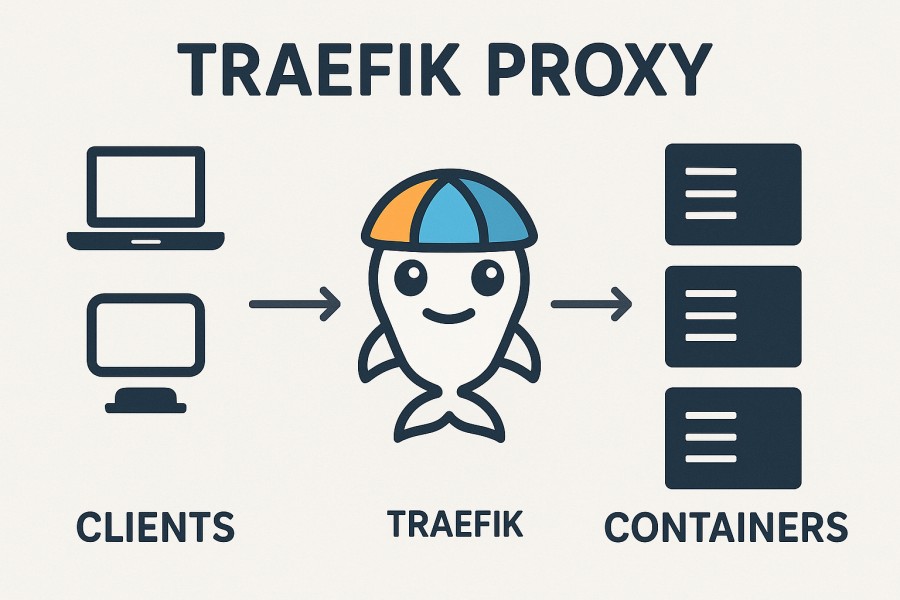
Traefik Proxy is an open-source, cloud-native reverse proxy and load balancer built to handle dynamic, service-oriented environments. It automatically discovers services from orchestrators like Kubernetes, Docker, Nomad, and Consul, and routes requests based on rules such as paths, headers, or hostnames. Traefik also comes with built-in support for Let’s Encrypt certificates, HTTP/2, gRPC, and native OpenTelemetry instrumentation, making it a powerful choice for teams running modern microservices.
Monitoring Traefik Proxy is vital because it sits at the very edge of infrastructure, the single entry point for APIs and applications. Businesses benefit from monitoring Traefik in several ways:
- Reliability: Detect spikes in 5xx errors, backend failures, or TLS handshake issues before customers are impacted.
- Performance: Track latency at P95/P99, queue times, and throughput to optimize routing and resource allocation.
- Security: Watch for abnormal traffic, failed auth requests, or expired SSL/TLS certificates that could compromise services.
- Cost Optimization: By correlating logs and traces, teams can identify inefficient routing and reduce wasted compute cycles.
Example: Traefik as a Kubernetes Ingress Controller for FinTech APIs
A FinTech startup deployed Traefik as its Kubernetes Ingress Controller to manage real-time payment APIs. Without monitoring, sudden latency spikes during peak trading hours went unnoticed until users complained of failed transactions. After enabling Traefik monitoring, the team correlated backend timeouts with rising TLS handshake failures, quickly resolving the issue and preventing customer churn. This visibility allowed them to maintain high API reliability while scaling traffic securely.
Why Monitoring Traefik Proxy Is Important
Traefik is the gateway; risks amplify at the edge
Since Traefik functions as the ingress entry point for your entire service mesh or API layer, any misconfiguration, routing shift, or overload there affects every backend. Without observability, small hiccups in TLS handshake, request queuing, or routing logic can cascade into service-level outages. Traefik’s observability features (metrics, config reload counts, open connections, histograms) help detect these issues before they impact customers.
Dynamic infrastructure = moving target
Traefik continuously adapts to changing environments—pods come and go, service labels change, and CRDs update. That dynamism breeds configuration drift or routing “dead ends” unless you monitor metrics like traefik_config_reload_total, config.reload.failure, router-level throughput, retry counts, and health-check failures.
Certificate & handshake failures threaten uptime
Traefik’s built-in ACME and TLS automation simplify certificate management, but renewal failures, DNS issues, or handshake errors still happen. Monitoring tls_handshake latency/failures, certificate expiry, and TLS error trends is essential—especially as certificate lifetimes shrink under new CA/Browser rules (future validity limits).
Ingress stability ties directly to business impact
Outages at the ingress translate to lost revenue and broken SLAs. According to The State of Resilience 2025 report, survey respondents cited per-outage losses ranging from $10,000 to over $1,000,000, and organizations endure an average of 86 outages annually. More striking: 55% of companies report weekly service interruptions.
Middleware logic, rate limits, retries—subtle causes of failure
Traefik’s middleware chain (rate limiting, circuits, retries, auth) is powerful—but poorly ordered or misapplied logic can throttle the wrong paths or mask backend failures. Monitoring middleware saturation, circuit-open rates, and retry volumes helps ensure your traffic rules don’t backfire.
Unified observability prevents blind spots
Traefik supports OpenTelemetry metrics and ingress of metrics into Prometheus, Datadog, StatsD, etc. But metrics alone are not enough—you need logs, traces, and correlation to trace from router → service → backend. Combining them helps you chase root causes faster (e.g., a slow upstream, failed health check, or TLS handshake ripple).
Example: Traefik as Kubernetes Ingress for a Payments API
A payments platform used Traefik for routing /charge and /refund endpoints behind rate limiting and retry logic. During a promotional spike, customers began receiving 502 errors. With Traefik observability enabled, the team flagged rising router P99 latency, a burst of TLS handshake errors, and recurring config reload failures. They pinpointed a misconfigured certificate renewal plus a backend shard under pressure. After fixing the cert and rebalancing upstreams, stability returned within minutes—not hours.
Key Metrics to Monitor in Traefik Proxy
Monitoring Traefik Proxy effectively requires tracking metrics across multiple categories—traffic, errors, latency, resource usage, and service discovery. Each metric reveals a different dimension of proxy health and business impact.
Traffic Metrics
These metrics help you understand overall load and how requests are flowing through Traefik.
- Requests per second (RPS): Measures the number of incoming requests Traefik is handling per second. A sudden surge can indicate traffic spikes or attacks. Threshold: Alert if RPS jumps above normal baselines (e.g., >20% sustained increase).
- Active connections: Tracks current open client connections. High sustained values may signal under-provisioned infrastructure. Threshold: Alert if active connections consistently exceed 80% of system capacity.
- Throughput (bytes in/out): Shows how much data is moving through Traefik. Drops in throughput may suggest blocked upstreams or routing errors. Threshold: Alert if throughput falls below expected averages during peak hours.
Error Metrics
Errors directly impact end-user experience, making them essential to monitor closely.
- HTTP 4xx error rate: Indicates client-side issues like bad requests or failed auth. A spike could mean misconfigured routes or auth middleware. Threshold: Alert if >5% of requests are 4xx over 5 minutes.
- HTTP 5xx error rate: Flags server-side errors in Traefik or upstream services. Even small increases can harm APIs and SLAs. Threshold: Alert if >1–2% of requests are 5xx over 5 minutes.
- Retry counts: Shows how many requests are retried by Traefik when upstreams fail. High retry counts can increase latency and load. Threshold: Alert if retries exceed 10% of requests.
- Circuit breaker trips: Tracks when Traefik stops sending traffic to failing services. Frequent trips indicate serious upstream instability. Threshold: Alert if breaker remains open for >30s.
Latency Metrics
Latency defines user experience—monitoring distribution percentiles helps spot bottlenecks.
- P95/P99 latency: Measures the slowest 5% and 1% of requests. These values catch tail latencies that averages can hide. Threshold: Alert if P99 latency exceeds 1s for >3 minutes.
- Queue times: Reflect how long requests wait before being processed. Rising queues often mean capacity limits are reached. Threshold: Alert if queue time >200ms.
- TLS handshake duration: Tracks the time needed for secure connections. Longer handshakes increase response time and can reveal cert issues. Threshold: Alert if handshake duration exceeds 300ms on average.
Resource Utilization Metrics
Resource metrics ensure Traefik has enough system headroom to handle spikes.
- CPU usage: Shows how much processing Traefik consumes. High CPU can cause slow routing or dropped connections. Threshold: Alert if CPU >85% for 5 minutes.
- Memory usage: Indicates how much memory Traefik processes use. Sustained high usage risks crashes or OOM events. Threshold: Alert if memory >80% for 5 minutes.
- Open file descriptors: Reflects system resource limits. Too many descriptors in use may prevent new connections. Threshold: Alert if >90% of max file descriptors are consumed.
Service Discovery and Configuration Metrics
These metrics highlight how well Traefik is dynamically updating and routing traffic.
- Backend availability: Tracks the number of healthy vs. unhealthy upstream services. Falling availability directly affects routing success. Threshold: Alert if more than 2 consecutive health check failures occur.
- Health check failures: Signals when backends fail readiness/liveness probes. Repeated failures can cascade into outages. Threshold: Alert if >5% of backends fail health checks.
- Configuration reloads: Counts how often Traefik reloads configuration. Frequent reloads can signal misconfiguration or orchestration churn. Threshold: Alert if reloads occur >3 times in 10 minutes.
How to Monitor Traefik Proxy with CubeAPM (Step-by-Step)
Step 1: Enable Traefik Metrics via Prometheus or OpenTelemetry
Expose Traefik’s built-in metrics for CubeAPM to collect. Traefik supports Prometheus scraping and, from v3.3 onward, native OpenTelemetry exporters for metrics, traces, and logs. This ensures that CubeAPM can ingest key data points like request throughput, error rates, latency, and TLS handshake times. Traefik observability docs
Step 2: Install and Configure CubeAPM Agent/Collector for Traefik
Deploy the CubeAPM collector to receive Traefik’s telemetry. In Kubernetes, follow the Kubernetes install guide. For VM or bare-metal environments, use the standard install steps. Then configure the collector to accept OTLP or Prometheus data from Traefik. Full configuration details are in CubeAPM docs.
Step 3: Build Dashboards for Request, Error, and Latency Breakdown
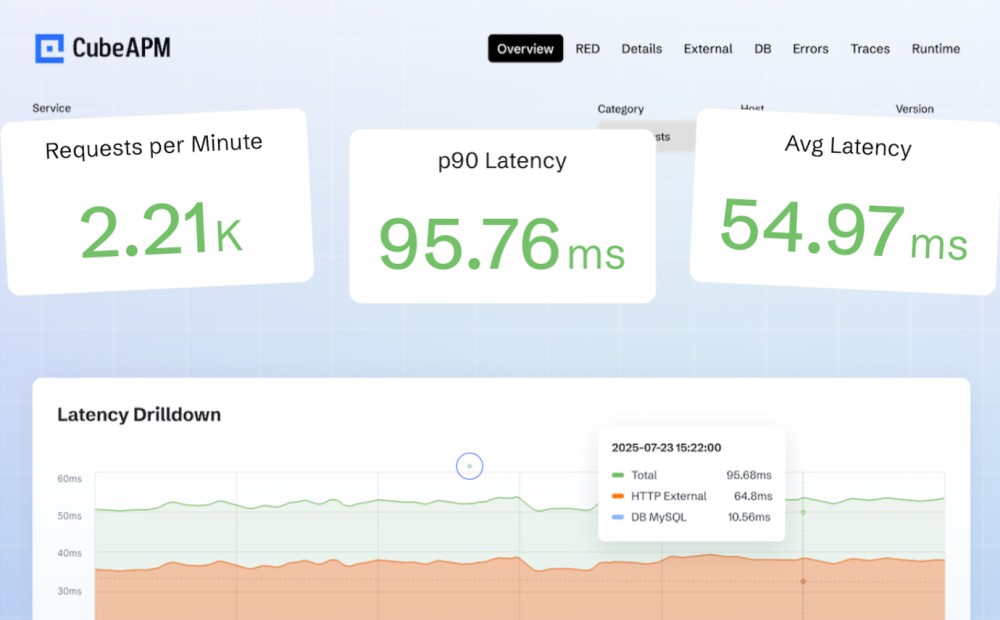
With metrics flowing into CubeAPM, create dashboards that visualize RPS, 4xx/5xx error rates, P95/P99 latency, backend health, and config reloads. CubeAPM’s Infrastructure Monitoring and Log Monitoring modules let you correlate proxy activity with downstream service health.
Step 4: Set Up Smart Alerts on Error Spikes and Latency Breaches
Finally, configure CubeAPM to notify your team when problems emerge. Alerts can track 5xx error rate thresholds, latency breaches, retry storms, or repeated backend failures. CubeAPM integrates with multiple channels, including email, Slack, and PagerDuty. See the alerting guide for examples.
Real-World Example: Monitoring Traefik in Kubernetes
Challenge
A SaaS platform running microservices in Kubernetes deployed Traefik as its Ingress Controller to route traffic across dozens of APIs. During peak hours, users reported intermittent 502 errors and increasingly slow TLS handshakes. The operations team struggled to pinpoint whether the issue stemmed from Traefik, the backend services, or certificate management.
Solution
By integrating Traefik with CubeAPM, the team ingested both metrics and logs in real time. CubeAPM correlated Traefik access logs with backend latency metrics and certificate expiry checks, making it clear that expired TLS certificates and connection saturation were the main culprits. The end-to-end view helped them trace errors from the edge proxy down to specific backend services.
Fixes
The engineers re-tuned Traefik’s connection pools to reduce queue build-up during bursts of traffic, and automated certificate rotation workflows to prevent future TLS expiry issues. CubeAPM’s alerting was configured to flag handshake failures and P99 latency spikes early.
Results
The improvements delivered measurable business impact: the SaaS provider saw a 40% reduction in 5xx errors and a 25% improvement in API response times. With CubeAPM dashboards, they could continuously monitor Traefik’s health, ensuring smoother user experiences during traffic surges.
Verification Checklist & Example Alert Rules for Monitoring Traefik Proxy with CubeAPM
Before you roll Traefik Proxy monitoring into production, it’s critical to verify that your setup is capturing the right telemetry and alerting on the right conditions. A proper checklist ensures nothing is missed, while alert rules give your team actionable signals.
Verification Checklist
- Metrics endpoint enabled: Confirm that Traefik’s Prometheus or OpenTelemetry endpoints are active and accessible. Run a quick curl or PromQL query to validate exposure.
- Collector configuration: Verify CubeAPM’s collector is configured to scrape or receive Traefik’s telemetry (Prometheus, OTLP). Ensure the service endpoint is reachable and no dropped data is logged.
- Dashboards populated: Open CubeAPM dashboards and confirm traffic, latency, error, and TLS metrics appear. Test with a small traffic burst to validate metric accuracy.
- Logs ingestion: Check that Traefik access logs and error logs are flowing into CubeAPM. Verify log parsing (JSON or text format) is producing the right fields.
- Alerting integration: Make sure alerts are connected to your chosen channels (Slack, PagerDuty, email). Send a test notification to validate end-to-end delivery.
Example Alert Rules
1. Error Rate Alerts
Condition: Trigger an alert when 5xx errors exceed safe limits.
alert: TraefikHighErrorRate
expr: sum(rate(traefik_service_requests_total{code=~"5.."}[5m]))
      / sum(rate(traefik_service_requests_total[5m])) > 0.02
for: 5m
labels:
  severity: critical
annotations:
  summary: "High 5xx error rate on Traefik"
  description: "More than 2% of requests are failing with 5xx status codes in the last 5 minutes."
2. Latency Breach Alerts
Condition: Detect rising tail latency before it impacts users.
alert: TraefikHighLatency
expr: histogram_quantile(0.99, rate(traefik_service_request_duration_seconds_bucket[5m])) > 1
for: 3m
labels:
  severity: warning
annotations:
  summary: "P99 latency exceeded on Traefik"
  description: "99th percentile request latency is greater than 1 second over the last 3 minutes."
3. Backend Health Alerts
Condition: Notify when backends repeatedly fail health checks.
alert: TraefikBackendUnhealthy
expr: increase(traefik_backend_server_up{status="down"}[5m]) > 3
for: 2m
labels:
  severity: critical
annotations:
  summary: "Backend health check failures in Traefik"
  description: "One or more backend services have failed health checks more than 3 times in 5 minutes."
Conclusion
Monitoring Traefik Proxy is essential for maintaining reliable, secure, and high-performing applications. As the entry point to your services, even minor issues in Traefik can ripple across the entire infrastructure, leading to downtime, degraded user experience, and lost revenue. Businesses that rely on Kubernetes, Docker, or multi-cloud environments need real-time visibility into their proxy layer to stay ahead of these risks.
CubeAPM provides an end-to-end solution for Traefik Proxy monitoring, unifying metrics, logs, and traces in one platform. With features like smart sampling, cost-efficient pricing, and 800+ integrations, CubeAPM makes it easier to pinpoint latency spikes, detect certificate issues, and correlate backend failures with proxy events.
By adopting CubeAPM for Traefik Proxy monitoring, teams gain proactive alerting, customizable dashboards, and compliance-ready deployments that scale with their workloads. Book a free demo with CubeAPM and see how it can transform your Traefik monitoring into actionable insights.
Disclaimer: The information in this article reflects the latest details available at the time of publication and may change as technologies and products evolve.
FAQs
1. Can Traefik Proxy monitoring help with detecting DDoS or bot attacks?
Yes. By monitoring request rates, unusual traffic patterns, and 4xx/403 error spikes, you can quickly spot abnormal activity. CubeAPM dashboards can highlight these anomalies in real time and trigger alerts when thresholds are exceeded.
2. How do I monitor Traefik Proxy running outside Kubernetes (e.g., Docker Swarm or standalone)?
Traefik exposes the same Prometheus and OpenTelemetry endpoints in non-Kubernetes environments. You can configure CubeAPM’s collector to scrape these endpoints and ingest logs, making the monitoring approach consistent across platforms.
3. Does Traefik Proxy monitoring include SSL/TLS certificate expiry alerts?
Yes. You can track TLS handshake duration and certificate validity. CubeAPM supports alerts that notify you before certificates expire or if handshake failures start to increase.
4. What’s the best way to monitor Traefik middlewares like rate limiting or retries?
Middleware metrics such as retry counts, rate-limit saturation, or circuit breaker trips can be exported via Traefik metrics. CubeAPM allows you to visualize these trends and set alerts to prevent retry storms or throttling misconfigurations.
5. How much overhead does Traefik monitoring add to performance?
Traefik’s Prometheus and OTLP exporters are lightweight and designed for production use. With CubeAPM’s smart sampling, monitoring overhead remains minimal while still preserving critical logs, traces, and metrics for troubleshooting.