









Kubernetes Exit Code 143 occurs when a container is stopped with a SIGTERM signal, usually during pod shutdowns, scaling, or rolling updates. While designed for graceful termination, missing preStop hooks, long-running processes, or misconfigured probes can turn it into failed rollouts. About 66% of organizations now run Kubernetes in production CNCF Survey, so recurring 143 exits can quickly affect uptime and SLAs.
CubeAPM makes debugging this error faster by correlating termination events, container logs, pod metrics, and rollout history in one place. Instead of chasing SIGTERM messages across kubectl outputs, teams can instantly see whether the shutdown came from scaling, eviction, or bad configuration—and confirm if pods restarted cleanly.
In this guide, we’ll break down what Exit Code 143 means, why it happens, how to fix it, and how CubeAPM can help you monitor and prevent it in production.
What is Kubernetes Exit Code 143 (SIGTERM)
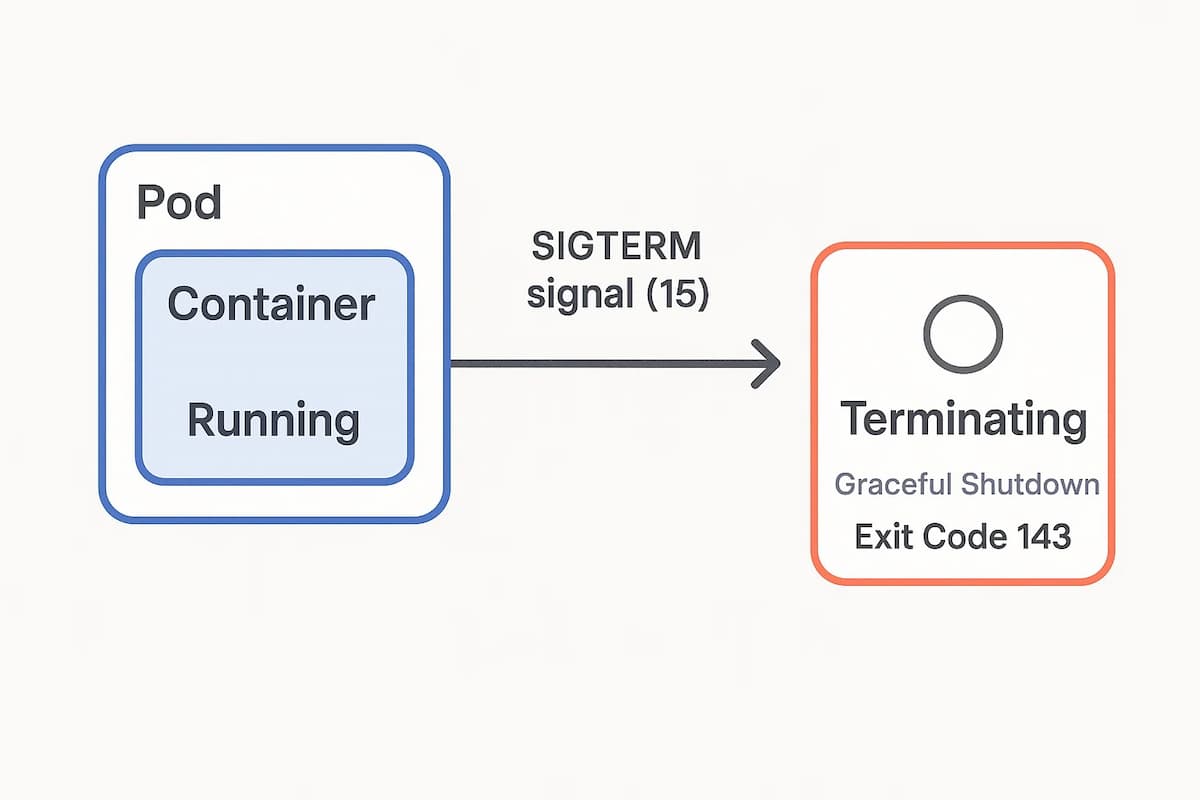
Exit Code 143 in Kubernetes means a container was terminated with a SIGTERM (signal 15). Kubernetes sends this signal during events like pod deletion, rolling updates, or scaling down, giving the container time to shut down gracefully before a SIGKILL (Exit Code 137) is enforced.
In healthy workloads, applications catch the SIGTERM, complete any ongoing requests, close connections, and exit cleanly. But if the shutdown is misconfigured—such as missing preStop hooks or processes taking longer than the termination grace period—the pod may exit mid-task, leaving requests unserved or data unsynced.
This makes Exit Code 143 both normal and risky: it’s expected during routine lifecycle events but can cause downtime when apps fail to handle it correctly.
How to Fix Exit Code 143 (SIGTERM) in Kubernetes
1. Adjust terminationGracePeriodSeconds
If pods need more time to shut down, the default 30s window may be too short.
Check: Review the pod spec
kubectl get pod <pod-name> -o yamlFix: Increase terminationGracePeriodSeconds in the deployment spec to match your app’s shutdown needs.
2. Add preStop hook for cleanup
Without lifecycle hooks, processes may exit abruptly.
Check: Inspect the deployment spec for lifecycle hooks:
kubectl describe pod <pod-name>Fix: Add a preStop hook to drain connections or flush data before SIGTERM.
3. Handle SIGTERM in application code
Apps that don’t trap termination signals drop requests mid-flight.
Check: Review container logs for abrupt exits:
kubectl logs <pod-name> --previousFix: Update application code to capture SIGTERM (e.g., in Go, Java, or Python) and close resources gracefully.
4. Validate rolling update settings
Fast rollouts can kill pods before new ones are ready.
Check: Inspect rollout strategy in the deployment spec:
kubectl get deploy <deployment> -o yamlFix: Adjust maxUnavailable and maxSurge values to reduce disruption during upgrades.
5. Monitor node evictions
SIGTERM also comes from node pressure or autoscaling.
Check: Review recent events on the namespace:
kubectl get events --sort-by=.metadata.creationTimestampFix: Right-size cluster nodes or add PodDisruptionBudgets to minimize unplanned evictions.
Monitoring Exit Code 143 (SIGTERM) in Kubernetes with CubeAPM
Fastest path to root cause: Correlate four signal streams—Kubernetes Events, Pod/Node Metrics, Container Logs, and Rollout history—to see who sent SIGTERM, why it was sent (rollout, scale-down, eviction), how the app handled it, and whether the rollout finished cleanly. CubeAPM uses OpenTelemetry Collectors to gather these signals and stream them into dashboards for real-time analysis.
Step 1 — Install CubeAPM (Helm)
Why: Brings the backend and dashboards online so OTel signals (events, metrics, logs, rollouts) are centralized for correlation.
helm repo add cubeapm https://charts.cubeapm.com && helm repo update && helm install cubeapm cubeapm/cubeapm -f values.yamlUpdate configs later with:
helm upgrade cubeapm cubeapm/cubeapm -f values.yamlStep 2 — Deploy the OpenTelemetry Collector (DaemonSet + Deployment)
Why:
- DaemonSet → runs one collector per node to tail container logs and scrape kubelet/node stats.
- Deployment → gathers cluster-level events, metrics, and pipelines data to CubeAPM.
helm repo add open-telemetry https://open-telemetry.github.io/opentelemetry-helm-charts && helm repo update && helm install otel-collector-daemonset open-telemetry/opentelemetry-collector -f otel-collector-daemonset.yamlhelm install otel-collector-deployment open-telemetry/opentelemetry-collector -f otel-collector-deployment.yamlStep 3 — Collector Configs Focused on Exit Code 143 (SIGTERM)
Goal: Capture SIGTERM messages from container logs, measure shutdown duration via kubelet stats, collect Kubernetes events, and forward everything to CubeAPM.
3A. DaemonSet (node-local): container logs + kubelet stats
Why: Node agents catch raw container logs (SIGTERM, terminated with signal 15) and pod resource stats, essential for confirming if grace periods were respected.
receivers:

  filelog:

    include: [/var/log/containers/*.log]

    start_at: beginning

    operators:

      - type: regex_parser

        regex: '^(?P<time>[^ ]+) (?P<stream>stdout|stderr) (?P<flag>[FP]) (?P<log>.*)$'

        timestamp:

          parse_from: attributes.time

      - type: filter

        expr: 'contains(body, "SIGTERM") || contains(body, "terminated with signal 15") || contains(body, "Exit Code: 143")'

  kubeletstats:

    collection_interval: 30s

    metrics: [container.cpu.time, container.memory.working_set, k8s.pod.uptime]


processors:

  k8sattributes:

    auth_type: serviceAccount

    passthrough: false

  attributes:

    actions:

      - key: error.type

        value: exit_code_143

        action: upsert

  batch: {}


exporters:

  otlp:

    endpoint: ${CUBEAPM_OTLP_ENDPOINT}

    headers: { "x-api-key": "${CUBEAPM_API_KEY}" }


service:

  pipelines:

    logs:

      receivers: [filelog]

      processors: [k8sattributes, attributes, batch]

      exporters: [otlp]

    metrics:

      receivers: [kubeletstats]

      processors: [k8sattributes, batch]

      exporters: [otlp]
3B. Deployment (gateway): events + cluster metrics
Why: Central collector captures Kubernetes events (who killed the pod, why), rollout state, and forwards everything to CubeAPM.
receivers:

  k8s_events: {}

  k8s_cluster: {}

  otlp:

    protocols:

      grpc:

      http:


processors:

  resource:

    attributes:

      - action: upsert

        key: service.name

        value: cubeapm-k8s-gateway

  batch: {}


exporters:

  otlp:

    endpoint: ${CUBEAPM_OTLP_ENDPOINT}

    headers: { "x-api-key": "${CUBEAPM_API_KEY}" }


service:

  pipelines:

    logs:

      receivers: [k8s_events]

      processors: [resource, batch]

      exporters: [otlp]

    metrics:

      receivers: [k8s_cluster]

      processors: [resource, batch]

      exporters: [otlp]

    traces:

      receivers: [otlp]

      processors: [resource, batch]

      exporters: [otlp]
Step 4 — Supporting Components (Optional)
kube-state-metrics: adds deployment/replica metrics to help distinguish between planned rollouts and forced evictions.
helm repo add prometheus-community https://prometheus-community.github.io/helm-charts && helm repo update && helm install kube-state-metrics prometheus-community/kube-state-metricsStep 5 — Verification (What You Should See in CubeAPM)
- Events: “Killing container with SIGTERM” plus Deployment/ReplicaSet scale events.
- Metrics: Pod uptime aligning with terminationGracePeriodSeconds.
- Logs: SIGTERM or “terminated with signal 15” lines.
- Restarts: No CrashLoopBackOff, clean restart count.
- Rollout context: New ReplicaSet ready before old pods terminated.
Example Alert Rules for Kubernetes Exit Code 143 (SIGTERM)
Spike in SIGTERM (Exit Code 143) terminations
Short bursts of SIGTERM can be normal during rollouts, but a sustained spike usually points to misconfigured preStop, short grace periods, or node evictions. This alert watches container logs for SIGTERM/143 patterns and fires when the 5-minute rate crosses a safe threshold per workload.
alert: kubernetes_exit_code_143_spike

description: Elevated SIGTERM (exit code 143) lines in container logs for a single workload over 5m

severity: warning

for: 5m

source: logs

query: resource.type="k8s_container" AND (text~"SIGTERM" OR text~"terminated with signal 15" OR text~"Exit Code: 143")

group_by: ["k8s.namespace", "k8s.deployment"]

condition:

  aggregator: rate_per_minute

  window: 5m

  op: ">"

  value: 10

labels:

  playbook: "Check rollout status, preStop hook, and terminationGracePeriodSeconds"
Graceful shutdowns exceeding the termination window
If kubelet logs show “did not terminate in time” after SIGTERM, your app likely needs a longer terminationGracePeriodSeconds or proper signal handling. This alert keys off node/kubelet logs to catch grace-period overruns.
alert: kubernetes_graceful_shutdown_exceeded

description: Containers receiving SIGKILL after SIGTERM, indicating grace period too short or missing signal handlers

severity: critical

for: 2m

source: logs

query: resource.type="k8s_node" AND (text~"Killing container" AND text~"did not terminate in time")

group_by: ["k8s.namespace", "k8s.pod", "k8s.node"]

condition:

  aggregator: count

  window: 2m

  op: ">"

  value: 0

labels:

  playbook: "Increase terminationGracePeriodSeconds and add preStop; verify app traps SIGTERM"
Rollout causing terminations and availability drop
During a Deployment rollout, SIGTERM should be controlled and non-disruptive. This alert correlates SIGTERM spikes with insufficient available replicas, flagging risky rollouts that can degrade availability.
alert: kubernetes_risky_rollout_sigterm

description: SIGTERM surge during rollout while available replicas drop below safe threshold

severity: high

for: 5m

source: multisignal

signals:

  - kind: logs

    query: resource.type="k8s_container" AND (text~"SIGTERM" OR text~"Exit Code: 143")

    aggregator: rate_per_minute

    window: 5m

    op: ">"

    value: 5

    group_by: ["k8s.namespace", "k8s.deployment"]

  - kind: metrics

    query: kube_deployment_status_replicas_available{namespace="$k8s.namespace", deployment="$k8s.deployment"} / kube_deployment_spec_replicas{namespace="$k8s.namespace", deployment="$k8s.deployment"}

    aggregator: last

    window: 5m

    op: "<"

    value: 0.8

condition: AND

labels:

  playbook: "Tune maxUnavailable/maxSurge, slow the rollout, and verify readiness/liveness probes"
Conclusion
Recurring Exit Code 143 (SIGTERM) isn’t always a failure—it’s how Kubernetes retires pods—but it becomes a problem when apps don’t trap signals, grace periods are too short, or rollouts are too aggressive. The result: dropped requests, noisy restarts, and shaky deploys.
With CubeAPM, you see the whole story in one place—events that issued SIGTERM, logs showing shutdown behavior, metrics confirming resource pressure, and rollout history to validate strategy. That correlation turns guesswork into fast, confident fixes.
Ready to harden rollouts and eliminate 143-related surprises? Set up CubeAPM, add the OTel collectors, and use the alerts above to catch risky patterns before customers feel them.