










Kubernetes powers over 84% of containerized workloads in production. But with scale comes runtime errors that can quietly derail rollouts. One such issue is Kubernetes Exit Code 127 error, triggered when a container runs a missing command or binary. Often caused by misconfigured images or invalid entrypoints, it can stall deployments, push Pods into CrashLoopBackOff, and directly impact customers.
CubeAPM helps by automatically correlating Events, Logs, Metrics, and Rollouts into a single error timeline. Teams can instantly see why a container failed with Exit Code 127, verify the invalid entrypoint, and link it to the rollout that triggered the crash—all in one view.
In this guide, we’ll break down the causes, fixes, and monitoring strategies for Kubernetes Exit Code 127, and show how CubeAPM makes troubleshooting faster and cost-efficient at scale.
What is Kubernetes Exit Code 127?
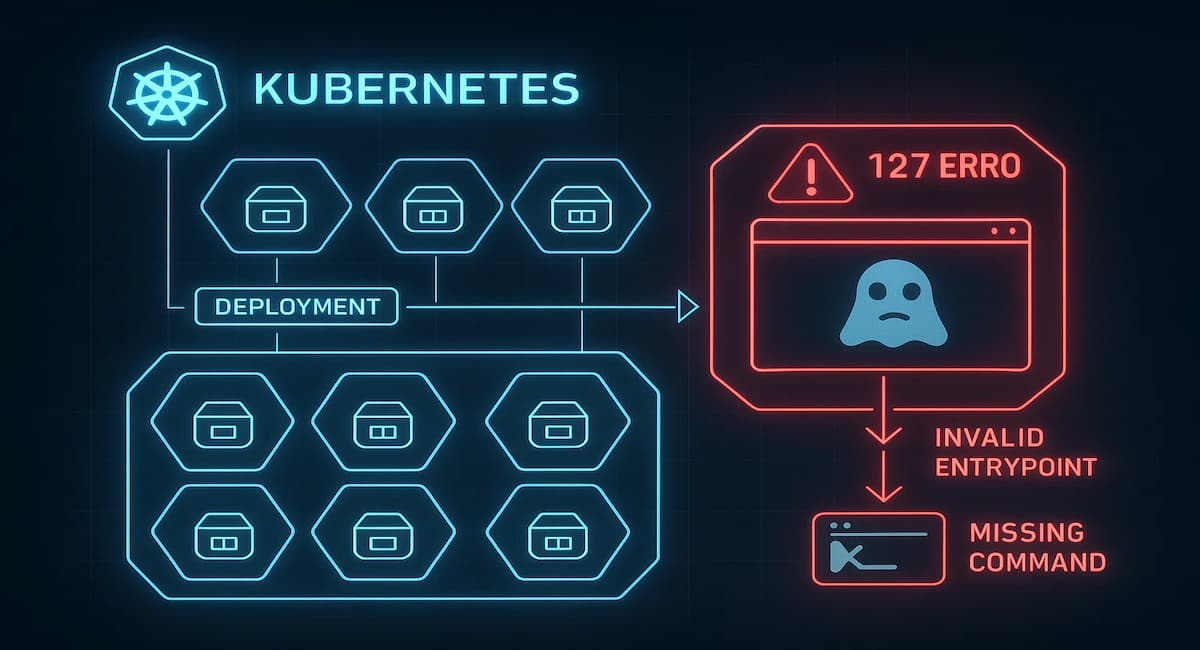
Exit Code 127 in Kubernetes signals that a container attempted to run a command or binary that doesn’t exist inside the image. Unlike runtime crashes triggered by resource exhaustion or missing libraries, this error fires at startup—preventing the container from ever entering a running state. Pods hit by this exit code often restart in a loop, slowing down rollouts and creating noise for SRE teams.
In most production cases, Exit Code 127 traces back to invalid entrypoints, bad command or args values, or misconfigured Dockerfiles. Because the container never runs successfully, debugging becomes harder, with only Pod events and previous logs offering a clue.
Key characteristics of Exit Code 127:
- Appears when the specified entrypoint or command is not available in the container image.
- Surfaces immediately at container startup, not after the app is running.
- Often linked to typos in image definitions, missing binaries, or broken Dockerfiles.
- Can escalate into CrashLoopBackOff if the Pod keeps restarting.
- Leaves limited logs, forcing teams to rely on Events and rollout context.
Why Kubernetes Exit Code 127 Happens
1. Wrong image name or tag
A common trigger is using an incorrect image string (registry, repository, or tag). For example: nginx:latestt instead of nginx:latest. Registries reject unknown tags, and Kubernetes fails to start the container. The Pod stays in ErrImagePull and eventually enters ImagePullBackOff.
Quick check:
kubectl describe pod <pod-name>If the Event shows “manifest for <image> not found”, the issue is likely a bad tag.
2. Invalid entrypoint or command
If the command or args in the Pod spec point to a binary that doesn’t exist, the container exits immediately with Exit Code 127. This usually happens when the Dockerfile’s ENTRYPOINT is overwritten incorrectly or a shell script is missing.
Quick check:
kubectl logs <pod-name> -c <container> --previousLook for errors like exec: not found.
3. Misconfigured Dockerfile
A broken Dockerfile can also introduce Exit Code 127. Examples include missing COPY statements for shell scripts, using the wrong working directory, or forgetting to install runtime dependencies. When Kubernetes spins up the container, the required binary simply isn’t there.
Quick check:
Rebuild the image locally with:
docker run -it <image>If the container fails the same way outside Kubernetes, the Dockerfile needs fixing.
4. Corrupted or outdated image layers
Sometimes the image itself is corrupted or a cached layer is stale. This leads to missing binaries at runtime even if the manifest is correct. Such cases are less common but can cause 127 failures in production pipelines.
Quick check:
kubectl delete pod <pod-name>

kubectl rollout restart deployment <deployment-name>
Pulling a fresh image often resolves the issue.
5. Shell invocation issues
When a Pod spec or script calls a binary via /bin/sh -c but the shell itself is missing, containers exit with 127. This often appears in slimmed-down images (like alpine) that lack a full shell environment.
Quick check:
Inspect the base image with:
docker run -it <image> shIf /bin/sh or the target binary isn’t found, the image needs patching.
How to Fix Exit Code 127 in Kubernetes
1. Fix invalid entrypoint or command
When command or args reference a binary that doesn’t exist, the container exits instantly. Verify against the image’s Dockerfile or test the entrypoint locally.
Check:
kubectl logs <pod-name> -c <container> --previousLook for errors like exec: not found.
Fix:
Update the Pod spec with the correct command. Test locally with:
docker run <image>2. Correct image name or tag
A simple typo in the image name or tag often causes this error. Kubernetes fails to fetch the image, preventing the container from running.
Check:
kubectl describe pod <pod-name>If the Event says “manifest for <image> not found”, the tag is invalid.
Fix:
Use the correct image string and re-deploy:
kubectl set image deployment/<deployment> <container>=<valid-image:tag>3. Rebuild a broken Dockerfile
If scripts, dependencies, or working directories are missing, the image can’t run its entrypoint. This often results in Exit Code 127 at startup.
Check:
docker run -it <image>If it fails locally, the image build is broken.
Fix:
Update the Dockerfile with missing COPY, RUN, or WORKDIR instructions, rebuild, and push to the registry.
4. Pull a clean image version
Cached or corrupted image layers sometimes cause missing binaries. Even valid tags may fail if the cache is stale.
Fix:
Delete the Pod and restart the deployment to force a fresh pull:
kubectl delete pod <pod-name>

kubectl rollout restart deployment <deployment-name>
5. Add required shell or runtime packages
Minimal base images like alpine may not include /bin/sh or other binaries. Without them, commands fail immediately.
Fix:
Extend the Dockerfile to include missing packages, for example:
RUN apk add --no-cache bashRebuild and redeploy the updated image.
Monitoring Exit Code 127 in Kubernetes with CubeAPM
Fastest path to root cause: capture the crash timeline as it happens and correlate Events, Metrics, Logs, and Rollouts in one place. For Exit Code 127, you want Kubernetes Events (failed starts), Pod/container restart metrics, container logs that show exec: not found, and the rollout that introduced the bad spec. CubeAPM ingests and stitches these streams so you can jump from the 127 signal to the exact Deployment and manifest change that caused it.
Step 1 — Install CubeAPM (Helm)
Install or upgrade CubeAPM using your values.yaml (endpoint, auth, retention).
helm install cubeapm cubeapm/cubeapm -f values.yamlhelm upgrade cubeapm cubeapm/cubeapm -f values.yamlStep 2 — Deploy the OpenTelemetry Collector (DaemonSet + Deployment)
Use DaemonSet for node/pod scraping and log tailing; use a central Deployment as the pipeline to enrich, filter, and export to CubeAPM.
helm repo add open-telemetry https://open-telemetry.github.io/opentelemetry-helm-charts && helm repo update
DaemonSet (agent) install:
helm install otel-agent open-telemetry/opentelemetry-collector --set mode=daemonsetDeployment (gateway) install:
helm install otel-gateway open-telemetry/opentelemetry-collector --set mode=deploymentStep 3 — Collector Configs Focused on Exit Code 127
- A) DaemonSet (agent) — collect container logs + kube events and add 127 context
config:

  receivers:

    filelog:

      include: [/var/log/containers/*.log]

      operators:

        - type: regex_parser

          regex: '.*(exit code 127|exec: not found).*'

          parse_from: body

          on_error: skip

    k8s_events: {}

    k8scluster: {}

  processors:

    k8sattributes: {}

    attributes/exit127:

      actions:

        - key: error.code

          value: "127"

          action: upsert

        - key: error.type

          value: "missing-binary"

          action: upsert

  exporters:

    otlphttp:

      endpoint: https://<your-cubeapm-endpoint>/otlp

      headers: { Authorization: "Bearer <token>" }

  service:

    pipelines:

      logs:

        receivers: [filelog, k8s_events]

        processors: [k8sattributes, attributes/exit127]

        exporters: [otlphttp]

      metrics:

        receivers: [k8scluster]

        processors: [k8sattributes]

exporters: [otlphttp]- filelog tails container logs and flags lines with exit code 127 / exec: not found.
- k8s_events captures Pod start failures and backoffs as logs.
- k8scluster provides cluster metrics (Pod restarts, status, etc.).
- k8sattributes enriches with Pod/NS/Deployment labels for correlation.
- attributes/exit127 stamps structured fields (error.code=127, error.type=missing-binary) to make 127 queries/alerts trivial.
- otlphttp exports to your CubeAPM endpoint.
- B) Deployment (gateway) — central routing + rollout context
config:
  receivers:
    otlp: {}
    kubeletstats:
      collection_interval: 30s
      auth_type: serviceAccount
  processors:
    resource:
      attributes:
        - action: upsert
          key: pipeline.role
          value: "gateway"
  exporters:
    otlphttp:
      endpoint: https://<your-cubeapm-endpoint>/otlp
      headers: { Authorization: "Bearer <token>" }
  service:
    pipelines:
      logs:
        receivers: [otlp]
        processors: [resource]
        exporters: [otlphttp]
      metrics:
        receivers: [otlp, kubeletstats]
        processors: [resource]
exporters: [otlphttp]- otlp receives telemetry from the DaemonSet agents.
- kubeletstats augments pod/container metrics (restarts, readiness).
- resource marks pipeline role for debugging.
- otlphttp forwards everything to CubeAPM’s backend.
Step 4 — Supporting Components (optional)
Install kube-state-metrics to enhance pod/container status and restart metrics:
helm repo add prometheus-community https://prometheus-community.github.io/helm-charts && helm install kube-state-metrics prometheus-community/kube-state-metricsStep 5 — Verification (What You Should See in CubeAPM)
- Events: Pod events showing failed starts and backoffs linked to the same Deployment/ReplicaSet.
- Metrics: Rising container restart counts and per-container status metrics visible by namespace/workload.
- Logs: Lines containing exec: not found or exit code 127, already tagged with error.code=127.
- Restarts: Time-correlated restart spikes around the rollout that introduced the bad spec.
- Rollout context: The Deployment/Revision that shipped the invalid command/args, visible on the same timeline.
Example Alert Rules for Exit Code 127
1. Exit Code 127 spike in logs (early signal)
A sudden rise in exit code 127 or exec: not found lines is the fastest indicator of this error. This alert counts log events tagged by the collector (error.code=127) and fires when they surge for a workload.
groups:

- name: exitcode127.alerts

  rules:

  - alert: ExitCode127LogSpike

    expr: sum by (namespace, deployment) (rate(cubeapm_log_errors_total{error_code="127"}[5m])) > 0.5

    for: 5m

    labels:

      severity: warning

      runbook: "Check deployment spec (command/args/entrypoint) and image build."

    annotations:

      summary: "Exit Code 127 spike detected for {{ $labels.deployment }} in {{ $labels.namespace }}"

      description: "Log rate for error.code=127 > 0.5/s over 5m. Investigate missing binary/entrypoint and recent rollout."
2. Container restart storm after failed starts
If containers keep exiting on startup, restart counters climb even when CPU/memory look fine. This alert catches restart storms per deployment/namespace.
groups:

- name: exitcode127.alerts

  rules:

  - alert: ContainerRestartStorm

    expr: sum by (namespace, pod) (increase(kube_pod_container_status_restarts_total[5m])) > 3

    for: 10m

    labels:

      severity: critical

      runbook: "Correlate restarts with logs containing 'exec: not found'; validate Pod command/args."

    annotations:

      summary: "High container restarts in {{ $labels.namespace }}"

      description: "Pod restarts increased by >3 in 5m and persisted 10m. Likely startup failure such as Exit Code 127."
3. Rollout regression introducing Exit Code 127
Most 127 incidents arrive right after a new Deployment revision ships. This alert fires only when a new revision is observed and 127 errors spike for that deployment.
groups:

- name: exitcode127.alerts

  rules:

  - alert: ExitCode127AfterRollout

    expr: (changes(kube_deployment_status_observed_generation[15m]) > 0)

          and on (namespace, deployment)

          (sum by (namespace, deployment) (rate(cubeapm_log_errors_total{error_code="127"}[5m])) > 0.1)

    for: 5m

    labels:

      severity: high

      runbook: "Compare last rollout manifest vs previous; verify entrypoint, command, args, and Dockerfile COPY/RUN."

    annotations:

      summary: "Exit Code 127 after new rollout for {{ $labels.deployment }} in {{ $labels.namespace }}"

      description: "New deployment revision observed within 15m and concurrent 127 log spike. Likely invalid entrypoint/command shipped."
Conclusion
Exit Code 127 is almost always a spec or image correctness problem: a missing binary, a bad entrypoint, or a broken Dockerfile. Because the container fails at startup, you get few logs and a lot of restarts—exactly the kind of noise that derails rollouts and on-call focus.
The fastest path to resolution is to tie together Events → Logs → Restarts → Rollout revision and confirm which change introduced the invalid command. That’s where CubeAPM’s correlated timeline shortens the loop from symptom to fix.
Standardize image builds, validate command/args in CI, and keep alerts focused on early signals (127 log spikes, post-rollout regressions). When 127 appears, open CubeAPM, jump to the deployment’s latest revision, and verify the entrypoint in minutes—not hours.