










Honeybadger is a developer-focused application monitoring platform for error tracking, uptime monitoring, cron and heartbeat monitoring, status pages, dashboards, and log-based observability. Its official pricing page positions the product as “all-in-one monitoring,” with published Developer, Team, and Business plans.
In this guide, we break down Honeybadger’s 2026 pricing, plan limits, overage rules, user reviews, strengths, limitations, and alternatives such as Sentry, Bugsnag, New Relic, Datadog, and CubeAPM.
What Is Honeybadger?
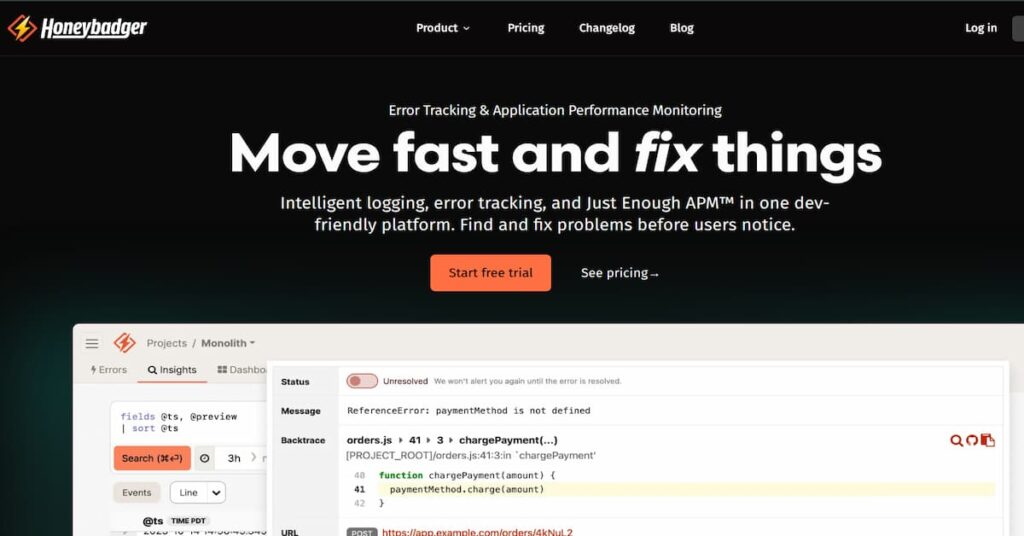
Honeybadger is an application monitoring tool built for developers who want practical production visibility without assembling separate tools for errors, uptime checks, cron monitoring, logs, dashboards, and status pages. Its official product navigation lists Error Tracking, Logging & Observability, Dashboards & APM, Uptime Monitoring, Cron & Heartbeat Monitoring, and Status Pages as core product areas.
Honeybadger’s strongest fit is application-level monitoring: catching exceptions, alerting developers, tracking uptime, monitoring scheduled jobs, and investigating issues through logs and dashboards. It is not positioned as a deep enterprise observability suite in the same category as Datadog, Dynatrace, or New Relic.
Honeybadger’s official docs list client libraries for Ruby, JavaScript, PHP, Python, Elixir, Java, Go, Cocoa, .NET/C#, Crystal, Clojure, and other platforms.
Honeybadger Features Overview
| Feature | What it does |
| Error Tracking | Captures exceptions, groups errors, and helps developers debug production failures. |
| Logging & Observability | Uses Honeybadger Insights for logs, events, querying, and operational context. |
| Uptime Monitoring | Monitors external APIs and websites; official tour pages mention checks from five locations. |
| Cron & Heartbeat Monitoring | Tracks scheduled jobs and background processes through check-ins. |
| Dashboards & APM | Provides dashboards for application monitoring and operational visibility. |
| Status Pages | Includes hosted status pages for communicating incidents and service health. |
Honeybadger Pricing in 2026
Honeybadger has three main published plans: Developer, Team, and Business. The official pricing page lists Developer at $0/month, Team at $26/month or $286/year, and Business at $80/month or $880/year.
| Plan | Monthly price | Annual price | Included errors | Insights ingest | Error retention |
| Developer | $0/mo | Free | 5,000/month | 50 MB/day | 15 days |
| Team | $26/mo | $286/year | 50,000/month | 100 MB/day | 90 days |
| Business | $80/mo | $880/year | 50,000/month | 100 MB/day | 180 days |
The Team and Business plans include unlimited users, while the Developer plan is limited to one user. The pricing page also lists unlimited projects across all three plans, one team on Team, unlimited teams on Business, and priority support on Business.
What Is Included in the Base Plans?
Honeybadger’s base plan usage starts with these resources:
| Usage item | Developer | Team | Business |
| Errors | 5,000/month | 50,000/month | 50,000/month |
| Insights ingest | 50 MB/day | 100 MB/day | 100 MB/day |
| Uptime monitors | 1 | 5 | 5 |
| Status pages | 1 | 1 | 1 |
| Users | 1 | Unlimited | Unlimited |
These limits come directly from Honeybadger’s pricing page. Higher usage can be configured through its pricing calculator, which lists higher tiers for monthly errors, daily Insights ingest, uptime monitors, and status pages.
How Honeybadger Usage-Based Scaling Works
Honeybadger’s pricing page shows expanded usage bands for:
| Usage driver | Published scaling range shown |
| Error tracking | 50K to 50M errors/month |
| Logging & Performance | 100 MB/day to 50 GB/day |
| Uptime monitors | 5 to 1,000 monitors |
| Status pages | 1 to 10 status pages |
The exact price changes are handled through Honeybadger’s interactive pricing calculator, so teams with high-volume needs should confirm the total directly on the current pricing page or with sales.
Overage Billing and Rate Limits
Honeybadger’s direct pricing page says it allows accounts to exceed 100% of their monthly error quota and has a hard shutoff at 125% of quota consumption unless overage billing is enabled. It also says optional overage billing costs $0.0003 per extra notification on Team plans and $0.0006 per extra notification on Business plans.
Insights quotas work differently. Honeybadger says Insights quota is daily, not monthly, and that it does not stop processing data when the quota is exceeded; instead, users are prompted to upgrade if they consistently exceed quota.
Honeybadger’s AWS Marketplace listing has a separate Business Plan contract at $80/month and publishes Marketplace-specific usage dimensions, including $0.0005 per error beyond 50,000 monthly errors and $0.002 per MB beyond 100 MB daily Insights ingestion. Treat those AWS Marketplace rates as Marketplace listing terms, not automatically the same as direct website billing.
What Does Honeybadger Really Cost?
⚠️ Disclaimer
The scenarios below are directional editorial estimates, not official Honeybadger quotes. Honeybadger publishes clear base pricing for its Developer, Team, and Business plans, but higher usage can depend on selected error volume, Insights ingest, uptime/check-in monitor count, status pages, alarms, dashboards, direct billing, AWS Marketplace billing, or enterprise terms. Always confirm final pricing directly on Honeybadger’s pricing page or with Honeybadger before purchase. Honeybadger’s official pricing page lists Developer at $0/month, Team at $26/month, and Business at $80/month.
Honeybadger is not priced by host, vCPU, seat, or GB ingested in the same way full-stack observability platforms are. Its main public pricing model is based on plan tier plus usage around errors, Insights ingest, uptime/check-in monitors, and status pages. Honeybadger’s pricing page shows base plan limits for errors, daily Insights ingest, uptime monitors, and status pages, while its full pricing breakdown shows higher selectable usage tiers for 50K to 50M errors/month, 100 MB/day to 50 GB/day of Insights ingest, 5 to 1,000 monitors, and 1 to 10 status pages.
Honeybadger’s AWS Marketplace listing also publishes a Business Plan at $80/month and separate metered usage dimensions for extra errors, Insights MB, monitors, status pages, Insights alarms, and Insights dashboards. Because those AWS Marketplace rates are separate Marketplace billing terms, the estimates below use them only as a planning anchor where a public static metered rate is needed.
Pricing Assumptions Used in These Scenarios
| Scenario | Honeybadger pricing anchor | Honeybadger estimate | Notes |
| Small team | Team plan | ~$26/month | Fits inside Team base limits |
| Growing team | Business plan + moderate extra usage | ~$175–$230/month | Uses AWS Marketplace metered rates as a planning anchor |
| Mid-market team | Business plan + heavier extra usage | ~$1,200–$1,400/month | May require custom direct quote or enterprise discussion |
These estimates do not include custom enterprise contracts, self-hosted/single-tenant deployment, custom SLAs, volume discounts, or negotiated annual pricing. Honeybadger says enterprise pricing can include high-volume pricing, single-tenant or self-hosted deployment, custom SLAs, a dedicated account manager, and real-time support.
Workload Assumptions Used for Honeybadger Estimates
| Team size | Application context | Honeybadger usage assumption | Estimated Honeybadger cost |
| Small team | Small production app | 50K errors/month, 100 MB/day Insights, 5 monitors, 1 status page | ~$26/month |
| Growing team | Multiple apps/services | 200K errors/month, 500 MB/day Insights, 20 monitors, 2 status pages | ~$175–$230/month |
| Mid-market team | Larger multi-service environment | 1M errors/month, 10 GB/day Insights, 50 monitors, 5 status pages | ~$1,200–$1,400/month |
These scenarios use Honeybadger’s actual pricing units, not generic host or telemetry-volume assumptions. That matters because a team with 50 hosts does not automatically pay more in Honeybadger unless that growth increases errors, Insights ingest, monitors, status pages, or enterprise requirements.
Scenario 1: Small Team
Situation
A small production team runs one or a few applications and wants error tracking, uptime monitoring, cron/check-in monitoring, basic Insights, and one public status page. The team stays within Honeybadger’s Team plan limits: 50,000 errors/month, 100 MB/day of Insights ingest, 5 uptime/check-in monitors, and 1 status page.
For this team, Honeybadger’s cost is easy to forecast because the usage fits inside the published Team plan. Honeybadger lists Team at $26/month or $286/year.
Why teams at this stage consider Honeybadger
Small teams usually consider Honeybadger because it combines several practical monitoring needs into one subscription: error tracking, uptime monitoring, cron/check-in monitoring, logging/Insights, dashboards, and status pages. Honeybadger’s AWS Marketplace listing describes the product as combining error tracking, uptime monitoring, cron job monitoring, log management, and status pages in one subscription.
Estimated profile
| Configuration | Detail |
| Application context | Small production app |
| Error volume | Up to 50K errors/month |
| Insights ingest | Up to 100 MB/day |
| Uptime/check-in monitors | Up to 5 |
| Status pages | 1 |
| Pricing basis | Team plan |
Estimated monthly cost
| Component | Assumption | Monthly cost |
| Team plan | Base Honeybadger Team plan | $26 |
| Extra errors | Not assumed | $0 |
| Extra Insights ingest | Not assumed | $0 |
| Extra monitors/status pages | Not assumed | $0 |
| Estimated total | Small team within Team limits | ~$26/month |
What this scenario shows
For small teams, Honeybadger can stay very inexpensive because the Team plan already includes the core usage most small production apps need. The main thing to watch is whether error volume, Insights ingest, or monitor count starts exceeding the included limits.
Scenario 2: Growing Team
Situation
A growing SaaS team runs several production services and needs longer retention, SSO, team management, more monitors, more Insights ingest, and more error capacity. This is where the Business plan becomes more realistic than the Team plan.
Honeybadger lists Business at $80/month and includes 50,000 errors/month, 100 MB/day Insights ingest, 5 uptime monitors, and 1 status page. The AWS Marketplace listing also publishes extra usage rates for errors beyond 50,000, Insights MB beyond 100 MB/day, monitors beyond 5, and status pages beyond 1.
Why teams at this stage consider Honeybadger
At this stage, teams want more than basic error alerts. They may need better incident workflows, more monitors for APIs and scheduled jobs, dashboards, status pages, and a simple way to investigate logs and application events without adding multiple vendors.
Estimated profile
| Configuration | Detail |
| Application context | Several production services |
| Error volume | ~200K errors/month |
| Insights ingest | ~500 MB/day |
| Uptime/check-in monitors | ~20 |
| Status pages | 2 |
| Pricing basis | Business plan + extra usage planning anchor |
Estimated monthly cost
Disclaimer: This estimate uses Honeybadger’s AWS Marketplace metered rates as a public planning anchor. Direct Honeybadger billing may differ because the main Honeybadger site uses a calculator and may apply different direct-billing or annual terms.
| Component | Assumption | Estimated monthly cost |
| Business plan | Base plan | $80 |
| Extra errors | 150K extra errors × $0.0005 | ~$75 |
| Extra Insights ingest | 400 MB/day extra × 30 days × $0.002/MB | ~$24 |
| Extra monitors/status pages | Extra active monitors + 1 extra status page | Small additional cost; confirm billing granularity |
| Estimated total | Growing app monitoring setup | ~$175–$230/month |
What this scenario shows
Honeybadger can remain relatively affordable for growing teams because it does not charge per host or per user. The main cost risk is not team size; it is error volume, Insights ingest, and the number of monitors or status pages. For teams with many users but moderate application-monitoring volume, that pricing model can be attractive.
Scenario 3: Mid-Market Team
Situation
A mid-market team runs a larger production environment with multiple applications, background workers, customer-facing APIs, scheduled jobs, and public status needs. The team may generate around 1 million errors/month, 10 GB/day of Insights data, 50 uptime/check-in monitors, and multiple status pages.
At this point, Honeybadger may still be usable, but the buyer should model the cost carefully and may need a direct quote or enterprise discussion. Honeybadger’s pricing page says larger plans are available and that enterprise pricing can include high-volume pricing, single-tenant or self-hosted deployment, custom SLAs, and dedicated account management.
Why teams at this stage consider Honeybadger
Mid-market teams may consider Honeybadger if they want a simple developer-first platform for errors, uptime checks, cron monitoring, Insights, dashboards, and status pages, but do not want to adopt a heavier full-stack observability platform.
Estimated profile
| Configuration | Detail |
| Application context | Larger multi-service production environment |
| Error volume | ~1M errors/month |
| Insights ingest | ~10 GB/day |
| Uptime/check-in monitors | ~50 |
| Status pages | 5 |
| Pricing basis | Business plan + high usage estimate |
Estimated monthly cost
Disclaimer: This estimate uses public AWS Marketplace metered usage as a planning anchor for extra usage. It should not be treated as a final direct Honeybadger quote. Teams at this usage level should confirm pricing directly with Honeybadger.
| Component | Assumption | Estimated monthly cost |
| Business plan | Base plan | $80 |
| Extra errors | 950K extra errors × $0.0005 | ~$475 |
| Extra Insights ingest | ~9,900 MB/day extra × 30 days × $0.002/MB | ~$594 |
| Extra monitors/status pages | 45 extra monitors + 4 extra status pages | Additional metered cost; confirm billing granularity |
| Estimated total | Mid-market application monitoring setup | ~$1,200–$1,400/month |
What this scenario shows
Honeybadger can scale beyond small teams, but the economics become more dependent on error volume and Insights ingest. For mid-market teams that only need application errors, uptime, cron monitoring, and status pages, Honeybadger may still be cheaper than broad observability suites. But if the team also needs infrastructure metrics, distributed tracing, service maps, RUM, synthetics, and long-retention logs, it may need a broader observability platform.
What Drives Honeybadger’s Cost?
| Cost driver | Why it matters |
| Error volume | Monthly error notifications are the main quota for error tracking. |
| Insights ingest | Daily log and performance data volume affects scaling. |
| Uptime monitors | More websites, APIs, or check-ins can increase usage. |
| Status pages | Multiple public or private status pages may require higher usage tiers. |
| Plan tier | Business adds longer retention, unlimited teams, SSO/SAML, advanced workflows, and priority support. |
Honeybadger User Reviews
Honeybadger has strong ratings, but a much smaller review footprint than major observability vendors. That matters because averages based on 14 to 19 reviews can move more easily than averages based on hundreds or thousands of reviews.
| Review source | Rating | Review count | Notes |
| G2 | 4.7/5 | 19 reviews | G2 lists Honeybadger under APM and Bug Tracking. |
| Gartner Peer Insights | 4.6/5 | 14 ratings | Listed in Observability Platforms. |
| AWS Marketplace | 4.7/5 | 19 ratings | AWS says these are external G2 reviews, with 0 AWS-native reviews. |
| Capterra | 5.0/5 | 2 reviews | Very small sample size. |
What Users Like
Recent G2/AWS Marketplace reviews repeatedly praise Honeybadger’s support, including quick responses from the team and help with specific product needs.
Users highlight Honeybadger’s clean interface, easy configuration, and usefulness for quickly tracking production exceptions and alerts.
One recent G2-sourced AWS Marketplace review specifically praises the simple interface and Insights feature, while others mention uptime monitoring, performance monitoring, and exception tracking.
Reviewers often describe Honeybadger as a practical tool that does the job without excessive complexity, especially for SaaS teams that need error reporting, check-ins, and alerts.
What Users Criticize
⚠️ Disclaimer
These points reflect individual user reviews and product-positioning trade-offs. They should not be treated as universal platform limitations for every Honeybadger customer.
One recent AWS Marketplace/G2 review says the UX could be refreshed, while also noting that the interface is clean and simple.
A G2-sourced AWS Marketplace reviewer noted that Honeybadger’s grouping can create duplicate reports when source-code line numbers shift after changes.
Honeybadger Alternatives: How it Compares to Competitors
Honeybadger vs CubeAPM
CubeAPM is a self-hosted, OpenTelemetry-native observability platform for teams that want logs, metrics, traces, error tracking, dashboards, SLOs, RUM, synthetics, and infrastructure monitoring in one platform. It uses flat ingestion-based pricing at $0.15/GB with no per-user, per-host, or per-seat fees.
CubeAPM is a better fit when a team wants telemetry to stay inside its own cloud and needs broader observability than Honeybadger’s developer-focused monitoring bundle. Honeybadger is simpler for teams that only need hosted error tracking, uptime monitoring, cron monitoring, and status pages.
| Area | Honeybadger | CubeAPM |
| Deployment | Hosted SaaS by default | Self-hosted, vendor-managed |
| Pricing model | Plan plus usage scaling | $0.15/GB ingested |
| Best for | Error, uptime, cron, status pages | Full-stack observability |
| User pricing | Unlimited users on paid plans | No per-user fees |
| Data control | SaaS; custom enterprise options | Data stays in customer cloud |
Honeybadger vs Sentry
Sentry is one of Honeybadger’s closest alternatives for developer-focused error monitoring. It has broader debugging features, including tracing, logs, session replay, profiling, uptime monitoring, cron monitoring, and AI debugging options.
| Area | Honeybadger | Sentry |
| Starting paid plan | $26/mo Team | $26/mo Team, annual |
| Main strength | Simple bundled monitoring | Developer debugging depth |
| Session replay | Not core positioning | Available |
| Cron monitoring | Included | Available |
| Best for | Small teams wanting simplicity | Teams needing richer debugging workflows |
Honeybadger vs Bugsnag
Bugsnag is a strong alternative for teams focused on application stability, crash reporting, and performance monitoring. Its public pricing page organizes plans around events and spans, with Select, Preferred, and Enterprise tiers.
| Area | Honeybadger | Bugsnag |
| Main focus | Errors, uptime, cron, status pages | Error and performance monitoring |
| Pricing unit | Errors, Insights, monitors | Events and spans |
| Uptime monitoring | Included | Not the main focus |
| Status pages | Included | Not the main focus |
| Best for | Lightweight monitoring bundle | App stability and performance teams |
Honeybadger vs New Relic
New Relic is a better fit when teams want full-stack observability across logs, metrics, traces, infrastructure, APM, synthetics, and other telemetry. Its pricing starts with 100 GB free data ingest per month, then $0.40/GB beyond that for Original Data.
| Area | Honeybadger | New Relic |
| Pricing model | Plan plus usage | Ingest plus user editions |
| Free allowance | Developer plan | 100 GB/month ingest |
| Scope | Developer monitoring | Full-stack observability |
| Complexity | Lower | Higher |
| Best for | Small app teams | Broader platform teams |
Honeybadger vs Datadog
Datadog is a larger observability and monitoring platform with modular products for APM, logs, infrastructure, synthetics, RUM, network monitoring, and more. Its APM Host price is listed at $31 per underlying APM host per month in Datadog’s billing docs.
| Area | Honeybadger | Datadog |
| Pricing model | Plan plus usage | Modular, host and usage based |
| APM depth | Lightweight | Deep |
| Infrastructure monitoring | Limited | Strong |
| Logs/traces/metrics | Limited compared with suites | Broad |
| Best for | Developer-first simplicity | Enterprise-scale observability |
Is Honeybadger the Right Choice for You?
Honeybadger Works Well For
Honeybadger is a good fit for small teams that want production error tracking, uptime monitoring, cron monitoring, and status pages without adopting a large observability platform.
Public G2-sourced reviews repeatedly praise Honeybadger’s support and clean experience.
Team and Business include unlimited users, so adding more team members does not directly increase the base plan price.
Honeybadger May Not Be the Right Fit For
Honeybadger is not positioned as a deep full-stack observability suite for large microservice environments.
If the main requirement is infrastructure metrics, logs, traces, RUM, synthetics, service maps, and complex enterprise dashboards, tools like Datadog, New Relic, Dynatrace, Grafana Cloud, or CubeAPM may fit better.
Honeybadger’s standard plans are hosted SaaS. Its pricing page says enterprise options can include single-tenant or self-hosted deployment, but those are custom sales options, not the default published plans.
Honeybadger publishes base prices and usage bands, but higher-volume totals depend on the calculator or sales confirmation. Teams with very high error, log, or monitor volume should model usage carefully.
Conclusion
Honeybadger is a focused, developer-friendly monitoring platform for teams that care most about errors, uptime, cron jobs, lightweight observability, dashboards, and status pages. Its pricing is easy to enter: free for Developer, $26/month for Team, and $80/month for Business.
The main pricing drivers are monthly errors, daily Insights ingest, uptime monitors, and status pages. Honeybadger’s overage policy is relatively transparent for errors, with processing allowed up to 125% of quota and optional overage billing on paid plans.
Honeybadger is worth considering if you want practical developer monitoring without the cost and complexity of a larger observability suite. If you need deep distributed tracing, infrastructure monitoring, service maps, or self-hosted full-stack observability, compare it with Sentry, Bugsnag, New Relic, Datadog, and CubeAPM before committing.
Disclaimer: Pricing, packaging, limits, and review scores can change. This article reflects publicly available pricing and review data verified on July 1, 2026. Always confirm current pricing and plan limits directly with Honeybadger before purchase.
FAQs
1. How much does Honeybadger cost?
Honeybadger has a free Developer plan, a Team plan at $26/month or $286/year, and a Business plan at $80/month or $880/year. Higher usage can increase cost through Honeybadger’s pricing calculator or custom enterprise pricing.
2. Does Honeybadger have a free plan?
Yes. The Developer plan is free and includes one user, 5,000 errors/month, 50 MB/day of Insights ingest, one uptime monitor, and one status page.
3. What happens if I exceed my Honeybadger error limit?
Honeybadger says it continues processing up to 125% of the monthly error quota before stopping error processing until upgrade or the next month. Optional overage billing is available at $0.0003 per extra notification on Team and $0.0006 on Business.
4. Does Honeybadger support full APM?
Honeybadger includes dashboards and APM-style application visibility, but it is not positioned as a deep full-stack observability platform like Datadog, Dynatrace, or New Relic.
5. What languages does Honeybadger support?
Honeybadger’s docs list Ruby, JavaScript, PHP, Python, Elixir, Java, Go, Cocoa, .NET/C#, Crystal, Clojure, and other platforms.
6. Is Honeybadger available on AWS Marketplace?
Yes. Honeybadger is available on AWS Marketplace. The Marketplace listing shows the Business Plan at $80/month and a 4.7/5 rating from 19 external G2 reviews.
7. How does Honeybadger compare with Sentry?
Honeybadger is simpler and bundles error tracking, uptime monitoring, cron monitoring, and status pages. Sentry is broader for developer debugging, with error monitoring, tracing, logs, session replay, profiling, uptime monitoring, cron monitoring, and AI debugging features.
8. Is Honeybadger self-hosted?
Honeybadger’s standard published plans are hosted SaaS. Its pricing page says enterprise pricing can include single-tenant or self-hosted options, but those require sales discussion.