










Glowroot is a free, open-source Java APM tool for teams that need transaction tracing, SQL diagnostics, response-time charts, profiling, JVM visibility, and alerting without buying a commercial APM license.
The important pricing question is not whether Glowroot has a license fee. It does not. The real question is what it costs to run, store, retain, secure, maintain, and support Glowroot in production. Its GitHub repository lists the source code under the Apache License 2.0.
In this guide, we review Glowroot pricing, real-world cost drivers, features, limitations, user-review signals, and alternatives such as CubeAPM, Datadog, New Relic, Dynatrace, SigNoz, and ManageEngine Applications Manager. This version also corrects and verifies the earlier uploaded draft.
What Is Glowroot?
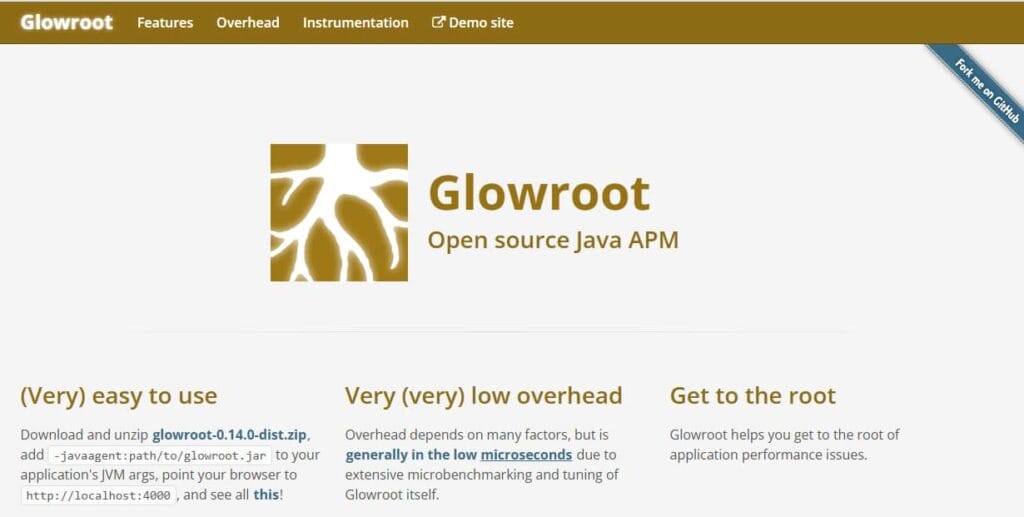
Glowroot is an open-source application performance monitoring tool built for Java and JVM-based applications. It helps developers trace slow requests, inspect SQL behavior, review response-time breakdowns, monitor JVM signals, and troubleshoot latency inside Java services.
Glowroot is best understood as a focused Java APM tool, not a full observability platform. It can be useful when the main problem is Java application performance, but it does not replace log management, infrastructure monitoring, RUM, synthetics, service maps, or broad OpenTelemetry-based observability.
In practical terms, Glowroot helps teams answer questions such as:
- Which Java transaction is slow or failing?
- Which SQL query or service call is adding latency?
- Which JVM metrics explain a production issue?
- Can the team get useful Java APM data without a commercial subscription?
- Should several JVMs report into a central collector?
Supported Languages, Integrations, and Data Sources
Glowroot is primarily a Java APM tool. The official setup flow uses a Java agent by adding -javaagent:path/to/glowroot.jar to the application JVM arguments, then opening the Glowroot UI in a browser.
For Java environments, Glowroot lists instrumentation and support across common Java libraries, frameworks, and servers, including JDBC, Kafka, MongoDB, Redis, Hibernate, Spring Framework, Servlets, Quartz Scheduler, Log4j, Logback, Apache HttpClient, OkHttp, Tomcat, TomEE, WildFly, JBoss EAP, Jetty, GlassFish, Payara, WebLogic, and WebSphere.
| Area | Glowroot support |
| Primary language | Java and JVM-based applications |
| Application servers | Tomcat, TomEE, WildFly, JBoss EAP, Jetty, WebLogic, WebSphere, GlassFish, and Payara |
| Libraries and frameworks | JDBC, Hibernate, Spring, Servlets, Quartz, Kafka, MongoDB, Redis, Log4j, Logback, Apache HttpClient, and OkHttp |
| Runtime data | Transactions, slow traces, SQL, service calls, profiling data, MBean attributes, and response-time charts |
| Main limitation | Not a broad polyglot APM for Node.js, Python, Go, .NET, PHP, or frontend monitoring |
Key Features of Glowroot
Glowroot captures slow request and error traces so developers can move from a latency symptom to a specific transaction and code path.
Glowroot can capture and aggregate SQL activity, helping teams find slow queries, repeated queries, and database-driven latency patterns.
Continuous profiling helps teams understand where Java code spends time during execution and supports deeper performance troubleshooting.
Glowroot provides response-time breakdown charts and percentile charts so teams can inspect both normal latency and tail latency.
Service-call capture helps teams understand how outbound calls contribute to application latency.
Glowroot can chart MBean attributes and runtime signals, which is useful for JVM and memory-related troubleshooting.
Glowroot includes configurable alerting so teams can detect performance issues before manual investigation.
Glowroot can run in embedded mode with an application or use a central collector to aggregate data across multiple agents. Microsoft also documents running Glowroot central collector with Azure Cosmos DB for Apache Cassandra, which is useful when planning central collector storage and configuration.
Glowroot Pricing in 2026
Glowroot pricing is simple at the software-license level. Glowroot is free and open source. There are no public paid tiers, no host-based vendor fee, no per-seat pricing, no per-GB ingestion price, and no official enterprise SKU listed on the public Glowroot site.
The GitHub repository lists Glowroot source code under the Apache License, Version 2.0. As of this verification, GitHub shows version 0.14.7 as the latest stable release, while 0.14.8-beta.1 appears as a pre-release. Teams should confirm the current release page before production rollout.
| Pricing path | Public price | Best for | Buyer note |
| Open-source download | $0 software license | Developers and Java teams | Team owns deployment, upgrades, and operations |
| Embedded agent mode | $0 license plus local resource usage | Single apps and small Java services | Useful for local, staging, and smaller production apps |
| Central collector setup | $0 license plus collector, database, storage, and backup cost | Teams monitoring several JVMs | Requires infrastructure and retention planning |
| Enterprise support | No official public paid support plan found | Organizations requiring formal SLAs | Compare commercial APM vendors if SLA support is required |
| Commercial alternatives | Varies by vendor | Polyglot and full-stack observability | Needed when Glowroot is too narrow |
Is There a Free Tier in Glowroot?
Glowroot does not need a separate free tier because the public software itself is free and open source.
That does not mean production use has no cost. A team still needs to account for app-host resource overhead, storage, retention, backups, upgrades, alert routing, security review, and engineering time.
| Included area | Publicly indicated | Buyer verification needed |
| Software license | Free and open source | Confirm license review internally |
| Core Java APM | Traces, SQL, profiling, service calls, JVM charts, and alerts | Test against your Java framework and workload |
| Users and seats | No public per-user fee | Confirm access-control expectations internally |
| Central collector | Optional central collector is documented | Size compute, database, storage, backups, and HA |
| Enterprise SLA | No official public SLA found | Use a commercial platform if contractual support is required |
How Glowroot Measures Usage
Glowroot does not measure usage for billing because it has no public vendor billing model. For cost planning, buyers should measure usage in operational units instead of license units.
| Planning unit | Why it matters | How to measure it |
| JVMs monitored | More agents increase collector load and storage needs | Count production, staging, and development JVMs separately |
| Trace volume | Slow and error traces consume storage and query resources | Estimate request volume, slow threshold, error rate, and retained traces |
| Retention period | Longer retention increases local or central storage | Define retention for traces, aggregates, profiles, and charts |
| Central collector usage | Central collection creates infrastructure ownership | Model collector compute, database, backup, and recovery needs |
| Companion tools | Glowroot does not cover every observability signal | Add logs, infra, RUM, synthetics, and alerting tools where needed |
Glowroot Operational Overhead: What It Really Costs to Run
Glowroot has no software license cost, but production use is not cost-free. The real cost comes from the engineering time, infrastructure, storage, retention, upgrades, and support work required to run and maintain it.
For a small Java application, this overhead can be low. A developer may install the agent, validate performance overhead, configure retention, and use Glowroot mainly for troubleshooting. But as the number of JVMs grows, Glowroot becomes less of a simple free tool and more of a small internal monitoring system that someone has to operate.
This is especially true when teams use the central collector. Glowroot supports central collection, and Microsoft documents running Glowroot central collector with Azure Cosmos DB for Apache Cassandra. That means teams need to think about collector availability, Cassandra-compatible storage, configuration, backups, and recovery, not just the Java agent.
Operational Overhead by Team Size
| Team profile | Typical Glowroot setup | Main overhead | Estimated engineering effort |
| Small Java team | Embedded agent on 1–2 JVMs | Installation, config, retention, basic troubleshooting | Low: a few hours during setup, then occasional maintenance |
| Growing Java team | Several agents, possibly central collector | Collector setup, storage sizing, alerting, upgrades, backups | Moderate: several setup days, then recurring monthly maintenance |
| Mid-market Java estate | Central collector across many JVMs | Production hardening, database/storage operations, access control, retention, incident support | High: ongoing platform ownership by DevOps/SRE |
1. Agent Installation and Validation
Glowroot’s setup is simple for Java teams because it uses a Java agent added through JVM arguments. The official setup flow shows the agent being added with -javaagent:path/to/glowroot.jar, then accessed through the Glowroot UI.
The work does not stop at installation. Engineers still need to test the agent in staging, check for application startup issues, validate runtime overhead, confirm framework instrumentation, and decide which traces, queries, and service calls should be captured.
For a small team, this may only take a few hours. For a production estate with many Java services, it can take multiple engineering days because every service may have different JVM flags, deployment patterns, containers, startup scripts, and traffic behavior.
2. Central Collector Setup
Embedded mode is easier for small applications, but it becomes harder to manage when many JVMs are involved. A central collector gives teams one place to view data from multiple agents, but it also adds infrastructure ownership.
Running a central collector means someone has to configure the collector, connect it to storage, manage credentials, plan network access, and keep the collector available. Microsoft’s Glowroot central collector guide shows configuration properties such as Cassandra contact points, username, password, SSL, port, and collector properties.
This is where Glowroot’s real cost starts to show. The software is free, but central collection introduces the same operational questions that come with any internal monitoring service: who owns uptime, who fixes the collector, who handles storage growth, and who responds when monitoring itself breaks?
3. Storage, Retention, and Rollups
Glowroot includes historical rollups and configurable retention, which is useful for reducing raw data growth over time. Its feature page lists historical rollup of all data across intervals such as 1 minute, 5 minutes, 30 minutes, and 4 hours, with configurable retention.
That still requires planning. Teams need to decide how long to keep traces, aggregate data, profiles, and charts. Short retention may be enough for debugging recent issues, but production teams often want longer retention for incident review, regression analysis, and performance baselining.
The more JVMs and traffic a team monitors, the more important these retention settings become. Poor retention planning can lead to unnecessary storage growth, slow queries, or missing data when engineers need to investigate older incidents.
4. Backup and Recovery
Once Glowroot is used in production, monitoring data becomes operationally important. If a central collector or database fails, teams may lose visibility during an incident.
That means someone needs to think about backups, recovery steps, database reliability, and restore testing. This is especially important for teams using Glowroot as part of their production troubleshooting workflow rather than just as a developer-side diagnostic tool.
For small teams, backup planning may be basic. For larger teams, it becomes a real SRE responsibility because the monitoring system must be available when the application is unhealthy.
5. Alert Configuration and Noise Control
Glowroot includes configurable alerting, but alerts still need engineering work. Teams have to decide which latency thresholds matter, which error rates should trigger action, who receives alerts, and how alerts fit into the existing incident workflow.
Without tuning, alerts can become noisy or too narrow. A small team may only need simple alerts for slow transactions or errors. A larger team may need service-specific thresholds, escalation rules, alert routing, and documentation so developers understand what each alert means.
This is not a license cost, but it is still operational overhead. Someone has to maintain alert quality over time.
6. Upgrades, Security Review, and Maintenance
Glowroot is open-source software, so teams need to own version tracking, upgrade testing, dependency review, and security checks. The GitHub repository and release page are useful for transparency, but they do not replace vendor-managed upgrade operations.
Before upgrading, teams may need to test the new agent against staging workloads, confirm compatibility with their Java version, review configuration changes, and roll out the update safely. This is manageable for one or two services, but more complex across many JVMs.
This is one of the main differences between free open-source software and a commercial observability platform. The bill may be $0, but ownership stays with the engineering team.
7. Missing Observability Coverage
Glowroot is strong for Java APM, but it is not a complete observability stack. Its feature set focuses on traces, profiling, response-time charts, SQL capture, service calls, MBean charts, alerts, and retention.
Teams still need other tools for logs, infrastructure monitoring, RUM, synthetics, frontend performance, uptime monitoring, long-term dashboards, and broader multi-language observability. For a Java-only team with existing tools, that may be fine. For a growing platform team, it can create tool sprawl.
This is why the “cost” of Glowroot should not be measured only as license cost. The better question is whether Glowroot reduces operational effort or adds another system for the team to manage.
Estimated Operational Overhead
These are directional editorial estimates, not official Glowroot costs. They are meant to help buyers understand the internal effort required to run Glowroot in production.
| Area | Small Java team | Growing Java team | Mid-market Java estate |
| Initial setup | A few hours | 2–5 engineering days | 1–3 engineering weeks |
| Central collector | Usually not needed | Optional but likely | Usually needed |
| Storage planning | Minimal | Moderate | Significant |
| Monthly maintenance | Occasional checks | A few hours per month | Ongoing DevOps/SRE ownership |
| Main risk | Limited visibility outside one app | Collector and retention management | Internal platform ownership and tool sprawl |
What This Means for Buyers
Glowroot can be a very low-cost choice when a team only needs Java APM for a small number of services. In that situation, the setup is simple, the software is free, and the operational overhead can stay low.
The tradeoff becomes clearer as the environment grows. More JVMs, longer retention, central collection, backups, alerts, and companion tools all increase the time engineers spend managing the monitoring setup instead of using it.
So the right way to evaluate Glowroot is not just “free vs paid.” It is “free license plus internal ownership” versus “paid platform plus managed features.” For Java-focused teams with strong self-hosting skills, Glowroot can be a smart choice. For teams that need full-stack observability across logs, metrics, traces, infrastructure, RUM, synthetics, and multiple languages, a broader observability platform may be easier to operate.
What Drives Glowroot Costs?
Glowroot does not charge per JVM, but more JVMs increase collector load, storage needs, and operational complexity.
A central collector makes shared troubleshooting easier, but it requires compute, database capacity, backups, and reliability planning.
Higher traffic, lower slow-trace thresholds, and more errors can increase retained data and query load.
Longer retention increases local or central storage requirements, especially in production environments.
Glowroot does not replace log management, infrastructure monitoring, RUM, synthetics, or broad OpenTelemetry workflows.
Teams must handle upgrades, security review, configuration, incident support, and troubleshooting themselves unless they arrange third-party support.
Glowroot User Reviews
Glowroot has positive technical signals, but its public review footprint is much smaller than major commercial observability platforms. The strongest public signals are official site quotes, GitHub activity, documentation, and open-source community references rather than a large G2, Capterra, TrustRadius, or Gartner Peer Insights review base.
| Review source | Rating or signal | Interpretation |
| Official Glowroot site | User quotes praise simplicity and usefulness | Useful qualitative signal, but vendor-curated |
| GitHub | Public repository, releases, license, issues, and activity | Useful open-source transparency signal |
| Microsoft Learn | Documents central collector use with Azure Cosmos DB for Apache Cassandra | Useful central collector planning signal |
| Public review platforms | No large verified review base found during this check | Avoid overclaiming user sentiment |
| Comparison pages | Some technical comparisons exist | Useful for discovery, but not enough for strong sentiment scoring |
What Users Like
Glowroot is free and open source, which makes it appealing for cost-sensitive Java teams.
The Java agent setup is direct for teams that already understand JVM arguments and Java application deployment.
Glowroot focuses on traces, SQL, profiling, response times, service calls, MBeans, and alerts.
Teams can keep monitoring data in their own environment instead of sending it to a third-party SaaS platform.
Glowroot positions itself as low overhead, although every team should validate overhead under real production traffic.
What Users Criticize
⚠️ Disclaimer
The following points reflect buyer considerations from public product pages, documentation, GitHub activity, and comparison materials. They should be treated as planning considerations, not universal product defects.
Glowroot is focused on Java. Mixed-language teams will likely need additional tools.
Open-source adoption usually means community and internal support unless a team arranges third-party support.
Glowroot does not replace logs, infrastructure monitoring, RUM, synthetics, session replay, or service maps.
Central collection adds responsibility for compute, database storage, backups, upgrades, and reliability.
Glowroot does not have the same public review footprint as large commercial APM vendors.
Glowroot Alternatives: How It Compares to Competitors
Glowroot alternatives should be compared by scope. Some alternatives replace Glowroot as Java APM. Others replace the wider observability stack that Glowroot does not cover.
Glowroot vs CubeAPM
CubeAPM is a broader observability and APM platform, while Glowroot is a focused open-source Java APM. Glowroot wins on direct software cost for Java-only use cases. CubeAPM is more relevant when a team wants APM, logs, metrics, traces, infrastructure monitoring, RUM, synthetics, error tracking, SLOs, RBAC, SSO, MFA, and audit logs in one platform. CubeAPM’s public pricing page lists data ingestion at $0.15/GB.
| Category | Glowroot | CubeAPM |
| Primary role | Open-source Java APM | Full-stack observability and APM |
| Pricing model | $0 software license | Usage-based per-GB pricing |
| Coverage | Java transactions, SQL, profiling, JVM metrics | Logs, metrics, traces, APM, infra, RUM, synthetics, errors |
| Deployment | Self-hosted Java agent and optional central collector | Self-hosted, vendor-managed deployment |
| Best for | Java teams wanting free diagnostics | Teams needing broader observability with predictable pricing |
Glowroot vs Datadog
Datadog is a managed SaaS observability platform with modular pricing across infrastructure monitoring, APM, log management, RUM, synthetics, security, and other products. Glowroot is narrower and free as software, but Datadog gives broader managed coverage for teams that do not want to self-host or assemble companion tools.
| Category | Glowroot | Datadog |
| Deployment | Self-hosted Java APM | Managed SaaS platform |
| Pricing | No software license fee | Modular usage-based SaaS pricing |
| Scope | Focused Java diagnostics | APM, logs, infra, RUM, synthetics, security, and more |
| Operations | Customer-owned | Vendor-managed |
| Best for | Cost-sensitive Java teams | Teams wanting a broad managed observability ecosystem |
Glowroot vs New Relic
New Relic is a SaaS observability platform with usage-based data ingest and user-related pricing. Its public pricing page lists 100 GB of free data ingest per month and paid ingest beyond that, with different user types such as basic, core, and full platform users. Glowroot is better suited to Java-only teams that want no vendor license cost.
| Category | Glowroot | New Relic |
| Deployment | Self-hosted Java APM | SaaS observability platform |
| Pricing | No software license fee | Data-ingest and user-related pricing |
| Primary strength | Focused JVM diagnostics | Full-stack observability and developer workflows |
| Coverage | Java backend monitoring | Multi-language APM, logs, infra, browser, synthetics |
| Best for | Java-only troubleshooting | Teams wanting SaaS observability |
Glowroot vs Dynatrace
Dynatrace is an enterprise observability platform with a platform subscription model and rate-card pricing across capabilities. Its pricing pages describe usage-based drawdown against an annual commitment and list rate-card units such as Full-Stack Monitoring per memory-GiB-hour and Infrastructure Monitoring per host-hour. Glowroot is much simpler and cheaper as software, but Dynatrace offers broader automation, enterprise support, and full-stack coverage.
| Category | Glowroot | Dynatrace |
| Deployment | Self-hosted Java APM | Enterprise observability platform |
| Pricing | No software license fee | Commitment and usage-based subscription model |
| Automation | Basic diagnostics and alerting | Enterprise-grade analytics and automation |
| Scope | Java APM | Full-stack observability and security coverage |
| Best for | Lightweight Java troubleshooting | Large enterprises needing automated observability |
Glowroot vs SigNoz
SigNoz is an OpenTelemetry-native observability platform for logs, traces, metrics, dashboards, alerts, and application performance monitoring. Its pricing page includes cloud pricing and usage-based allowances, while its product positioning also highlights open-source observability. Glowroot is narrower and Java-specific. SigNoz is a better fit when teams want logs, traces, metrics, dashboards, and OpenTelemetry workflows across multiple languages.
| Category | Glowroot | SigNoz |
| Primary role | Java APM | OpenTelemetry observability platform |
| Pricing | $0 software license | Cloud pricing plus open-source/self-hosted options |
| Telemetry | Java traces, SQL, profiling, JVM metrics | Logs, traces, metrics, dashboards, and alerts |
| Language coverage | Java-focused | Multi-language via OpenTelemetry |
| Best for | Java-only diagnostics | Teams standardizing on OpenTelemetry |
Glowroot vs ManageEngine Applications Manager
ManageEngine Applications Manager is a broader application and infrastructure monitoring product with commercial pricing for modern applications and infrastructure. Glowroot is free and Java-focused, while ManageEngine is better suited to IT operations teams monitoring applications, servers, databases, cloud resources, websites, and enterprise infrastructure.
| Category | Glowroot | ManageEngine Applications Manager |
| Primary role | Java APM | Application and infrastructure monitoring |
| Pricing | $0 software license | Commercial monitor-based licensing |
| Scope | Java transactions, SQL, JVM metrics | Apps, servers, databases, cloud, virtualization, websites |
| Deployment | Self-hosted Java APM | Commercial monitoring product |
| Best for | Developers debugging Java latency | IT teams monitoring broad infrastructure and apps |
Is Glowroot the Right Choice?
Glowroot Works Best For
Glowroot is most relevant when the core problem is Java application performance diagnostics.
There is no software license fee, so teams can test APM value before buying a commercial platform.
Glowroot works best when a team can own deployment, storage, upgrades, and reliability.
Glowroot can fit well when logs, infrastructure, and alert routing are already handled elsewhere.
Its tracing, SQL, profiling, and JVM capabilities are directly relevant to Java performance work.
Glowroot May Not Be the Right Fit For
Glowroot does not replace logs, infrastructure monitoring, RUM, synthetics, and multi-service dashboards.
Teams running Node.js, Python, Go, .NET, PHP, and frontend applications need a broader APM strategy.
Glowroot does not publish a commercial SLA path like major SaaS observability vendors.
Glowroot can be useful, but it is not positioned as a broad OpenTelemetry-native platform.
A central collector requires infrastructure and reliability ownership.
Conclusion
Glowroot remains a strong option for Java teams that want free, focused APM without committing to a commercial observability platform. Its biggest strengths are simple Java instrumentation, transaction tracing, SQL visibility, profiling, response-time charts, and JVM monitoring.
The tradeoff is scope and ownership. Glowroot has no license cost, but production use still requires storage, retention, upgrades, alert workflow planning, security review, and often companion tools for logs, infrastructure, RUM, synthetics, and non-Java services.
For a small Java-only team, Glowroot can be an excellent low-cost starting point. For larger distributed systems, compare Glowroot plus companion tools against broader platforms such as CubeAPM, Datadog, New Relic, Dynatrace, SigNoz, and ManageEngine Applications Manager.
Disclaimer: This is an independent editorial review based on publicly available Glowroot documentation, GitHub repository information, release pages, Microsoft Learn documentation, comparison materials, CubeAPM materials, and public pricing pages from relevant alternatives available at the time of writing. Pricing, packaging, and product capabilities may change. Buyers should verify current terms directly before production rollout.
FAQs
1. How much does Glowroot cost?
Glowroot has no software license cost. It is free and open source. The real cost comes from hosting, storage, retention, maintenance, support, and companion tools.
2. Is Glowroot priced per host?
No public host-based pricing exists for Glowroot. More monitored JVMs can still increase infrastructure, storage, and operational costs.
3. Does Glowroot offer a free tier?
Glowroot does not need a separate free tier because the public software itself is free and open source.
4. What drives Glowroot cost the most?
The biggest drivers are JVM count, trace volume, retention, central collector design, backups, operational support, and companion tools for missing observability signals.
5. What are the best Glowroot alternatives?
Common alternatives include CubeAPM, Datadog, New Relic, Dynatrace, SigNoz, ManageEngine Applications Manager, Elastic APM, Apache SkyWalking, Prometheus, and Grafana.