










Amazon OpenSearch Service is AWS’s managed service for running OpenSearch, the Apache 2.0-licensed search, analytics, log analytics, and vector search engine. Teams use it for application search, log analytics, security analytics, observability data exploration, and retrieval-augmented generation workloads.
AWS OpenSearch pricing and review matters because OpenSearch costs are rarely just one line item. Managed clusters bill for instance hours, storage, and data transfer, while OpenSearch Serverless bills for indexing OCUs, search OCUs, and storage. AWS’s pricing page also now separates Serverless NextGen from Classic collections, which is important because NextGen can scale compute to zero after 10 minutes of inactivity, while Classic collections can still carry a minimum OCU floor.
In this guide, we’ll break down AWS OpenSearch pricing in 2026, including managed clusters, Serverless Classic, Serverless NextGen, EBS storage, managed storage, Reserved Instances, Database Savings Plans, user reviews, and alternatives including CubeAPM, Datadog, Dynatrace, New Relic, and Elastic Cloud.
What Is Amazon OpenSearch Service?
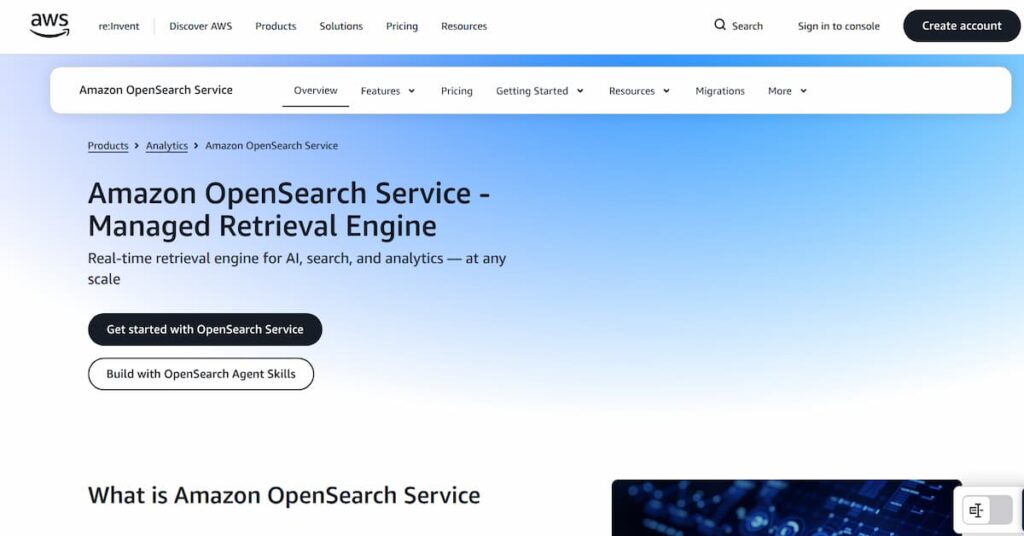
Amazon OpenSearch Service is AWS’s managed version of OpenSearch. It helps teams deploy, operate, scale, secure, and monitor OpenSearch clusters without managing every part of the underlying infrastructure themselves.
OpenSearch is commonly used for search, log analytics, monitoring, dashboards, and analytics workloads. Gartner’s public product summary describes Amazon OpenSearch Service as software for deploying, managing, and scaling OpenSearch and Elasticsearch clusters in the cloud, with features for ingestion, indexing, querying, dashboards, log analytics, real-time search, monitoring, encryption, and access management.
OpenSearch itself came from the 2021 fork of Elasticsearch and Kibana. The practical buying difference is licensing: OpenSearch remains open-source under Apache 2.0, while Elasticsearch moved away from the original Apache 2.0-only licensing model.
AWS OpenSearch Pricing Structure
AWS OpenSearch has two main deployment models: Managed Clusters and Serverless.
For Managed Clusters, AWS says you are charged for instance hours, storage, and data transfer. Pricing depends on the instance type and storage tier you choose. For Serverless, AWS charges compute and storage separately, and compute is measured in OpenSearch Compute Units, or OCUs.
| Deployment model | How pricing works | Best fit |
| Managed Clusters | Instance hours + storage + data transfer | Predictable production workloads |
| OpenSearch Serverless Classic | Indexing OCUs + search OCUs + managed storage, with minimum OCU floor | Serverless workloads where scale-to-zero is not required |
| OpenSearch Serverless NextGen | Indexing OCUs + search OCUs + hot storage, with compute scaling to zero when idle | Bursty, intermittent, AI, and dev/test workloads |
| OpenSearch Ingestion | Ingestion OCUs | Pipelines that transform and route data |
| Vector and semantic features | Separate OCU or vector pricing dimensions | RAG, semantic search, and vector workloads |
Does AWS OpenSearch Have a Free Tier?
AWS OpenSearch has a limited AWS Free Tier for basic evaluation, but it should not be treated as a production free tier. Third-party pricing references and AWS Free Tier summaries consistently describe the OpenSearch Free Tier as 750 hours per month of a t2.small.search or t3.small.search instance plus 10 GB of EBS storage.
For production, the better assumption is pay-as-you-go. AWS says Managed Clusters are billed for running instance hours, storage, provisioned IOPS where applicable, and data transfer. Billing starts when an OpenSearch instance is available and continues until the domain is deleted or terminated.
📌 Important Note
The Free Tier is useful for testing and learning, not for a serious production OpenSearch setup. Multi-AZ, replicas, dedicated manager nodes, storage growth, and production traffic will move you outside the Free Tier quickly.
Managed Cluster Pricing
Managed clusters are the traditional OpenSearch Service model. You choose the instance family, node count, storage type, and deployment architecture. AWS then bills for the running OpenSearch nodes, attached storage, and applicable transfer or support charges.
| Cost item | What it means |
| Instance hours | Each OpenSearch node running in your domain |
| EBS storage | gp2, gp3, or provisioned IOPS storage attached to data nodes |
| Managed storage | Storage used by UltraWarm, cold storage, or OpenSearch Optimized storage layers |
| Data transfer | Standard AWS transfer charges where applicable |
| Extended support | Extra fee for engine versions past standard support |
AWS’s own pricing examples for US East show r6g.xlarge.search at $0.335/hour, c6g.large.search at $0.113/hour, ultrawarm1.medium.search at $0.238/hour, gp2 EBS at $0.135/GB-month, gp3 EBS at $0.122/GB-month, and UltraWarm managed storage at $0.024/GB-month. These rates vary by Region, so teams should confirm the final number in the AWS Pricing Calculator before budgeting.
📌 Note on Pricing Accuracy
The rates in this article use AWS’s public pricing examples and US East references where AWS provides example calculations. AWS prices vary by Region and can change, so final budgets should be verified with the AWS Pricing Calculator.
OpenSearch Optimized Instances: OR2, OM2, and OI2
AWS expanded its OpenSearch Optimized instance families in 2025. OR2 and OM2 were announced in March 2025. AWS says OR2 delivers up to 26% higher indexing throughput than OR1 and up to 70% higher throughput than R7g in internal benchmarks. AWS says OM2 delivers up to 15% higher indexing throughput than OR1 and up to 66% higher than M7g in internal benchmarks.
AWS also introduced OI2-powered multi-tier storage in December 2025. The important difference is that the new warm tier supports write operations, unlike UltraWarm, which is read-only. AWS says this writable warm tier requires OpenSearch 3.3 or later.
This matters for cost planning because older OpenSearch cost models often assume standard hot EBS nodes plus UltraWarm. In 2026, teams running heavy indexing, log analytics, observability, or security analytics workloads should also evaluate whether OR2, OM2, or OI2 changes the cost-performance profile.
EBS Storage, UltraWarm, Cold Storage, and Managed Storage
Storage is one of the easiest places to underestimate OpenSearch cost. Hot data often sits on EBS volumes, while older data can move to UltraWarm, cold storage, or newer optimized storage tiers.
AWS’s pricing examples show gp3 at $0.122/GB-month and gp2 at $0.135/GB-month in US East examples. UltraWarm managed storage is shown at $0.024/GB-month.
The practical issue is that OpenSearch storage is not just raw data size. Replicas, shard overhead, indexing overhead, and retained source fields can increase the final storage footprint. AWS’s pricing example for 100 million records includes one replica and a 1.45 indexing overhead multiplier, which is a useful reminder that billable storage can be much higher than the original data size.
| Storage tier | Pricing behavior | Best fit |
| Hot EBS | Higher cost, faster access | Active indexes and frequent queries |
| UltraWarm | Lower managed storage cost | Older, read-only data |
| Cold storage | Lower-cost long-term storage | Rarely queried historical data |
| OI2 writable warm | Warm tier that supports writes | Workloads that need lower-cost warm writes |
| S3 Vectors | Separate vector storage and query pricing | Large vector and RAG workloads |
OpenSearch Serverless Pricing: Classic vs NextGen
Older OpenSearch Serverless Classic collections still use a minimum capacity model. AWS’s pricing page says Classic collections bill at least 2 OCUs for the first collection in an account: 1 OCU for indexing redundancy and 1 OCU for search redundancy. AWS also says dev/test collections without redundant standby nodes reduce that to 0.5 OCU for indexing and 0.5 OCU for search.
OpenSearch Serverless NextGen is different. AWS made NextGen generally available on May 28, 2026, with scale-to-zero and pay-per-usage pricing. AWS says NextGen introduces decoupled compute and storage and can reduce costs during low-traffic periods.
AWS’s pricing page now says there is no minimum OCU requirement for NextGen collections, and indexing and search OCUs scale to zero after 10 minutes of inactivity. Storage is billed separately for hot storage in GB-months.
| Serverless model | Idle compute behavior | Cost implication |
| Classic redundant collection | Minimum OCU floor applies | Can create a baseline monthly compute cost |
| Classic dev/test collection | Lower non-redundant OCU floor | Cheaper, but not highly available |
| NextGen collection group | Compute can scale to zero after 10 idle minutes | No idle compute charge; storage still bills |
| NextGen with configured minimum capacity | Minimum capacity remains active | May not scale fully to zero |
📌 Important Note
The old blanket claim that “OpenSearch Serverless costs around $350/month even when idle” is no longer accurate for every Serverless deployment. It can still describe Classic redundant collections, but it should not be applied to NextGen collections that are configured to scale compute to zero.
The Bedrock Knowledge Base Cost Trap
Amazon Bedrock Knowledge Bases can use OpenSearch Serverless as a vector store. The cost risk is not that Bedrock is hiding the charge; the risk is that deleting the knowledge base does not necessarily delete the underlying vector store.
AWS’s Bedrock documentation explicitly says the vector store itself is not deleted when you delete a knowledge base or data source resource. AWS says you must delete the vector store itself using the vector store console or SDK.
So the safe recommendation is simple: if you use Amazon Bedrock Knowledge Bases with OpenSearch Serverless, check the OpenSearch Serverless console after cleanup. Otherwise, the vector store can remain and continue generating OpenSearch-related charges, especially if stored data remains or the collection has non-zero minimum capacity.
📌 Important Note
Deleting a Bedrock Knowledge Base is not the same as deleting the OpenSearch Serverless vector store behind it. Always verify the vector store separately.
Real-World AWS Pricing Example
AWS provides a useful production-style pricing example for a three-AZ managed cluster in US East. The example includes three r6g.xlarge.search data nodes, three c6g.large.search cluster manager nodes, two ultrawarm1.medium.search nodes, 500 GB of EBS on each data node, and 1.5 TB of UltraWarm storage per UltraWarm node.
AWS estimates the total at $1,604.83/month before data transfer and other external AWS service charges.
| Component | AWS example configuration | Monthly cost |
| Data nodes | 3 × r6g.xlarge.search | $733.65 |
| Cluster manager nodes | 3 × c6g.large.search | $247.47 |
| UltraWarm nodes | 2 × ultrawarm1.medium.search | $347.48 |
| EBS storage | 1,500 GB gp2 | $202.50 |
| UltraWarm storage | 3 TB managed storage | $73.73 |
| Total | Before data transfer | $1,604.83 |
This example is useful because it shows the difference between headline instance rates and a real production architecture. Dedicated manager nodes, replicas, warm nodes, and storage all change the final bill.
What Does AWS OpenSearch Really Cost?
⚠️ Disclaimer
These are directional editorial estimates, not official quotes. Actual bills vary by AWS Region, instance family, storage tier, replication factor, query load, indexing volume, data transfer, support status, and whether you use Managed Clusters, Serverless Classic, or Serverless NextGen.
| Scenario | Likely setup | Estimated monthly cost | What this shows |
| Small dev/test workload | Free Tier, single small domain, or NextGen with long idle periods | $0–$150+ | Testing can be low-cost, but production HA is not covered |
| Small production workload | Small managed cluster or Serverless with modest traffic | $250–$700+ | Managed clusters can be cheaper for steady workloads |
| Standard production domain | Multi-AZ managed cluster with dedicated managers and warm storage | $1,500–$3,000+ | AWS’s own example lands around $1,604/month before transfer |
| Larger analytics workload | More data nodes, replicas, warm/cold tiers, higher indexing | $5,000–$20,000+ | Storage lifecycle and right-sizing become major cost controls |
| Heavy vector or RAG workload | OpenSearch plus S3 Vectors, GPU acceleration, or semantic enrichment | Highly variable | Vector storage, vector queries, and acceleration add separate cost lines |
💡 Key Pricing Takeaway
Managed clusters are usually easier to model for steady workloads. Serverless NextGen is more attractive for bursty or idle-heavy workloads because compute can scale to zero. Serverless Classic should be modeled carefully because minimum OCUs can create a baseline monthly cost even when traffic is low.
Costs That Are Easy to Miss
AWS charges extra for domains running OpenSearch or Elasticsearch engine versions that are in Extended Support. In US East, AWS lists Extended Support at $0.0065 per Normalized Instance Hour. This charge comes on top of the regular instance cost.
OpenSearch storage is not the same as raw data size. Replicas, indexing overhead, shard design, and retained source fields increase the final footprint. AWS’s own example applies a replica and indexing overhead multiplier when estimating billable storage.
Deleting a Bedrock Knowledge Base does not automatically delete the vector store. AWS says the vector store itself must be deleted separately using the vector store console or SDK.
AWS now has separate pricing dimensions for S3 Vectors, vector query charges, vector indexing acceleration, and semantic enrichment. AWS’s pricing page describes S3 Vectors as a lower-cost vector storage option and says vector GPU acceleration uses Vector Acceleration OCUs.
AWS says regular AWS data transfer charges apply to OpenSearch Service. This can matter for cross-region access, internet egress, dashboards outside the same network path, or architectures where clients are not close to the domain.
Reserved Instances vs Database Savings Plans
AWS offers Reserved Instances for OpenSearch managed clusters. AWS documentation says OpenSearch Reserved Instances require one-year or three-year terms and support No Upfront, Partial Upfront, and All Upfront payment options. AWS also says RIs are not flexible; they apply only to the exact instance type reserved.
Database Savings Plans became relevant for OpenSearch in March 2026. AWS says Database Savings Plans now support Amazon OpenSearch Service and can save up to 35% with a one-year usage commitment, no upfront payment, and automatic application across eligible serverless and provisioned instance usage regardless of engine, instance family, size, deployment option, or AWS Region.
| Discount option | Best for | Main limitation |
| Reserved Instances | Stable managed clusters with known instance families | Less flexible; tied to specific instance configuration |
| Database Savings Plans | Teams expecting to resize, migrate, or mix provisioned and serverless usage | Lower maximum discount than some RI commitments |
| On-demand | Testing, migration, short-lived workloads | Highest unit cost |
| NextGen scale-to-zero | Idle-heavy or bursty workloads | Storage still bills; cold-start behavior should be tested |
Important note
Reserved Instances can produce strong savings, but they are less flexible. Database Savings Plans are more flexible across OpenSearch usage, including eligible serverless and provisioned usage, but the published maximum savings are lower.
Practical Ways to Reduce AWS OpenSearch Costs
- Use Serverless NextGen for bursty workloads where scale-to-zero helps.
- Use managed clusters for steady workloads where fixed capacity is easier to model.
- Move suitable older data to UltraWarm, cold storage, or newer writable warm tiers.
- Prefer gp3 over gp2 for new hot EBS storage where supported.
- Review shard count, replica count, CPU, JVM memory pressure, and disk usage before scaling.
- Keep engine versions current to avoid Extended Support fees.
- Delete unused domains, Serverless collections, and Bedrock vector stores.
- Use Database Savings Plans only after you understand baseline usage.
- Use Reserved Instances only when the instance family, size, and Region are stable.
- Model vector workloads separately because S3 Vectors, vector indexing acceleration, and semantic enrichment add separate pricing dimensions.
AWS OpenSearch Service User Reviews
Amazon OpenSearch Service has review visibility on G2, Gartner Peer Insights, and PeerSpot. G2 lists Amazon OpenSearch Service at 4.2/5 from 102 reviews. Gartner Peer Insights lists it at 4.4/5 from 25 ratings. PeerSpot lists it at 3.8/5 based on 13 reviews.
| Review source | Rating shown publicly | Number of reviews/ratings |
| G2 | 4.2/5 | 102 reviews |
| Gartner Peer Insights | 4.4/5 | 25 ratings |
| PeerSpot | 3.8/5 | 13 reviews |
These review themes reflect public user feedback from review sites, not universal platform limitations. They should be read as directional signals from users who have deployed Amazon OpenSearch Service in different environments.
What Users Like
Users often describe Amazon OpenSearch Service as easier to set up than running OpenSearch or Elasticsearch manually. Gartner review snippets mention that the service is relatively easy to set up and integrate, with useful built-in configurations compared with open-source deployments.
A recurring positive theme is how naturally OpenSearch fits into AWS environments. G2 reviewers mention integration with AWS tools, while PeerSpot reviewers highlight the benefit of using OpenSearch alongside AWS services such as CloudTrail, logging services, and other AWS-native workflows.
Users also like OpenSearch for fast search, log analysis, dashboards, and operational analytics. G2 review snippets mention using it to search, view, and analyze data, while PeerSpot reviewers describe use cases around e-commerce search, API analysis, backend log analysis, and performance dashboards.
Another common positive is the managed-service experience. G2 reviewers mention reliability, high availability, automated management, and reduced infrastructure overhead. This is one of the clearest reasons teams choose Amazon OpenSearch Service instead of operating their own OpenSearch cluster.
What Users Criticize
⚠️ Disclaimer
These points are based on user claims from public review platforms. They do not represent universal limitations of Amazon OpenSearch Service, and some issues may depend on workload size, configuration choices, AWS region, support plan, and how the service is deployed.
Several reviewers point to cost as a concern, especially as data volume grows. G2 reviewers mention needing cost analysis to reduce expenditure, while PeerSpot reviewers say pricing can become expensive with larger data volumes or compared with self-hosted Elasticsearch.
Gartner includes a visible review titled “Built-In Configurations Stand Out Yet Heavy Infrastructure Needed for Response Times,” where the reviewer says the product met most needs except performance and required too much infrastructure for appropriate response times. This is important for buyers because managed OpenSearch still needs careful sizing, shard planning, and performance tuning.
PeerSpot’s pros-and-cons summary says configuration can be complex and documentation needs improvement. PeerSpot reviewers also mention that data handling can be hard to manage compared with other solutions, especially in larger or more complex deployments.
Some users criticize the limits that come with a managed service. G2 reviewers mention limitations on customization compared with self-hosted deployments, while PeerSpot’s summary also notes requests for more customization based on specific use cases.
OpenSearch vs Elasticsearch: A Quick Licensing Note
OpenSearch and Elasticsearch are closely related, but they are not the same product. OpenSearch came from the 2021 fork of Elasticsearch and Kibana. OpenSearch remains under the Apache 2.0 open-source license, while Elasticsearch moved to Elastic-controlled licensing terms.
For buyers, this matters when evaluating AWS OpenSearch Service against Elastic Cloud or self-managed Elasticsearch. The technical overlap is large, but licensing, ecosystem, commercial features, and managed-service experience differ.
AWS OpenSearch Service Alternatives: How it Compares to Competitors
AWS OpenSearch Service is one of several ways to run OpenSearch or comparable search and analytics workloads. The right option depends on whether you want AWS-native management, a simpler hosted provider, Elastic’s own platform, or an observability-focused alternative.
| Alternative | Pricing model | Best for |
| Self-hosted OpenSearch | Infrastructure + operational cost | Teams with strong search operations expertise |
| DigitalOcean Managed OpenSearch | Starts at low fixed managed database pricing | Smaller teams wanting simpler managed OpenSearch |
| Logit.io Hosted OpenSearch | Hosted OpenSearch plans with managed support | Teams wanting managed OpenSearch outside AWS |
| Elastic Cloud | Hosted and serverless Elastic pricing | Teams that specifically need Elasticsearch and Elastic features |
| CubeAPM | $0.15/GB ingested for self-hosted observability | Teams using OpenSearch mainly as a log analytics backend |
DigitalOcean Managed OpenSearch can be simpler for smaller teams that do not need AWS’s full OpenSearch architecture. DigitalOcean’s documentation describes managed OpenSearch pricing separately from AWS and positions it as a managed database product with predictable cluster-based pricing.
Elastic Cloud is the closer alternative when the buyer specifically wants Elasticsearch rather than OpenSearch. Elastic publishes hosted and serverless pricing for teams that want Elastic’s commercial platform rather than AWS’s OpenSearch-managed service.
When OpenSearch is being used primarily for logs, metrics, traces, and observability workflows, it is worth comparing against observability platforms as well. CubeAPM, for example, is a self-hosted, OpenTelemetry-native observability platform priced at $0.15/GB ingested, with no separate per-host or per-user fees. This is not a like-for-like search engine replacement, but it can be relevant when the real use case is log analytics and observability rather than general-purpose search.
AWS OpenSearch Service is a strong fit for teams that want managed OpenSearch inside AWS, but it is not the only option. The right alternative depends on whether the team needs full observability, AI-assisted operations, log analytics, Elasticsearch compatibility, or simpler cost control.
AWS OpenSearch Service Alternatives Comparison
| Alternative | Best for | Pricing style | Main strength |
| CubeAPM | OTel observability | $0.15/GB ingested | Predictable MELT pricing |
| New Relic | Full-stack observability | GB ingest + users | 100 GB free ingest |
| Dynatrace | Enterprise observability | Usage-based modules | Davis AI + automation |
| Datadog | Cloud-scale monitoring | Modular usage pricing | Broad integrations |
| Elastic Cloud | Search + log analytics | Hosted/serverless pricing | Elasticsearch ecosystem |
AWS ElasticSearch vs CubeAPM
CubeAPM is a good alternative when OpenSearch is mainly being used as a log analytics or observability backend. It is self-hosted, OpenTelemetry-native, and priced at $0.15/GB ingested, with no separate per-host, per-user, or per-series fees. It is not a direct replacement for OpenSearch as a general-purpose search engine, but it can be a better fit when the real need is logs, metrics, traces, APM, dashboards, and alerting in one observability platform.
| Category | CubeAPM | AWS OpenSearch Service |
| Best use case | Observability | Search/log analytics |
| Pricing model | Per GB ingested | Instances, OCUs, storage |
| Deployment | Self-hosted | AWS managed |
| Telemetry support | Logs, metrics, traces | Mainly indexed/search data |
| Best fit | OTel teams | AWS search workloads |
AWS ElasticSearch vs New Relic
New Relic is a strong alternative when the team wants full-stack observability instead of managing OpenSearch as a log analytics system. It covers logs, metrics, traces, APM, infrastructure monitoring, dashboards, alerts, synthetics, and digital experience use cases. New Relic is especially relevant for teams that want a SaaS observability platform with a generous free ingest allowance before scaling into paid usage.
| Category | New Relic | AWS OpenSearch Service |
| Best use case | Full-stack observability | Search/log analytics |
| Pricing model | Ingest + users | Instances, OCUs, storage |
| Deployment | SaaS | AWS managed |
| Setup effort | Lower | Medium to high |
| Best fit | App/platform teams | AWS-native search teams |
AWS Elasticsearch vs. Dynatrace
Dynatrace is a better fit for enterprise teams that need automated discovery, root-cause analysis, infrastructure visibility, APM, logs, digital experience monitoring, and AI-assisted operations. Dynatrace positions its platform around observability, AI, automation, and application security, while its pricing page separates application and infrastructure observability into host and usage-based modules.
| Category | Dynatrace | AWS OpenSearch Service |
| Best use case | Enterprise observability | Search/log analytics |
| Pricing model | Usage-based modules | Instances, OCUs, storage |
| Deployment | SaaS/hybrid | AWS managed |
| Main strength | AI + automation | AWS-native OpenSearch |
| Best fit | Large enterprises | AWS search workloads |
AWS ElasticSearch vs Datadog
Datadog is a strong alternative when teams want broad cloud monitoring, APM, log management, RUM, synthetics, infrastructure monitoring, security monitoring, and service-level visibility in one SaaS platform. Datadog’s APM page highlights service health metrics, distributed traces, code performance, and correlation across logs, metrics, RUM, and security signals.
| Category | Datadog | AWS OpenSearch Service |
| Best use case | Cloud observability | Search/log analytics |
| Pricing model | Modular usage pricing | Instances, OCUs, storage |
| Deployment | SaaS | AWS managed |
| Main strength | Integrations + breadth | OpenSearch control |
| Watch out for | Add-on costs | Tuning/storage complexity |
AWS ElasticSearch vs Elastic Cloud
Elastic Cloud is the closest direct alternative to AWS OpenSearch Service when the team specifically wants Elasticsearch rather than OpenSearch. Elastic Cloud supports search, observability, and security solutions, with hosted and serverless pricing options. This makes it relevant for teams that want Elastic’s commercial ecosystem, Elasticsearch features, and managed experience rather than AWS’s OpenSearch-managed service.
| Category | Elastic Cloud | AWS OpenSearch Service |
| Best use case | Elasticsearch workloads | OpenSearch workloads |
| Pricing model | Hosted/serverless | Instances, OCUs, storage |
| Deployment | Elastic-managed cloud | AWS managed |
| Main strength | Elastic ecosystem | AWS-native integration |
| Watch out for | License/cost complexity | AWS cost complexity |
Is AWS OpenSearch the Right Choice?
AWS OpenSearch Works Well For
- Teams already deep in AWS are the strongest fit. OpenSearch Service works naturally with IAM, VPCs, CloudWatch, S3, Bedrock, and other AWS services.
- It also fits workloads with predictable traffic, where a right-sized managed cluster plus Reserved Instances or Database Savings Plans can reduce cost.
- Serverless NextGen is a better fit for bursty, intermittent, AI, and agentic search workloads than older Serverless assumptions, because compute can scale to zero after idle periods.
AWS OpenSearch May Not Be the Right Fit For
- Very small workloads may find OpenSearch more complex than necessary, especially if the team needs only basic search or simple log exploration.
- Teams that want fully predictable, all-inclusive pricing may struggle with separate charges for instances, EBS, managed storage, data transfer, extended support, OCUs, vector search, and semantic enrichment.
- Teams whose main use case is observability rather than search should compare OpenSearch against purpose-built observability platforms before committing to a search-cluster architecture.
Conclusion
AWS OpenSearch Service is powerful, flexible, and deeply integrated with the AWS ecosystem. It supports managed clusters, OpenSearch Optimized instances, warm and cold storage, vector search, semantic enrichment, and multiple serverless deployment models.
The cost side is more complicated. Managed clusters require careful modeling of instance hours, EBS, replicas, warm storage, and data transfer. Serverless Classic can still carry minimum OCU costs. Serverless NextGen changes the equation by allowing compute to scale to zero after idle periods, but storage and configured minimum capacity still need attention.
For teams already on AWS and willing to tune OpenSearch, the service can be a strong choice. For teams using OpenSearch mainly as a log analytics or observability backend, it is also worth comparing purpose-built observability platforms before settling on a search-cluster architecture.
FAQs
1. How much does AWS OpenSearch cost per month?
It depends on the deployment model and workload size. A small test setup can be low-cost or partly covered by the AWS Free Tier, while AWS’s own production managed-cluster example totals $1,604.83/month before data transfer. Larger analytics, observability, and vector workloads can cost much more.
2. Is OpenSearch Serverless always around $350/month?
No. That statement is outdated if applied broadly. Classic redundant Serverless collections can still have a minimum OCU floor, but Serverless NextGen can scale indexing and search OCUs to zero after 10 minutes of inactivity.
3. Does OpenSearch Serverless scale to zero?
Yes, for NextGen collections. AWS’s pricing page says there is no minimum OCU requirement for NextGen, and indexing and search OCUs scale to zero after 10 minutes of inactivity. Storage is billed separately.
4. What is an OCU in AWS OpenSearch?
An OpenSearch Compute Unit is the compute unit used by OpenSearch Serverless and other OpenSearch features. AWS says Serverless compute capacity is measured in OCUs, which correspond to CPU, memory, and I/O resources needed to index data or run queries.
5. Why am I still charged after deleting a Bedrock Knowledge Base?
Deleting the Bedrock Knowledge Base does not necessarily delete the underlying vector store. AWS says the vector store itself is not deleted and must be deleted separately using the vector store console or SDK.
6. Should I use Reserved Instances or Database Savings Plans?
Use Reserved Instances when your managed-cluster instance family, size, and Region are stable. Use Database Savings Plans when you want more flexibility across eligible OpenSearch serverless and provisioned usage. AWS says Database Savings Plans can save up to 35% with a one-year no-upfront commitment.
7. What is the AWS OpenSearch rating on Gartner Peer Insights?
Gartner Peer Insights shows Amazon OpenSearch Service at 4.4 out of 5, based on 25 ratings.