










AWS X-Ray is AWS’s managed distributed tracing service for teams running microservices, serverless functions, containers, and AWS-managed workloads. Its main strength is AWS-native request tracing: it helps teams follow a request across services, view service maps, identify latency, and investigate where errors or faults happen in distributed applications.
Pricing and reviews matter because X-Ray can look very cheap compared with full observability platforms, but that is partly because it is focused mainly on tracing. Real cost depends on request volume, sampling rate, traces recorded, traces retrieved, traces scanned, X-Ray Insights, and whether the team also uses CloudWatch Logs, Metrics, Application Signals, RUM, Synthetics, dashboards, alarms, or SLOs.
In this guide, we’ll break down AWS X-Ray pricing, free tier limits, trace-based cost scenarios, key features, user reviews, common limitations, and alternatives. We’ll also explain why X-Ray’s price can appear low, what it does and does not cover, and when teams should compare it with broader observability platforms such as CubeAPM, Datadog, New Relic, Dynatrace, Grafana Tempo, and Jaeger.
🔑 Key Takeaways
- AWS X-Ray pricing is usage-based. Public AWS pricing examples show trace charges based on traces recorded, retrieved, and scanned, with X-Ray trace storage in examples priced at $0.000005 per trace and retrieval/scanning priced at $0.0000005 per trace.
- The free tier includes 100,000 traces recorded each month and 1,000,000 traces retrieved or scanned each month.
- AWS’s low-volume pricing example totals $0.39/month with X-Ray Insights enabled. Its high-volume Application Signals example shows $389.07/month for X-Ray tracing alone and $1,899.91/month when Application Signals and SLO charges are included.
- The X-Ray SDKs and daemon are now in maintenance mode. AWS recommends migrating to OpenTelemetry-based instrumentation.
- G2 lists AWS X-Ray review themes around AWS integration, debugging value, performance issue identification, and a learning curve. Gartner Peer Insights lists AWS X-Ray at 4.4/5 from 20 ratings, while PeerSpot lists it at 7.8/10.
What Is AWS X-Ray?
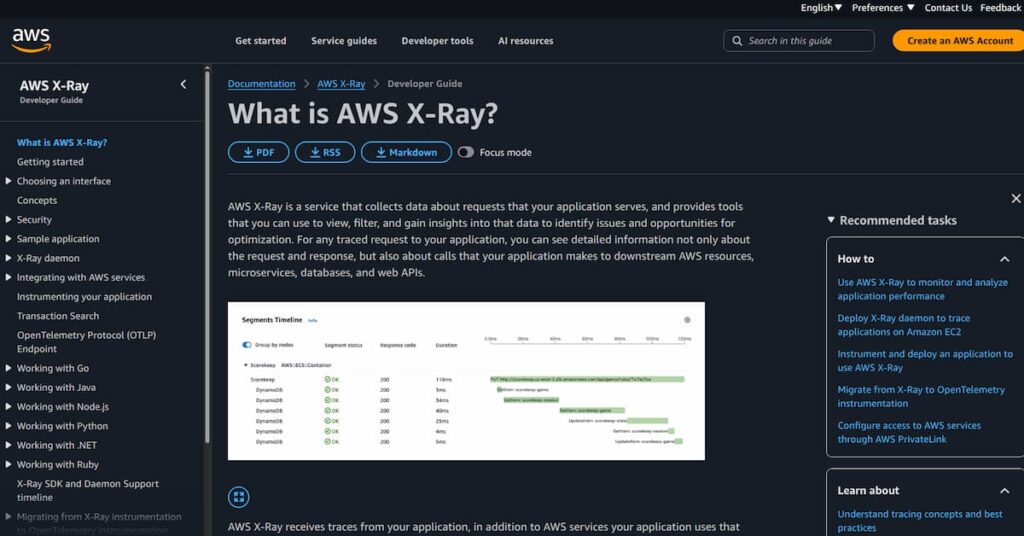
AWS X-Ray is a distributed tracing service from Amazon Web Services. It collects trace data from applications and shows how requests move across services, databases, queues, APIs, and external dependencies.
Each trace represents a request path through an application. X-Ray groups related segments and subsegments so developers can see timing, latency, faults, errors, and downstream service behavior. This is useful for debugging microservices and serverless architectures where a single user request may touch many services before completing.
X-Ray works best in AWS-native environments. Gartner’s AWS X-Ray overview says it supports integration with AWS services and provides service maps, trace visualizations, and analytics for diagnosing latency and errors.
Important 2026 Update: X-Ray SDK and Daemon Maintenance
This is one of the most important updates for buyers in 2026.
AWS says the X-Ray SDKs and daemon entered maintenance mode on February 25, 2026. During maintenance mode, AWS will limit releases to security issues only, and the SDKs/daemon will not receive new feature enhancements. AWS recommends migrating to OpenTelemetry solutions for application instrumentation and sending traces to AWS X-Ray.
This does not mean the AWS X-Ray backend has been discontinued. It means new instrumentation decisions should be made carefully. For new applications, OpenTelemetry through AWS Distro for OpenTelemetry is the safer long-term path because AWS is explicitly moving users away from legacy X-Ray SDK and daemon instrumentation.
AWS X-Ray Features
X-Ray traces requests across supported AWS services and instrumented applications. It helps developers see where requests slow down, fail, or branch across multiple dependencies.
The service map shows services and their relationships. This is useful during incidents because teams can quickly see which node or edge is reporting latency, errors, or faults.
X-Ray uses sampling rules to control cost and tracing overhead. In Application Signals examples, AWS says X-Ray tracing is enabled by default at a 5% sampling rate, and teams can adjust that rate higher or lower.
AWS introduced adaptive sampling for X-Ray in September 2025. AWS says adaptive sampling supports Sampling Boost and Anomaly Span Capture. Sampling Boost can adjust sampling rates within user-defined limits, while Anomaly Span Capture helps capture important spans during anomaly conditions.
Important caveat: do not describe adaptive sampling as a universal feature for every old X-Ray SDK setup. AWS’s newer direction is tied to OpenTelemetry-based instrumentation, and the X-Ray SDKs/daemon are now in maintenance mode.
X-Ray Insights analyzes trace data to detect abnormal application behavior. It is useful for surfacing fault-rate or latency anomalies without requiring every issue to be found through manual trace searches.
Filter expressions let teams search traces using criteria such as service, response status, latency, request path, and indexed fields. This helps narrow debugging from all traces to the subset that matters.
AWS X-Ray now sits closely inside CloudWatch Application Observability. AWS’s pricing page includes X-Ray tracing inside Application Signals examples and separately notes that Synthetics and RUM can be used with Application Signals.
AWS X-Ray Pricing
AWS X-Ray uses pay-as-you-go pricing. There are no upfront fees or minimum commitments for basic X-Ray trace usage. Pricing is based on traces recorded, traces retrieved, and traces scanned.
The old AWS X-Ray pricing page now sits under broader CloudWatch pricing/Application Observability context. AWS’s current CloudWatch pricing page still includes X-Ray trace pricing examples, free tier details, and Application Signals examples.
AWS X-Ray Free Tier
| Pricing dimension | Free monthly allowance |
| Traces recorded | 100,000 traces/month |
| Traces retrieved | Included in 1,000,000 retrieved or scanned traces/month |
| Traces scanned | Included in 1,000,000 retrieved or scanned traces/month |
AWS’s CloudWatch pricing page states that the first 100,000 traces recorded each month are free and the first 1,000,000 traces retrieved or scanned each month are free.
AWS X-Ray Paid Pricing
| Pricing dimension | Public AWS pricing example |
| Traces recorded/stored | $0.000005 per trace |
| Traces retrieved | $0.0000005 per trace |
| Traces scanned | $0.0000005 per trace |
| X-Ray Insights | $0.000001 per trace processed |
| Application Signals | Separate CloudWatch pricing |
AWS’s examples calculate traces stored at $0.000005 per trace and traces retrieved/scanned at $0.0000005 per trace. X-Ray Insights is calculated at $0.000001 per trace processed in the low-volume example.
How AWS X-Ray Calculates Your Bill
X-Ray billing has three main trace-related cost events.
- Recording happens when your application sends sampled trace data to X-Ray. This is usually the biggest cost driver because it scales with request volume and sampling rate.
- Retrieving happens when full trace data is fetched, such as when a user opens a trace in the console or retrieves trace details through an API.
- Scanning happens when users run trace searches or filter expressions that scan trace summaries, even if they do not retrieve every full trace.
This means X-Ray cost is not only about traffic. Console usage, repeated searches, Application Signals, high sampling rates, and X-Ray Insights can all affect the final bill.
AWS Official Pricing Examples
Low-Volume Application Example
AWS gives a low-volume example of an application receiving 2,000 requests per hour at a 10% sampling rate, with 100 daily queries scanning 200 traces and retrieving 50 full traces per query. In that example, the monthly X-Ray bill is $0.39 with Insights enabled.
| Component | Calculation | Monthly cost |
| Traces recorded | 148,800 recorded; 48,800 billable | $0.24 |
| Traces retrieved/scanned | 775,000 total, within free tier | $0.00 |
| X-Ray Insights | 148,800 traces processed | $0.15 |
| Estimated total | AWS official example | $0.39/month |
High-Volume Application Example
AWS also gives a high-volume Application Signals example for one application receiving 25,000 requests per minute with X-Ray tracing enabled at a 5% sampling rate. AWS calculates 54.75 million traces stored, 54.65 million billable stored traces, and 232.655 million retrieved/scanned traces before free-tier adjustment. The X-Ray tracing portion totals $389.07/month. The combined Application Signals, SLOs, and X-Ray tracing total is $1,899.91/month.
| Component | Calculation | Monthly cost |
| Traces stored | 54.65M billable traces × $0.000005 | $273.25 |
| Traces retrieved/scanned | 231.655M billable × $0.0000005 | $115.82 |
| X-Ray tracing total | AWS official example | $389.07/month |
| Application Signals + SLOs | AWS official example | $1,510.84/month |
| Combined total | Application Signals + X-Ray traces | $1,899.91/month |
💡 Key Pricing Takeaway
AWS X-Ray may look cheap because it is mainly a distributed tracing service, not a complete observability platform.
X-Ray helps teams trace requests, view service maps, debug latency, and understand where failures happen across distributed applications. It does not replace log management, infrastructure monitoring, custom metrics, dashboards, alarms, RUM, synthetics, long-term retention, or full APM workflows by itself.
That is why the X-Ray bill can look low compared with full-stack observability tools. The price usually covers sampled trace activity only. If a team also needs CloudWatch Logs, CloudWatch Metrics, Application Signals, SLOs, RUM, Synthetics, alarms, and dashboards, the broader AWS observability cost can be much higher than the X-Ray-only number.
What Drives AWS X-Ray Costs?
This is usually the biggest X-Ray cost driver. AWS charges for traces recorded after the free tier. The more requests you trace, the more you pay. Sampling rules are therefore central to X-Ray cost control.
Sampling controls how many requests are recorded as traces. In AWS’s Application Signals example, X-Ray tracing is enabled at a 5% sampling rate by default, and AWS says this rate can be adjusted higher or lower.
X-Ray also charges for traces retrieved and scanned after the free tier. This matters when engineers frequently search traces in the console, run filter expressions, or retrieve trace details through APIs.
X-Ray Insights adds another trace-processing cost. AWS’s pricing example calculates Insights at $0.000001 per trace processed.
Application Signals can add separate charges. AWS’s pricing page includes examples where X-Ray tracing is only one part of a larger Application Signals and SLO cost model.
X-Ray does not replace CloudWatch Logs or CloudWatch Metrics. If the team needs logs, custom metrics, dashboards, alarms, RUM, synthetics, or SLOs, those services can add separate AWS costs.
In 2026, instrumentation choice also matters. AWS has placed the X-Ray SDKs and daemon into maintenance mode and recommends migrating to OpenTelemetry. Teams should avoid building new long-term instrumentation around legacy X-Ray SDKs.
AWS X-Ray User Reviews
AWS X-Ray has a smaller review footprint than larger APM platforms, but it still appears across major review platforms. Gartner Peer Insights lists AWS X-Ray at 4.4/5 from 20 ratings. PeerSpot lists AWS X-Ray at 7.8/10. G2 lists AWS X-Ray at 4.1/5, based on 16 reviews. G2’s review page summarizes user feedback around ease of use, AWS integration, debugging value, performance issue identification, and a learning curve.
| Review source | Rating shown publicly | Review count |
| G2 | 4.1/5 | 16 reviews |
| Gartner Peer Insights | 4.4/5 | 20 ratings |
| PeerSpot | 3.9/5 | 11 reviews |
What Users Like
G2’s review summary says users praise AWS X-Ray for ease of use and integration with AWS tools. This fits X-Ray’s strongest use case: debugging applications that already run inside AWS.
Users value X-Ray because it helps simplify debugging and application analysis in cloud environments. G2’s summary specifically mentions performance issue identification as a common positive theme.
PeerSpot feedback highlights X-Ray’s usefulness for bottleneck detection and tracing application behavior across services. One PeerSpot review says X-Ray can show the full flow when one service calls another, without the team having to build that flow manually.
AWS X-Ray can be inexpensive for small workloads because of the free tier and sampling-based pricing. AWS’s public example shows a $0.39/month bill for modest trace usage with X-Ray Insights enabled.
What Users Criticize
⚠️ Disclaimer
The following points reflect public user-review themes and technical limitations. They should be treated as user feedback and buyer considerations, not universal limitations of AWS X-Ray.
G2 reviewers mention that AWS X-Ray can take time to learn. One repeated theme is that users need time to become comfortable with the UI, request navigation, traces, segments, subsegments, and service maps. This is not unusual for distributed tracing tools, but it matters for teams new to tracing.
AWS X-Ray works best inside AWS. That is a strength for AWS-native teams, but it can be a limitation for hybrid or multi-cloud environments. Teams that need one tracing backend across AWS, Azure, GCP, Kubernetes, and on-prem systems may prefer OpenTelemetry-native backends.
PeerSpot review themes mention setup and instrumentation as areas that can require work. This is especially relevant when teams need custom instrumentation, deeper service coverage, or tracing outside the most straightforward AWS-native paths.
PeerSpot summarizes mixed pricing sentiment. Some users see X-Ray as cost-effective, while others find it expensive compared with open-source alternatives. This difference makes sense because X-Ray cost depends on usage, sampling rate, traces recorded, traces scanned, and traces retrieved.
AWS X-Ray Alternatives: How It Compares to Competitors
AWS X-Ray vs CubeAPM
AWS X-Ray is a managed AWS tracing service. CubeAPM is a self-hosted, vendor-managed observability platform built around OpenTelemetry. CubeAPM is stronger for teams that want logs, metrics, traces, APM, infrastructure monitoring, RUM, synthetics, SLOs, dashboards, and data control in one platform. CubeAPM lists $0.15/GB ingestion pricing.
| Category | AWS X-Ray | CubeAPM |
| Deployment | AWS-managed service | Self-hosted, vendor-managed |
| Pricing model | Per trace recorded/retrieved/scanned | $0.15/GB ingested |
| Main scope | Distributed tracing | Full-stack observability |
| Data control | AWS-hosted | Runs in customer environment |
| Best for | AWS-native tracing | OpenTelemetry-native observability with data control |
AWS X-Ray vs Datadog
Datadog is a broader SaaS observability platform with infrastructure monitoring, APM, logs, RUM, synthetics, dashboards, and many integrations. AWS X-Ray is narrower and more AWS-native. Datadog is usually a better fit when teams want full SaaS observability across multiple clouds, while X-Ray is simpler for AWS-only tracing.
| Category | AWS X-Ray | Datadog |
| Scope | Distributed tracing | Full observability suite |
| Deployment | AWS-managed | SaaS |
| Pricing model | Trace-based | Modular SaaS pricing |
| Cloud coverage | AWS-first | Multi-cloud |
| Best for | AWS-native teams | Teams needing broad SaaS observability |
AWS X-Ray vs Dynatrace
Dynatrace is a full-stack observability and automation platform with infrastructure monitoring, APM, logs, Kubernetes visibility, and AI-assisted root-cause analysis. X-Ray is a lighter AWS-native tracing tool. Dynatrace is stronger for large teams that want automated problem detection and broader platform coverage.
| Category | AWS X-Ray | Dynatrace |
| Scope | Tracing | Full-stack observability |
| Automation | Limited compared with full APM suites | Strong AI-assisted root-cause analysis |
| Deployment | AWS-managed | SaaS / managed options |
| Pricing model | Trace-based | Consumption-based |
| Best for | AWS tracing | Enterprise automation and root-cause analysis |
AWS X-Ray vs New Relic
New Relic is broader than AWS X-Ray and includes APM, logs, infrastructure monitoring, browser monitoring, synthetics, mobile monitoring, dashboards, and alerts. X-Ray is better for teams that only need AWS-native tracing and want to avoid adopting a larger external platform.
| Category | AWS X-Ray | New Relic |
| Scope | Distributed tracing | Broad observability platform |
| Pricing model | Trace-based | Data ingest + users |
| Logs | Requires other AWS services | Native log ingestion |
| Cloud coverage | AWS-first | Multi-cloud |
| Best for | AWS-native tracing | Unified SaaS observability |
AWS X-Ray vs Grafana Tempo
Grafana Tempo is an open-source distributed tracing backend often used with Grafana, Prometheus, Loki, and OpenTelemetry. It can be cost-effective, but self-hosted Tempo requires operational work. AWS X-Ray is easier for AWS-native teams that want managed tracing.
| Category | AWS X-Ray | Grafana Tempo |
| Model | Managed AWS tracing | Open-source or Grafana Cloud |
| Instrumentation | X-Ray / OpenTelemetry via AWS direction | OpenTelemetry-friendly |
| Operations | AWS-managed | Depends on deployment |
| Ecosystem | AWS | Grafana stack |
| Best for | AWS-native tracing | Grafana-centered observability |
AWS X-Ray vs Jaeger
Jaeger is an open-source distributed tracing system. It avoids trace-based vendor billing but requires teams to manage storage, scaling, upgrades, and integrations. X-Ray removes most backend management but keeps teams closer to AWS.
| Category | AWS X-Ray | Jaeger |
| Model | Managed AWS service | Open-source tracing |
| License cost | Usage-based | No license fee |
| Operations | AWS-managed | Team-managed |
| Cloud fit | AWS-first | Vendor-neutral |
| Best for | Managed AWS tracing | Open-source tracing control |
Is AWS X-Ray the Right Choice?
AWS X-Ray Works Best For
X-Ray makes the most sense when most of the application already runs on AWS. It fits naturally into AWS-native monitoring and debugging workflows.
X-Ray is a strong fit when the main need is request tracing, service maps, and latency debugging. It is not overbuilt for teams that do not yet need a full observability platform.
X-Ray is useful for serverless and microservices architectures where one request may pass through several services before completing.
X-Ray works well alongside CloudWatch. Teams already using CloudWatch Logs, metrics, alarms, RUM, or Synthetics may prefer to keep tracing inside the AWS observability ecosystem
X-Ray can be inexpensive when traffic is moderate and sampling is controlled. The free tier and trace-based pricing make it accessible for smaller teams.
AWS X-Ray May Not Be the Right Fit For
AWS X-Ray is an AWS-managed service. Teams that need telemetry data to stay inside their own cloud or on-prem environment may prefer a self-hosted observability platform.
X-Ray is primarily a distributed tracing tool. Teams that need logs, metrics, traces, APM, infrastructure monitoring, RUM, synthetics, dashboards, and long retention in one platform may need CloudWatch plus other AWS services, or an alternative observability platform.
X-Ray is AWS-first. It can support some external calls, but it is not as flexible as OpenTelemetry-native backends for multi-cloud or hybrid environments.
AWS recommends migrating from the X-Ray SDKs and daemon to OpenTelemetry. New deployments should avoid building long-term instrumentation strategies around the legacy SDKs.
X-Ray pricing is simple for traces, but broader AWS observability can include many separate services. Teams should model CloudWatch Logs, Metrics, Application Signals, RUM, Synthetics, alarms, and dashboards before assuming the total cost will stay low.
Conclusion
AWS X-Ray is a strong distributed tracing tool for AWS-native applications. Its biggest strengths are AWS integration, managed tracing, service maps, sampling controls, and low entry cost for small or sampled workloads.
The main limitation is scope. X-Ray is not a complete observability platform by itself. It does tracing well, but teams often need CloudWatch Logs, CloudWatch Metrics, RUM, Synthetics, dashboards, alarms, or a separate observability platform to get full production visibility.
The biggest 2026 buying consideration is instrumentation strategy. AWS has placed the X-Ray SDKs and daemon into maintenance mode and recommends OpenTelemetry migration. For AWS-only teams that need managed tracing, X-Ray is still a practical choice. For teams that need full-stack, self-hosted, OpenTelemetry-native observability with predictable per-GB pricing, CubeAPM is a strong alternative to evaluate alongside AWS X-Ray.
Disclaimer: Pricing, packaging, support timelines, included features, and AWS service integrations can change. The cost examples in this article are editorial estimates based on publicly available pricing and documentation as of June 2026. Always confirm final pricing, regional rates, service limits, and migration guidance directly with AWS before making a purchase or architecture decision.
FAQs
1. How Much Does AWS X-Ray Cost?
AWS X-Ray pricing is based on traces recorded, traces retrieved, and traces scanned. AWS’s pricing examples calculate traces recorded/stored at $0.000005 per trace and traces retrieved/scanned at $0.0000005 per trace.
2. Does AWS X-Ray Have a Free Tier?
Yes. AWS X-Ray includes 100,000 traces recorded and 1,000,000 traces retrieved or scanned each month in the free tier.
3. Is AWS X-Ray Priced Per Host?
No. AWS X-Ray is not priced per host. It is priced based on trace activity: traces recorded, retrieved, and scanned.
4. What Drives AWS X-Ray Cost?
The biggest cost drivers are trace volume, sampling rate, trace retrieval, trace scanning, X-Ray Insights, and related CloudWatch Application Observability usage.
5. Is AWS X-Ray Being Discontinued?
AWS X-Ray as a tracing backend is not being discontinued based on current AWS documentation. However, AWS says the X-Ray SDKs and daemon entered maintenance mode on February 25, 2026, and recommends migrating instrumentation to OpenTelemetry.
6. What Is the Best AWS X-Ray Alternative?
The best alternative depends on the use case. CubeAPM is strong for self-hosted, OpenTelemetry-native observability with per-GB pricing. Datadog and New Relic are strong SaaS observability platforms. Dynatrace is strong for enterprise automation. Grafana Tempo and Jaeger are strong for open-source tracing workflows.