










ArgoCD continuously compares what is in your Git repository with what is actually running in your Kubernetes cluster. When something drifts, a sync fails, or a pod enters CrashLoopBackOff, you need to know before your users do.
This guide walks through four practical approaches to ArgoCD monitoring: the built-in dashboard, the CLI, Prometheus metrics with alerting, and the Notifications controller. By the end you will have Prometheus alert rules ready to fire, and notification triggers that send messages to Slack or Teams the moment a deployment goes wrong.
- ✓ ArgoCD tracks two independent dimensions for every application: Sync Status (does the cluster match Git?) and Health Status (is the app actually working?).
-
✓ Prometheus metrics are exposed on port 8082 via the
argocd-metricsservice with no extra configuration required. -
✓ The
argocd_app_infometric carriessync_statusandhealth_statusas labels, making it the single most useful metric for dashboards and alerting. -
✓
argocd_app_sync_totalcounts sync operations by phase (Succeeded, Failed, Error) and drives sync success rate SLIs. -
✓ The Notifications controller supports Slack, Teams, email, and webhooks with built-in triggers such as
on-sync-failedandon-health-degraded. - ✓ Custom Lua health checks let you extend ArgoCD’s health model to cover CRDs and non-standard resources.
- ✓ Tools like CubeAPM, Grafana, and Datadog can ingest ArgoCD Prometheus metrics and centralize deployment observability.
1. Understanding Sync Status vs Health Status
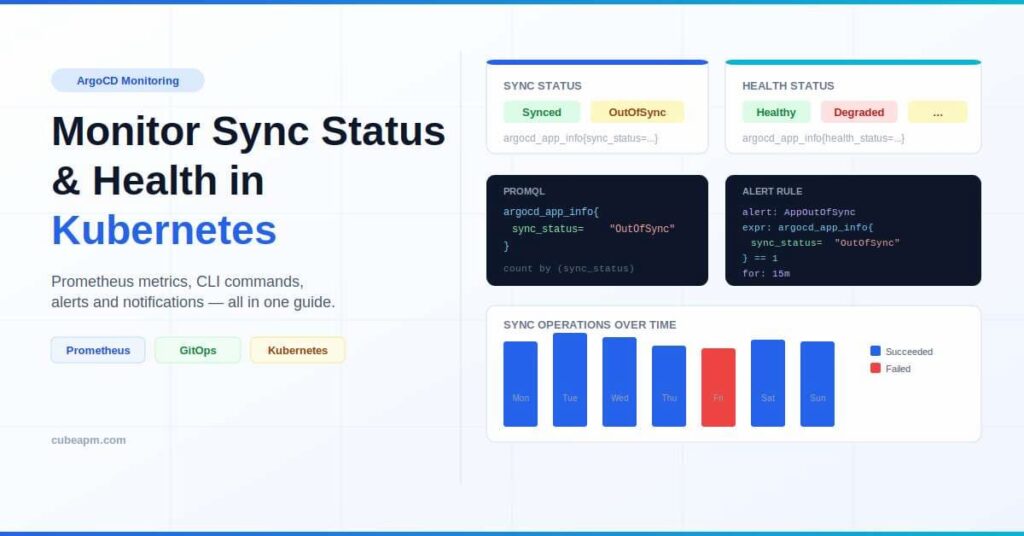
Before writing a single PromQL query, you need to understand what ArgoCD is actually measuring. These two dimensions are independent, and each answers a different question.
Sync Status
Sync Status answers: “Does the cluster match what is in Git?” ArgoCD renders the manifests from your repository and compares them field by field against live resources in Kubernetes. The three possible values are:
- Synced: every resource in Git exists in the cluster with the same configuration.
- OutOfSync: at least one resource differs, whether because of a new commit, a manual kubectl edit, an HPA scaling event, or a partial sync failure.
- Unknown: ArgoCD cannot render the manifests, usually due to a bad repo URL, missing credentials, or a Helm/Kustomize template error.
Health Status
Health Status answers: “Is the application actually working?” ArgoCD evaluates built-in health checks for standard Kubernetes resource types (Deployments, StatefulSets, DaemonSets, Services, Ingresses, PVCs, Jobs, CronJobs) and rolls up the worst status across all child resources.
- Healthy: all resources with health checks are in their desired operational state.
- Progressing: resources are moving toward healthy but have not arrived yet. Normal during rolling updates.
- Degraded: something is wrong. Common causes include CrashLoopBackOff, ImagePullBackOff, Deployment progress deadline exceeded, or StatefulSet pods stuck waiting.
- Suspended: the resource is intentionally paused (spec.paused: true on a Deployment, or spec.suspend: true on a CronJob).
- Missing: a resource defined in Git does not exist in the cluster at all.
- Unknown: ArgoCD cannot determine health, often because no health check is defined for that resource type.
An application can be Synced but Degraded (Git matches the cluster, but the pods are crashing) or OutOfSync but Healthy (a new commit has not been applied yet, but everything running is fine). You need both dimensions to understand the full picture.
2. Using the ArgoCD Dashboard and CLI
The Web Dashboard
The ArgoCD web UI gives you an instant overview. Every application tile shows both sync and health status with colour-coded badges. Click any application to drill into individual resource trees, view live manifests, compare desired vs live state, and inspect sync history.
For OutOfSync applications, the Diff View presents an inline or split comparison of exactly which fields have changed. This is the fastest way to identify whether drift came from an accidental kubectl patch or an HPA scaling event.
The ArgoCD CLI
The CLI is the most direct way to query ArgoCD status from scripts and CI pipelines. Install it by downloading the binary from the releases page or via your package manager.
Common commands for monitoring:
# List all applications with their current sync and health status

argocd app list
# Get a detailed status report for a specific application
argocd app get <application-name># Filter degraded applications using jq
argocd app list -o json | jq -r '.[] | select(.status.health.status == "Degraded") | .metadata.name'# Filter OutOfSync applications
argocd app list -o json | jq -r '.[] | select(.status.sync.status == "OutOfSync") | .metadata.name'# Review sync history for a specific application
argocd app history <application-name># Check cluster connectivity
argocd cluster list3. Monitoring ArgoCD with Prometheus Metrics
ArgoCD exposes Prometheus metrics out of the box on port 8082 via the argocd-metrics service. No additional configuration is needed to enable them.
Available Metric Endpoints
ArgoCD exposes metrics from multiple services:
- argocd-metrics (port 8082): application controller metrics including sync and health status.
- argocd-server-metrics (port 8083): API server request latency and gRPC metrics.
- argocd-repo-server (port 8084): repository server metrics.
Verify the service is running:
kubectl get svc -n argocd | grep metricsScraping Metrics with a ServiceMonitor (Prometheus Operator)
If you are running the Prometheus Operator, add a ServiceMonitor to scrape ArgoCD:
apiVersion: monitoring.coreos.com/v1

kind: ServiceMonitor

metadata:

  name: argocd-metrics

  namespace: argocd

spec:

  selector:

    matchLabels:

      app.kubernetes.io/name: argocd-metrics

  endpoints:

- port: metricsKey Metrics for Sync Status Monitoring
argocd_app_info is a gauge metric that always has a value of 1 and carries the current sync and health status as labels:
argocd_app_info{

  name="my-app",

  namespace="argocd",

  dest_namespace="production",

  health_status="Healthy",

  sync_status="Synced",

  project="default"

}argocd_app_sync_total is a counter for sync operations. The phase label can be Succeeded, Failed, Error, Running, or Terminating:
argocd_app_sync_total{name="my-app", phase="Succeeded"}Essential PromQL Queries
Track sync status across all applications:
# All applications currently OutOfSync

argocd_app_info{sync_status="OutOfSync"}
# Count of OutOfSync applications
count(argocd_app_info{sync_status="OutOfSync"})# Sync status breakdown across all apps
count(argocd_app_info) by (sync_status)Track health across all applications:
# All Degraded applications

argocd_app_info{health_status="Degraded"}
# Applications currently Progressing (potential stuck rollout)
argocd_app_info{health_status="Progressing"}Sync success rate as a Service Level Indicator:
# Sync success rate over the last hour

sum(rate(argocd_app_sync_total{phase="Succeeded"}[1h]))

/ sum(rate(argocd_app_sync_total[1h]))

* 100
# Sync failure rate per minute
sum(rate(argocd_app_sync_total{phase="Failed"}[5m])) * 60Cluster connectivity:
# Cluster connection status (1 = connected, 0 = failed)

argocd_cluster_connection_status{server!=""}4. Prometheus Alerting Rules for ArgoCD
Prometheus alerting rules let you fire alerts when applications stay OutOfSync or Degraded for longer than a configurable threshold. Add these to your Prometheus configuration:
groups:

- name: argocdrules:
- alert: ArgocdApplicationOutOfSync
expr: argocd_app_info{sync_status="OutOfSync"} == 1
for: 15m
labels:
severity: warning
annotations:
summary: "ArgoCD application {{ $labels.name }} is OutOfSync"
description: "{{ $labels.name }} has been OutOfSync for 15 minutes."- alert: ArgocdApplicationDegraded
expr: argocd_app_info{health_status="Degraded"} == 1
for: 5m
labels:
severity: critical
annotations:
summary: "ArgoCD application {{ $labels.name }} is Degraded"- alert: ArgocdSyncFailed
expr: increase(argocd_app_sync_total{phase="Failed"}[10m]) > 0
labels:
severity: warning
annotations:
summary: "ArgoCD sync failed for {{ $labels.name }}"- alert: ArgocdClusterNotConnected
expr: argocd_cluster_connection_status == 0
for: 2m
labels:
severity: critical
annotations:
summary: "ArgoCD cannot connect to cluster {{ $labels.server }}"5. ArgoCD Notifications for Real-Time Alerting
The ArgoCD Notifications controller sends alerts directly to Slack, Microsoft Teams, email, or any webhook the moment a trigger condition is met. It ships as part of ArgoCD from version 2.3 onwards.
Built-in Triggers
ArgoCD ships with default triggers configured in argocd-notifications-cm. The most useful ones are:
- on-sync-failed: fires when a sync operation transitions to Failed.
- on-sync-succeeded: fires when a sync completes successfully.
- on-health-degraded: fires when application health changes to Degraded.
- on-sync-status-unknown: fires when sync status becomes Unknown.
Configuring a Slack Notification
Subscribe an application to a trigger and service in the Application’s annotations:
apiVersion: argoproj.io/v1alpha1

kind: Application

metadata:

  name: my-app

  annotations:

    notifications.argoproj.io/subscribe.on-sync-failed.slack: my-deploy-alerts

notifications.argoproj.io/subscribe.on-health-degraded.slack: my-deploy-alertsWriting a Custom Trigger
Triggers are predicate expressions in argocd-notifications-cm. This example fires when an application has been Progressing for more than 10 minutes:
apiVersion: v1

kind: ConfigMap

metadata:

  name: argocd-notifications-cm

  namespace: argocd

data:

  trigger.on-long-progressing: |

    - when: app.status.health.status == 'Progressing'

send: [app-sync-status]6. Custom Health Checks with Lua
ArgoCD uses built-in health checks for standard Kubernetes resource types. For custom resources (CRDs), you can write health checks in Lua and register them in the argocd-cm ConfigMap.
The following example adds a health check for a hypothetical custom resource:
apiVersion: v1

kind: ConfigMap

metadata:

  name: argocd-cm

  namespace: argocd

data:

  resource.customizations.health.mygroup.io_MyResource: |

    hs = {}

    if obj.status ~= nil then

      if obj.status.phase == "Running" then

        hs.status = "Healthy"

        hs.message = "Resource is running"

        return hs

      end

      if obj.status.phase == "Failed" then

        hs.status = "Degraded"

        hs.message = obj.status.message

        return hs

      end

    end

    hs.status = "Progressing"

    hs.message = "Waiting for status"

return hs7. Monitoring ArgoCD from CI/CD Pipelines
In GitHub Actions or any CI system, you can poll ArgoCD directly after a push to track whether the deployment completed successfully:
- name: Wait for ArgoCD sync

  run: |

    argocd app wait my-app \

      --sync \

      --health \

--timeout 300This command blocks until the application is both Synced and Healthy, or returns a non-zero exit code on timeout. Combine it with the ArgoCD CLI login step using a service account token stored as a CI secret.
For environments where you cannot install the ArgoCD CLI, you can query the API server directly:
# Get application status via API

curl -H "Authorization: Bearer $ARGOCD_TOKEN" \

  https://<argocd-server>/api/v1/applications/my-app \

| jq '{sync: .status.sync.status, health: .status.health.status}'8. Grafana Dashboards for ArgoCD
Once ArgoCD metrics flow into Prometheus, you can build Grafana dashboards to visualise deployment health across all clusters. The ArgoCD community maintains a reference dashboard on Grafana’s dashboard registry. You can import it by its ID directly from the Grafana UI.
For a production setup, recommended panels include:
- Application count by sync_status (Synced, OutOfSync, Unknown) as a stat panel.
- Application count by health_status (Healthy, Degraded, Progressing) as a stat panel with thresholds.
- Sync operation rate over time (Succeeded vs Failed) as a time series.
- Sync success rate percentage as a gauge with alert thresholds.
- Top 10 applications by reconciliation duration as a bar chart.
- Cluster connection status as a table with per-server status.
Observability platforms like CubeAPM, Datadog, and New Relic also offer pre-built ArgoCD integration, letting you correlate deployment events with application performance traces in a single pane of glass.
9. Common Monitoring Scenarios and How to Debug Them
| Symptom | Likely Cause | Debug Step |
| Synced but Degraded | Pods are crashing or failing readiness probes after a successful apply | Check pod logs: kubectl logs <pod> -n <ns>; argocd app get <name> |
| OutOfSync permanently | An HPA or admission webhook is mutating resources after each sync | Use argocd app diff <name> to see which fields drift; add ignoreDifferences |
| Sync Failed | RBAC issue, invalid manifest, or resource conflict | Check argocd app sync-windows and review the sync error message in the UI |
| Health Unknown for a CRD | No health check defined for that resource type | Add a custom Lua health check in argocd-cm ConfigMap |
| Cluster connection Unknown | Network policy blocking API server access, or expired credentials | Run argocd cluster get <server> to see the error; rotate the cluster secret |
- ✓ Monitor ArgoCD sync status and application health from a single dashboard
- ✓ Track reconciliation latency and deployment performance trends
- ✓ Correlate deployment events with application metrics, logs, and traces
- ✓ Configure proactive alerts for failed syncs and degraded application health
Conclusion
ArgoCD monitoring comes down to two questions asked in parallel: does the cluster match Git, and is the application actually running? The built-in dashboard and CLI give you immediate answers for individual applications. Prometheus metrics and alert rules extend that visibility to your entire fleet and integrate with your existing on-call workflows. The Notifications controller bridges the gap between metric-level observability and real-time team communication.
Start with argocd_app_info to track sync and health status, add argocd_app_sync_total for rate and success metrics, and wire up on-sync-failed and on-health-degraded notifications to keep your team informed without manual dashboard checking.
DisclaimerThe information in this article is provided for educational purposes only. ArgoCD API references, metric names, and YAML configurations are based on the ArgoCD documentation and community resources available at the time of writing. Always consult the official ArgoCD documentation (argo-cd.readthedocs.io) for the most current details, as APIs and metric labels may change between releases.
FAQs
1. What is the difference between Sync Status and Health Status in ArgoCD?
Sync Status reflects whether cluster resources match the Git repository. Health Status reflects whether the deployed application is actually running correctly. The two are independent: an app can be Synced but Degraded (e.g., pods are crashing after a successful apply) or OutOfSync but Healthy (a new commit has not been applied yet but everything is running fine).
2. Which Prometheus metric is most important for ArgoCD monitoring?
argocd_app_info is the most versatile starting point. It is a gauge metric with a constant value of 1 and carries both sync_status and health_status as labels, making it easy to count, filter, and alert on any combination of states with a single PromQL expression.
3. How do I get notified when an ArgoCD sync fails?
Use the ArgoCD Notifications controller. Add the annotation notifications.argoproj.io/subscribe.on-sync-failed.slack: your-channel to the Application resource and configure the Slack integration secret in argocd-notifications-secret. The controller will post to the channel the moment a sync phase transitions to Failed.
4. Why does ArgoCD show OutOfSync even after a successful sync?
This usually happens when an external controller (HPA, VPA, or an admission webhook) mutates a resource field after ArgoCD applies it. Use argocd app diff <name> to identify the drifting field, then add an ignoreDifferences block to the Application spec to tell ArgoCD to ignore that field during comparison.
5. How do I monitor ArgoCD health status for custom resources (CRDs)?
By default, ArgoCD returns Unknown health for resource types it does not recognise. Write a Lua health check function and register it under resource.customizations.health.<group>_<kind> in the argocd-cm ConfigMap. The function receives the live resource object and returns a status string (Healthy, Progressing, Degraded, etc.) with an optional message.