









New Relic’s pricing has a well-documented problem. Its per-seat “full platform” fee of $49 to $99 per user per month compounds fast as teams grow. Its newer Compute Capacity Unit (CCU) model trades seat costs for a billing opacity that is even harder to forecast. Engineers on Reddit have documented bills jumping from $900 to $8,000 in a single month after a traffic spike changed how much telemetry was being processed.
Beyond cost, two other pain points drive most evaluations. New Relic’s proprietary NRQL query language creates lock-in that makes every dashboard and alert non-portable. And its cloud-only architecture rules it out entirely for teams with data residency, HIPAA, or GDPR requirements.
This guide compares 9 alternatives across open-source tools, SaaS platforms, and on-premises solutions. Each is assessed on total cost of ownership, OpenTelemetry compatibility, deployment model, and APM signal depth.
If you want to model your current New Relic bill before reading further, the New Relic pricing calculator breaks down every cost dimension: data ingest, user seats, synthetics, and the cloud egress fees most teams overlook.
Quick comparison: 9 New Relic alternatives at a glance
*Disclaimer: This table is a high-level editorial comparison based on publicly available vendor information as of March 2026. Pricing, features, deployment options, and OpenTelemetry support may change by plan, region, or contract. “Our score” reflect our assessment and are not independent rankings. Please verify current details with each vendor before making a final decision.
| Tool | Best for | Pricing model | OTel-native? | On-prem? | Our score |
| CubeAPM | On-prem teams, data-sovereign, cost-sensitive | $0.15/GB · unlimited users | ✓ Native | ✓ First-class | ★★★★★ — best for on-prem + cost |
| SigNoz | OTel-first teams that want open source or self-hosting | $0.30/GB · Cloud $49/mo+ | ✓ Native | ✓ Yes | ★★★★☆ — best open-source pick |
| Grafana | Teams already using Prometheus, Loki, Tempo, or Grafana OSS | OSS: Free Grafana Cloud: usage-based, with free and Pro plans | ✓ Strong | ✓ Yes | ★★★★☆ — powerful but DIY-heavy |
| Datadog | Large enterprises, breadth over cost | Host-based $15–$31/host/mo + add-ons | Partial | ✗ SaaS only | ★★★★☆ — best breadth, expensive at scale |
| Dynatrace | Enterprise, AI-automated triage | host-based | Partial | ✓ Yes | ★★★★☆ — AI-strong, budget-heavy |
| BetterStack | Startups, lean teams, developer UX | Free tier · paid from $29/mo | ✓ Native | ✗ SaaS only | ★★★★☆ — best UX for small teams |
| Honeycomb | High-cardinality debug, distributed systems | Free · Pro $130/mo+ | ✓ Native | ✓ Yes | ★★★★☆ — best for high-cardinality events |
| Elastic APM | Teams already on the ELK stack | Free OSS · Elastic Hosted: $99/mo for standard plan | Partial | ✓ Self-hosted | ★★★☆☆ — powerful if you know ELK |
| AppDynamics | Cisco-heavy enterprises, business metrics | $50/vCPU core/mo+ | Partial | ✓ On-prem option | ★★★☆☆ — enterprise-only, high cost |
*On-prem means the platform can run inside your own cloud VPC or data center, keeping telemetry data within your infrastructure. This matters for regulated industries and teams with data residency requirements.
How we evaluated these tools
We assessed each platform on five dimensions: pricing transparency and predictability, native OpenTelemetry support vs. bolt-on compatibility, deployment model (SaaS-only vs. on-prem vs. hybrid), APM signal depth (traces, errors, logs, RUM, synthetics), and ease of migration from New Relic. CubeAPM is our own product and is included in this comparison. We’ve disclosed this transparently so you can weigh it accordingly. Pricing figures are sourced from each vendor’s public pricing pages as of April 2026.
Why engineering teams are leaving New Relic in 2026
New Relic pioneered APM, and its platform is technically capable. But three structural issues are pushing teams to evaluate alternatives, and they tend to compound as teams grow.
New Relic’s Standard plan charges $10 for the first Full Platform user and $99 for each additional Full Platform user, with a maximum of five. Its Pro plan lists Full Platform users at $349/user under annual commitment pricing. For a 20-person engineering team, that puts Full Platform seat cost alone at about $6,980 per month before data ingest charges. This can make broad access to traces, logs, and advanced workflows expensive as teams grow. This creates a perverse dynamic where engineering leads ration access, deciding which developers are ‘senior enough’ to deserve a login. When junior developers, support engineers, and product managers are locked out of observability data, incident response slows and knowledge concentrates.
New Relic also offers Core Compute, a consumption-based model with unlimited users. Under this model, billing is tied to Core Compute Capacity Units (CCUs), which New Relic defines as usage consumed by actions such as queries, page loads, alert evaluation, and API calls. That means costs can vary not just with data volume, but also with how often the platform is used to process and analyze data.
NRQL is New Relic’s proprietary query language. Teams that build dashboards, alerts, and workflows around NRQL may need to recreate part of that work when moving to another platform, especially if the replacement uses SQL, PromQL, or OpenTelemetry-first tooling instead.
Reddit, r/devops: “Our New Relic bill jumped from $900 to $8,000 in one month because of a traffic spike we didn’t anticipate. The CCU model is completely opaque. We had no warning.”
To model your own New Relic bill before it surprises you, use the CubeAPM New Relic Pricing Calculator; it breaks down every cost component, including data-out egress fees that most teams overlook.
What to look for in a New Relic alternative
Most buyers searching for New Relic alternatives have one of three underlying needs: lower cost, better OTel compatibility, or more control over their data. Before evaluating specific tools, it helps to define which criteria matter most for your team.
Platforms such as SigNoz, CubeAPM, and Honeycomb are built with OpenTelemetry at the center, so OTLP data fits more naturally into the product. Others, such as Datadog, Dynatrace, and New Relic, support OpenTelemetry well today but usually map it into broader platform models that still reflect their own agents, schemas, and workflows. If you’re moving to OpenTelemetry as your instrumentation standard, this distinction matters significantly.
GB-based pricing (CubeAPM at $0.15/GB, SigNoz at $0.30/GB) is the most predictable model for most teams; you control your bill by controlling your data volume. Seat-based pricing (New Relic, some Datadog tiers) scales with your team headcount, which is often out of the engineering team’s control. Host-based pricing (Datadog infrastructure at $15/host) can spike unexpectedly when containers or ephemeral instances are counted. Model at least two growth scenarios before committing to any platform.
For most teams, SaaS is fine. But for regulated industries like fintech, healthcare, and government, sending traces, logs, and infrastructure metrics to a third-party SaaS platform may violate HIPAA, GDPR, SOC 2, or regional data residency requirements. Self-hosted platforms (CubeAPM, SigNoz, Grafana LGTM stack, and Elastic APM) run inside your VPC, meaning telemetry never leaves your cloud boundary. This also eliminates cloud data-out egress fees, which add roughly $0.10/GB when sending data to any external SaaS platform.
MELT refers to Metrics, Events, Logs, and Traces, the four pillars of observability. New Relic covers all four in one platform. If you’re replacing it, check whether you need a unified replacement or whether a focused APM tool (traces + errors only) is sufficient. Many teams overpay for log management and synthetics they rarely use. CubeAPM, SigNoz, and Grafana all offer modular coverage; you can start with APM-only and add signals as needed.
The 9 best New Relic alternatives compared
1. CubeAPM: Best for on-prem, data sovereignty, and cost control
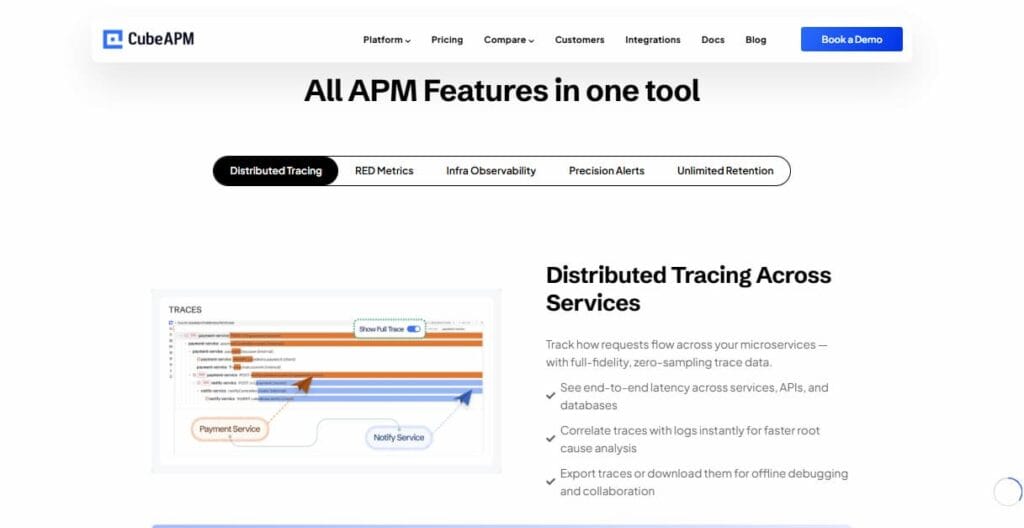
CubeAPM is an OpenTelemetry-native APM platform built specifically for teams that cannot or will not send telemetry data to a third-party cloud. It runs inside your own AWS, GCP, or Azure VPC, meaning traces, logs, and metrics never leave your infrastructure boundary. This is the primary distinction from every other tool on this list: CubeAPM is the only alternative to New Relic that is genuinely on-prem-first rather than treating self-hosting as an afterthought.
Pricing is flat at $0.15/GB ingested with no per-user fees and no per-host charges; your entire engineering team can access dashboards and query data without licensing costs. This eliminates the seat-tax dynamic entirely. The platform covers the full MELT stack: APM with distributed tracing and AI-based smart sampling, log management, infrastructure monitoring, RUM, synthetic monitoring, and error tracking.
Real-world result: Delhivery, one of India’s largest logistics platforms, reduced monitoring costs by 75% after switching from Datadog to CubeAPM. A separate customer migrating from New Relic noted that “dashboards are astonishingly fast compared to New Relic; the migration process was also super smooth.”
Best for: Regulated industries (fintech, healthcare, government), teams with HIPAA/GDPR/data residency requirements, cost-sensitive teams at any scale.
Pricing: $0.15/GB ingested · unlimited users · no per-host fees. Cloud data-out egress: $0 (runs in-VPC).
OTel support: Native built from the ground up on OpenTelemetry.
On-prem: First-class and is the core deployment model, not an add-on.
CubeAPM vs. New Relic: CubeAPM runs entirely inside your own VPC; no telemetry leaves your infrastructure, which New Relic’s cloud-only model cannot offer. Pricing at $0.15/GB with unlimited users eliminates the seat tax entirely. Where New Relic leads: a larger integration marketplace (650+ vs. CubeAPM’s growing catalog) and more mature AI-assisted anomaly detection. CubeAPM’s smart sampling is strong, but New Relic’s level of automated root-cause analysis isn’t there yet.
2. SigNoz: Best open-source OTel-native alternative
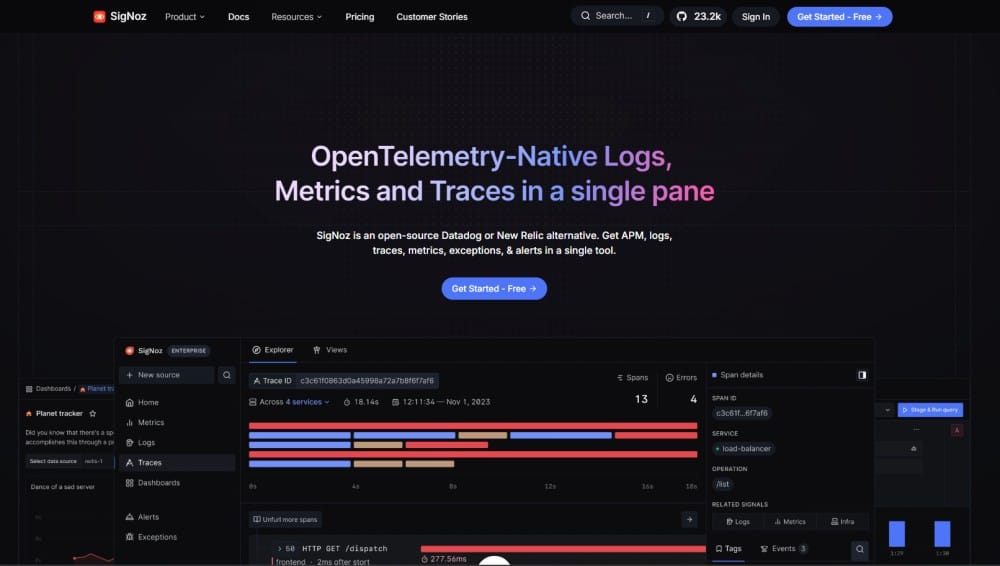
SigNoz is an Apache 2.0 open-source observability platform built natively on OpenTelemetry and backed by the CNCF ecosystem. It provides logs, metrics, and traces in a single pane of glass using ClickHouse as the storage engine, the same database used by Uber and Cloudflare for high-volume data workloads.
Best for: Engineering teams moving to OpenTelemetry who want full source-code access and maximum self-hosting control.
Pricing: Free self-hosted (community edition). Cloud plans from $49/month. Usage-based: logs and traces at $0.30/GB, metrics at $0.10/million samples.
OTel support: Native SigNoz is a CNCF project built on OTel from day one.
On-prem: Yes, self-hosted is the primary model.
Signoz vs. New Relic: OTel-native from day one, no proprietary agents, no NRQL lock-in, and full source code access under Apache 2.0. The self-hosted option costs nothing beyond your own infrastructure. Where New Relic leads: fully managed SaaS with zero cluster maintenance, a polished enterprise UI, and 650+ out-of-the-box integrations. SigNoz self-hosted requires your team to own ClickHouse operations, which is a significant overhead for teams without SRE capacity.
3. Grafana (LGTM stack): Best for teams with existing infrastructure
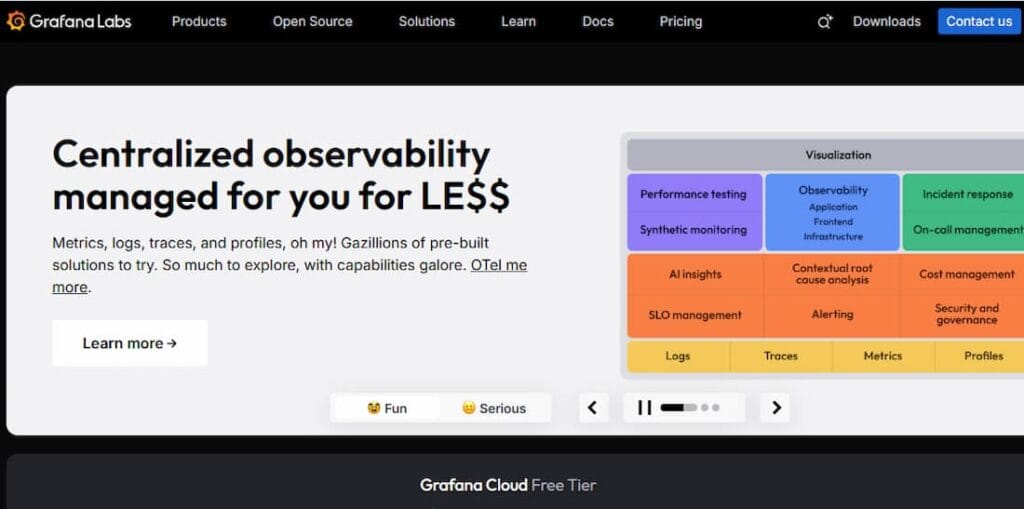
Grafana is the most widely deployed observability visualization layer in the industry. Paired with Loki (logs), Tempo (traces), and Mimir (metrics), the LGTM stack provides a complete New Relic replacement. Grafana Cloud offers managed hosting; the OSS version gives full infrastructure control.
Best for: Teams already running Prometheus who want to extend to full observability without a forklift migration.
Pricing: Free OSS. Grafana Cloud’s free tier is generous; paid plans start at $29/month plus usage-based charges for logs ($0.50/GB), traces ($0.50/GB), and metrics ($8/1k active series).
OTel support: Good. Tempo is OTel-compatible, and Loki supports the OTel log format.
Grafana vs. New Relic: Grafana is the most composable option; it works with data already in Prometheus, Loki, or any existing source without lock-in to a new vendor’s data model. The OSS version is free. Where New Relic leads: a unified, pre-configured platform that works out of the box. The LGTM stack requires meaningful configuration effort to reach feature parity with New Relic’s APM teams, without prior Grafana experience typically needing a learning curve to reach a production-grade setup.
4. Datadog: Best breadth, worst pricing predictability
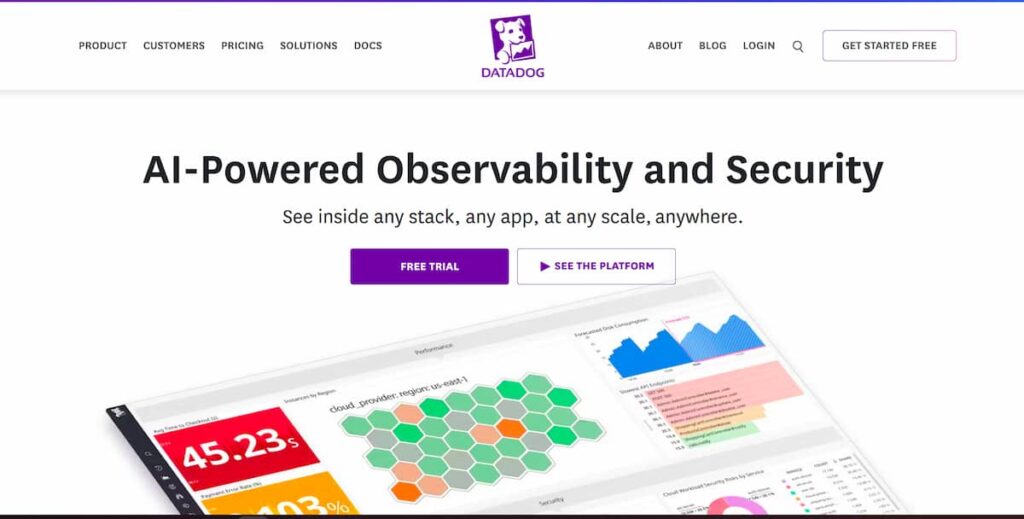
Datadog is the largest commercial observability platform and New Relic’s most direct competitor. Its integration catalog (900+) and feature breadth are unmatched APM, logs, security, RUM, synthetics, and network monitoring under one roof. The trade-off is cost: host-based pricing at $15/host (infrastructure) and $31/host (APM) compounds quickly at scale, and custom metrics charges are a persistent source of bill shock.
Best for: Large enterprises with diverse, sometimes legacy environments that need a single vendor for monitoring across the full stack.
Pricing: Infrastructure from $15/host/month, APM from $31/host/month. Additional charges for logs, custom metrics, and RUM sessions.
Datadog vs. New Relic: Broader integration catalog (900+ vs. New Relic’s 650+), stronger security monitoring, and more mature network performance monitoring. Host-based pricing is easier to reason about for infrastructure-heavy teams than New Relic’s per-user seat model. Where New Relic leads: New Relic is generally cheaper than Datadog at equivalent scale host-based APM at $31/host, which compounds faster than New Relic’s data-ingestion model for high-host, low-user teams. Datadog is also SaaS-only with no on-premise path.
5. Dynatrace: Best for AI-automated triage in enterprise environments
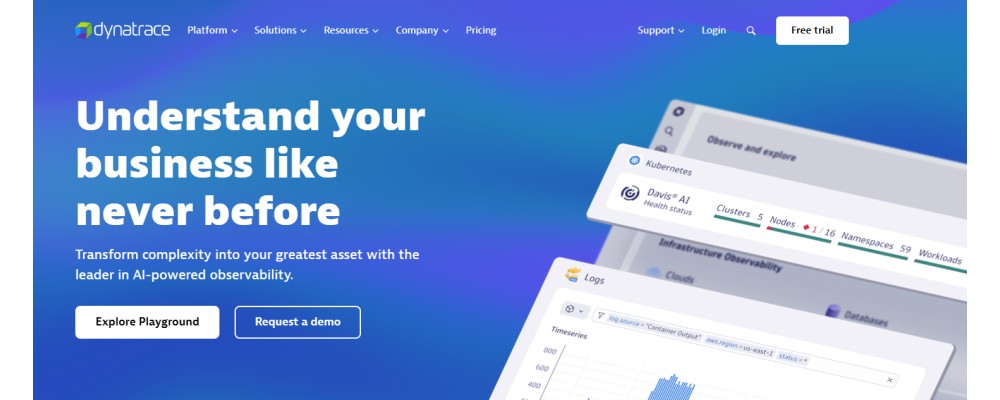
Dynatrace differentiates with its Davis AI engine, which automatically maps service dependencies and performs causal root-cause analysis rather than just anomaly detection. Gartner ranks Dynatrace highest in ‘Ability to Execute’ among observability vendors. The platform targets large enterprises with complex, fast-moving microservice estates.
Best for: Enterprises needing AI-automated incident triage with minimal manual configuration.
Pricing: Usage-based starting at ~$0.08/host-hour. Annual commitment required. One of the most expensive platforms in this comparison.
Dynatrace vs. New Relic: Davis AI provides genuine causal root-cause analysis; it tells you why something broke, not just that something is anomalous. Auto-discovery and dependency mapping require no manual configuration. Where New Relic leads: a more accessible pricing entry point, broader language support, and a less opaque billing model. Dynatrace’s OneAgent creates its own form of vendor lock-in, and its proprietary data model makes migration harder than moving from New Relic to an OTel-native platform.
6. Better Stack: Best developer UX for small teams
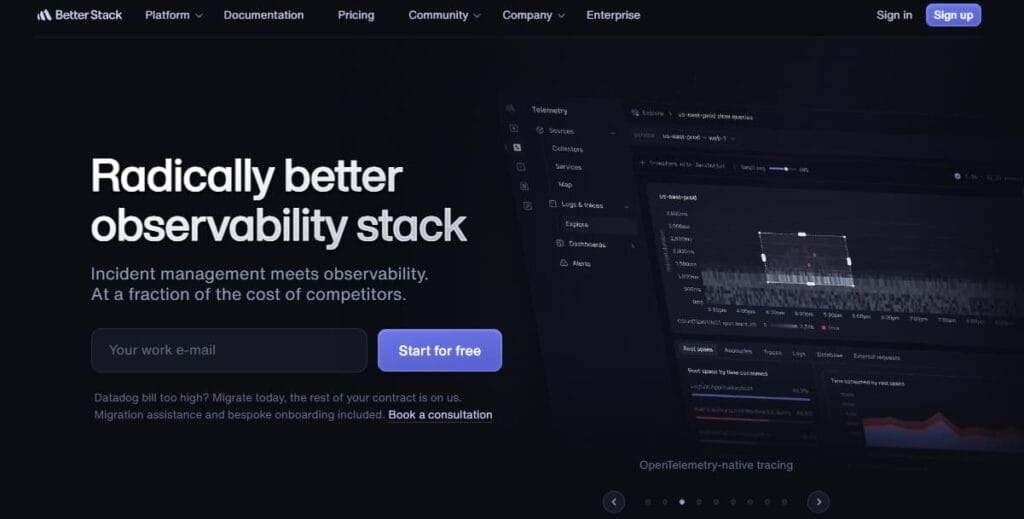
Better Stack combines log management, distributed tracing, infrastructure monitoring, error tracking, RUM, uptime monitoring, and incident management on a single data layer. It uses eBPF-based auto-instrumentation with zero code changes and accepts OTel data natively. The developer experience is arguably the cleanest in this category; the platform was deliberately built to avoid the product sprawl problem that makes New Relic and Datadog difficult to navigate.
Best for: Startups and lean engineering teams that want full-stack observability without operational overhead.
Pricing: Free tier (3 GB logs, 100k exceptions). Paid plans from $29/month with unlimited team members.
Better Stack vs. New Relic: Better Stack is a strong New Relic alternative for smaller teams that want simpler setup and a broader incident-response toolkit in one place. It supports tracing with eBPF and OpenTelemetry, and it also bundles incident management, on-call scheduling, uptime monitoring, and status pages into the same platform. Its pricing is also easier to approach at the low end, with responder plans starting at $29 per license per month and telemetry available separately, while New Relic still uses user-based pricing for major platform access, including Core users at $49/user and Standard Full Platform pricing at $10 for the first user and $99 for each additional user. New Relic is better for teams that require a more advanced enterprise APM stack, offering more detailed tracing, profiling, and service-level monitoring features for complicated distributed systems.
7. Honeycomb: Best for high-cardinality event debugging

Honeycomb takes a fundamentally different approach to observability data. Rather than storing logs, metrics, and traces separately and correlating them, Honeycomb stores wide events and derives all three views from a single data model. This makes it exceptionally powerful for debugging high-cardinality distributed systems where traditional APM tools struggle; you can filter on arbitrary attributes across billions of events in real time.
Best for: Engineering teams dealing with complex distributed systems where traditional APM sampling loses the signal they need.
Pricing: Free tier available. Pro plan from $130/month per 100M events.
Honeycomb vs. New Relic: Honeycomb is built around wide, high-cardinality events rather than only pre-aggregated metrics, which lets teams query across many attribute combinations after the fact, including ones they did not plan for during instrumentation. That makes it especially strong for deep debugging in distributed systems. Where New Relic leads is platform breadth. Honeycomb is more focused on observability and debugging workflows, while New Relic offers a broader full-stack platform with stronger built-in coverage across infrastructure monitoring, synthetics, and other adjacent capabilities. Teams replacing New Relic fully with Honeycomb may still need additional tools, depending on how much of New Relic’s wider platform they currently use.
8. Elastic APM: Best for teams already on the ELK stack
Elastic APM is built on the Elastic Stack (Elasticsearch and Kibana), making it a natural extension for teams already using ELK for log management. It provides distributed tracing, service maps, error tracking, and anomaly detection using Elasticsearch’s machine learning features.
Best for: Teams with existing Elasticsearch investment who want to add APM without a new vendor relationship.
Pricing: Free and open-source for self-hosting. Elastic Cloud from $99/month.
ElasticAPM vs. New Relic: If your team already runs Elasticsearch, Elastic APM adds APM without a new vendor; logs, traces, and metrics stay in one queryable store. Strong full-text search across telemetry is genuinely better than New Relic’s. Where New Relic leads: fully managed SaaS with no cluster to operate. Elastic at scale requires significant infrastructure and Elasticsearch expertise. KQL is less intuitive than NRQL for teams new to the Elastic ecosystem. Note: Elastic APM OSS reached end-of-service in September 2025; new deployments should use Elastic Cloud or verify managed options.
9. AppDynamics: Best for Cisco-heavy enterprise environments
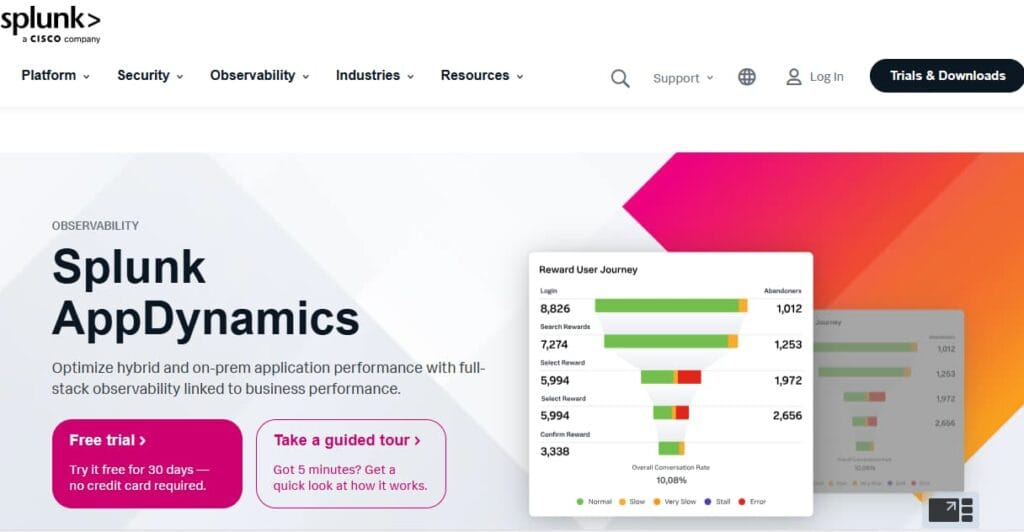
AppDynamics (now Cisco Observability Platform) is an enterprise APM tool that links application performance to business transaction metrics. It provides code-level diagnostics, automatic service discovery, and business impact analysis. Its differentiation is the ability to correlate a slow API endpoint with a drop in checkout conversion, useful for business-facing engineering teams.
Best for: Large enterprises already on Cisco infrastructure that need APM tied to business metrics.
Pricing: Enterprise edition from $50/vCPU core/month. One of the most expensive platforms in this category.
AppDynamics vs. New Relic: AppDynamics uniquely ties application performance to business transaction metrics. You can correlate a slow checkout API directly to a drop in conversion rate, which New Relic doesn’t do natively. Deep Cisco network and infrastructure integration is unmatched for enterprises already on Cisco. Where New Relic leads: significantly cheaper, broader language support, more active product development. AppDynamics pricing starts at $50/CPU core/month for most team sizes. New Relic is more cost-effective.
Self-hosted or On-prem and Data-sovereign alternatives
If your organization operates under HIPAA, GDPR, SOC 2 with specific data residency requirements, FedRAMP, or internal policies that prohibit sending infrastructure telemetry outside your cloud boundary, a SaaS observability platform is not a viable option regardless of its pricing.
The answer is broader than most people assume. It isn’t just government agencies or defense contractors. Common cases include:
- Fintech companies processing payment data where PCI-DSS scoping pushes engineering teams to limit which external services receive application telemetry
- Healthcare SaaS platforms where APM traces contain patient identifiers embedded in API call parameters
- Enterprise SaaS companies that have signed data processing agreements with customers committing to specific data residency (EU, India, specific AWS regions)
- Companies in India, the EU, or other jurisdictions with active data localisation regulations (India’s DPDP Act, EU’s GDPR Article 44)
- Regulated financial services firms in the US where FINRA or SEC requirements restrict data flows to third parties
For these teams, New Relic’s cloud-only architecture isn’t a preference; it’s a compliance blocker. And most of the alternatives in standard comparison guides share the same constraint.
What “on-prem first” actually means in practice
CubeAPM is the only platform in this comparison built with on-prem deployment as the primary model, not a secondary option. This distinction matters operationally. When a platform offers on-prem as an afterthought (as some enterprise SaaS tools do), it often means a stripped-down feature set, limited support, manual upgrade processes, and documentation that treats self-hosting as an edge case.
With CubeAPM, the on-prem model means the product deploys into your AWS, GCP, or Azure VPC using your own compute and object storage. Traces, logs, metrics, and RUM data never leave your cloud boundary. CubeAPM handles upgrades, patches, and operational support for the platform you provide the infrastructure for. From a compliance posture, this is equivalent to running your own database: you own the data, and the vendor provides the software.
An additional financial benefit: when telemetry stays inside your VPC, you pay zero cloud data-out egress fees. At 30 TB/month of telemetry, the egress savings alone are approximately $3,000/month at standard AWS/GCP rates before any comparison to New Relic’s subscription cost.
Key distinction: SigNoz also offers self-hosted deployment, and for teams comfortable managing a ClickHouse cluster, it’s an excellent open-source choice. The difference is operational: CubeAPM is managed and self-hosted (the vendor handles the platform operations), while self-hosted SigNoz is fully your responsibility. For teams without dedicated SRE capacity, this distinction is significant.
What does New Relic actually cost at your team size? (Real numbers)
Most comparison guides show pricing tiers. What they don’t show is how those tiers combine data ingest + user seats + synthetics + cloud egress into a real monthly bill. We built a New Relic pricing calculator that models all cost dimensions together, verified against New Relic’s pricing page as of March 2026. Here’s what the numbers look like across five team profiles:
*Disclaimer: New Relic costs above are calculated using the Standard plan with Original data ($0.40/GB beyond 100 GB free tier) and full platform users at $99/user/month. CubeAPM costs use $0.15/GB ingested with no user fees. New Relic enterprise pricing may include negotiated discounts not reflected here. The Solo Dev profile shows NR’s free tier advantage; at this scale, New Relic wins on price.
| Team profile | Data / users | New Relic / mo | CubeAPM / mo | Annual saving | Saving % |
| Solo dev | 100 GB · 1 user | $20 | ~$17 | n/a (NR free tier) | — |
| Small team | 500 GB · 3 FP users | ~$269/mo | ~$85/mo | ~$2,208/yr | ~68% |
| Growing team | 5 TB · 10 FP users | ~$3,405/mo | ~$850/mo | ~$30,660/yr | ~75% |
| Mid-market | 30 TB · 50 FP users | ~$22,535/mo | ~$5,100/mo | ~$209,220/yr | ~77% |
| Enterprise | 200 TB · 150 FP users | ~$152,890/mo | ~$34,000/mo | ~$1,426,680/yr | ~78% |
The hidden cost: Cloud data-out egress
One cost dimension that no competitor mentions in their comparison guides: when you send telemetry to any external SaaS platform, New Relic, Datadog, or SigNoz Cloud your cloud provider charges approximately $0.10/GB for data leaving your VPC. At 5 TB/month, that’s $500/month in AWS or GCP egress fees that doesn’t appear on your New Relic invoice. At 30 TB/month, it’s $3,000/month. CubeAPM running inside your VPC has zero data-out cost. The calculator above includes this in its comparison. Enter your data volume and toggle ‘Data-Out Cost’ to see the full picture.
Use the CubeAPM New Relic Pricing Calculator to enter your exact team size, data volume, and add-ons and see your estimated New Relic bill versus CubeAPM to the dollar.
How to migrate from New Relic to an OTel-native platform in 4 weeks
Migration anxiety is real; you’ve built dashboards, tuned alerts, and accumulated operational knowledge in New Relic over months or years. The good news is that switching to an OpenTelemetry-native platform is structurally less painful than previous APM migrations because OTel separates instrumentation from the backend. Once your services emit OTLP data, you can point that data at any compatible backend with a configuration change rather than a re-instrumentation.
Here’s a realistic 4-week migration plan for a mid-sized team. (Enterprise migrations with legacy agents or complex custom instrumentation may take 6–8 weeks.)
| Week | Focus | Key actions | Exit criteria |
| Week 1 | Instrument inventory | List every service using NR agents. Identify languages and frameworks. Map data volumes per service. Choose target platform (CubeAPM or alternative). | Full inventory spreadsheet. Platform selected. |
| Week 2 | Parallel run | Deploy OTel Collector alongside existing NR agents on 1–2 non-critical services. Dual-write telemetry. Compare dashboards between old and new. | Traces/metrics parity is confirmed on pilot services. |
| Week 3 | Dashboard migration | Recreate the top 10 critical dashboards and all active alerts in the new platform. Validate alert accuracy against real traffic. Remove NR agents from pilot services. | Critical dashboards live. Alert parity verified. |
| Week 4 | Full cutover | Roll OTel agents out to the remaining services. Cancel NR agents service-by-service. Run NR in read-only mode for 2 weeks to catch missed dashboards. | All services are on the new platform. NR agents decommissioned. |
Practical note on parallel running
The most common migration mistake is cutting over too fast. Run both platforms simultaneously for at least two weeks before cancelling New Relic. Teams consistently discover dashboards they forgot existed, alerts that were silently firing, or integrations that depended on NR’s API. The cost of two weeks of overlap is far lower than an incident with no visibility.
Migrating from NRQL to OTel-native query languages
NRQL queries don’t translate directly to other platforms, but the underlying intent usually does. New Relic’s NRQL SELECT clauses map roughly to PromQL functions in Grafana and SigNoz and to standard SQL in CubeAPM’s query builder. The most valuable step before migration is documenting what each dashboard is actually measuring, not the NRQL syntax, but the business question it’s answering. With that documentation, rebuilding dashboards in a new platform takes hours rather than days.
How to choose the right New Relic alternative for your team
The right answer depends on three things: why you’re leaving New Relic, what your deployment constraints are, and how much engineering overhead you can absorb. Here is how the nine tools in this guide map to those variables.
Model your bill across data volume, user count, and cloud egress before committing to any platform. The pricing structures are genuinely different; GB-based, seat-based, and host-based models produce very different bills at the same scale. Use the New Relic pricing calculator to see your current New Relic cost broken down by component, then compare it against the GB rates for whichever platform you’re evaluating.
Your shortlist is short. Most platforms in this guide are SaaS-only and cannot address HIPAA, GDPR data localization, or internal policies that prohibit sending telemetry outside your VPC. The platforms that support genuine on-premises deployment are CubeAPM (managed on-prem, vendor handles operations), SigNoz (self-managed on-prem), Grafana LGTM stack (self-managed), and Elastic APM (self-managed). Of these, CubeAPM is the only one where the vendor actively manages the platform within your infrastructure; the others require your team to own operations.
Choose a platform where OTel is native, not added on. SigNoz, CubeAPM, Honeycomb, and BetterStack all ingest OTLP natively with no translation layer. Datadog and Dynatrace support OTel ingestion, but their core value is tied to proprietary agents. You get a different, often worse, experience when sending OTel data than when using their native instrumentation.
BetterStack and Honeycomb are the cleanest SaaS options: zero-config instrumentation, polished UIs, and no cluster management. Grafana and SigNoz self-hosted give you maximum control but require dedicated engineering time to operate well. CubeAPM occupies a middle ground: it runs in your infrastructure, but the vendor handles upgrades and operations.
The free tier (1 full user + 100 GB/month) is genuinely good value for solo developers. The economics only shift in favor of alternatives once you exceed the free tier or need more than one full-platform user, at which point New Relic’s per-seat model escalates quickly.
The broader pattern: the APM market has split between full-stack SaaS platforms (Datadog and Dynatrace) designed for enterprises with large, diverse environments and dedicated observability teams and leaner OTel-native tools designed for product engineering teams that want reliable APM at predictable cost. If your reason for leaving New Relic is pricing or data control, the latter category is where the strongest alternatives sit.
Disclaimer: The information in this article reflects the latest details available at the time of publication and may change as technologies and products evolve.
FAQs
1. What is the cheapest alternative to New Relic?
For teams with fewer than 3 full platform users, New Relic’s free tier (1 full user + 100 GB/month) is hard to beat on price. Beyond that, CubeAPM at $0.15/GB with unlimited users offers the lowest TCO at most team sizes, particularly when cloud egress savings are included. SigNoz self-hosted is free to run but requires engineering time to manage.
2. Is there a free open-source replacement for New Relic?
Yes. SigNoz (Apache 2.0), Grafana’s LGTM stack (AGPL/Apache), and the Prometheus + Jaeger stack are all capable open-source APM solutions. They require self-hosting and varying amounts of operational maintenance. Elastic APM’s open-source version reached end-of-service in September 2025; evaluate before choosing it for new deployments.
3. Can I use OpenTelemetry to replace New Relic agents?
Yes, and this is the recommended migration path. New Relic’s proprietary agents can be replaced with the OTel SDK for your language and the OTel Collector for batching and routing. New Relic itself accepts OTLP data, so you can migrate your instrumentation to OTel without changing your backend and then point the collector at a different destination when you’re ready to switch platforms fully.
4. What happens to my data when I cancel New Relic?
New Relic retains your data according to your plan’s retention period after cancellation (8 days on the original plan, 90 days on Data Plus). Thereafter, the data is deleted. This is why running your new platform in parallel for 2–4 weeks before cancelling is important; you have a window to export any historical data you need for compliance or trend analysis. New Relic’s export APIs can be used to pull raw data before the retention window expires.
5. Is CubeAPM a good fit for teams migrating from New Relic specifically?
Yes, particularly if your reason for leaving New Relic is cost or data control. CubeAPM accepts Datadog-compatible and New Relic-compatible agent payloads in addition to native OTel, which means some existing instrumentation may work without changes. The migration guide above applies directly, and CubeAPM’s support team handles migration assistance as part of onboarding, rather than charging for professional services.
7. Does CubeAPM work for teams that need HIPAA or GDPR compliance?
CubeAPM holds SOC 2 Type II and ISO 27001 certifications. Because it deploys inside your own VPC, telemetry data never leaves your cloud environment, which means your data processor relationship is with your cloud provider (AWS, GCP, or Azure), not with CubeAPM as a third-party SaaS vendor. This architecture is significantly simpler to document for HIPAA business associate agreements or GDPR Article 28 data processing agreements.