










Hybrid cloud monitoring is harder than monitoring a single environment. Teams running workloads across AWS, Azure, on-premises data centers, and private cloud face a fragmentation problem: each environment generates telemetry in different formats, vendor consoles show different metrics, and correlating an issue across boundaries requires stitching together data from multiple tools. According to the 2024 CNCF Annual Survey, 71% of organizations now use multiple clouds, and 38% operate hybrid environments combining public cloud with on-premises infrastructure. Without unified monitoring, teams lose visibility at the seams where environments connect, the exact places where performance bottlenecks and failures occur.
This guide compares 10 hybrid cloud monitoring tools on deployment model, pricing structure, OpenTelemetry compatibility, and what each platform actually tracks across distributed environments. Cost scenarios are modeled for small, midsize, and enterprise teams using real publicly available pricing.
Quick Comparison: 10 Hybrid Cloud Monitoring Tools at a Glance
| Tool | Best For | Pricing Model | On-Prem? | OTel-Native? |
|---|---|---|---|---|
| CubeAPM | Full stack monitoring inside your VPC, data sovereignty | $0.15/GB ingestion | ✓ Yes | ✓ Native |
| Datadog | Managed multi-cloud with 700+ integrations | Per-host + ingestion fees | ✗ SaaS only | Partial |
| Dynatrace | Enterprise AI-assisted analysis, auto-discovery | Per-host, platform usage | ✓ Yes | Partial |
| Grafana | Prometheus, Loki, Tempo users, OSS-first teams | OSS free, Grafana Cloud usage-based | ✓ Yes | ✓ Strong |
| SolarWinds | IT ops teams monitoring network + infrastructure | Per-node licensing | ✓ Yes | Partial |
| New Relic | Logs inside broader observability platform | $0.35/GB beyond 100 GB free | ✗ SaaS only | Partial |
| AppDynamics | Cisco-heavy enterprises, business transaction monitoring | Per-vCPU core | ✓ On-prem option | Partial |
| Elastic APM | Teams already on ELK stack | Free OSS, Elastic Cloud starts $99/mo | ✓ Self-hosted | Partial |
| Logic Monitor | MSPs, hybrid infrastructure at scale | Per-device pricing | ✗ SaaS only | Partial |
| Splunk | Enterprise log analytics, SIEM, security-heavy workflows | Per-host + data ingestion | ✓ Yes | Partial |
Pricing based on publicly available rate cards as of early 2026. On-prem means the platform runs inside your VPC or data center. OTel-native means built on OpenTelemetry from day one, not bolt-on support added later.
What Is Hybrid Cloud Monitoring and Why It Matters
Hybrid cloud monitoring refers to the process of tracking performance, availability, and security across workloads running in multiple environments: public clouds like AWS, Azure, and GCP, private cloud infrastructure, on-premises data centers, and edge locations. The goal is unified visibility so teams can correlate metrics, logs, and traces across all environments without switching between vendor consoles or stitching together fragmented data after an incident.
The challenge is architectural. Public cloud platforms expose metrics through APIs like CloudWatch, Azure Monitor, or Google Cloud Operations. On-premises infrastructure runs monitoring agents that push data to collectors. Private cloud platforms like OpenStack or VMware have their own metric formats. Without a unified monitoring layer, teams face three problems:
Blind spots at environmental boundaries. A transaction that starts in an on-premises database, routes through an API Gateway in AWS, and completes in an Azure-hosted microservice crosses three telemetry domains. If each environment is monitored separately, no single tool shows the end-to-end transaction trace.
Metric fragmentation. AWS CloudWatch metrics use different naming conventions, granularity, and retention policies than Prometheus metrics scraped from on-premises Kubernetes clusters. Teams waste time translating between formats instead of diagnosing root causes.
Cost unpredictability. SaaS monitoring platforms charge egress fees when telemetry data leaves your cloud environment. For a hybrid setup sending logs and traces from on-premises to a SaaS vendor, AWS charges roughly $0.09/GB for data transfer out. At 10TB monthly telemetry volume, that is $900/month in network fees before the monitoring platform bills you for ingestion.
Hybrid cloud monitoring tools solve these problems by providing a single control plane that ingests telemetry from all environments, correlates data across boundaries, and surfaces unified dashboards, alerts, and trace views.
1. CubeAPM

Best for: Teams that want full-stack observability inside their own cloud without SaaS data egress, pricing sprawl, or self-hosting operational burden.
CubeAPM is a self-hosted, OpenTelemetry-native observability platform covering APM, logs, infrastructure, Kubernetes, RUM, synthetic monitoring, and error tracking. It runs inside your cloud or on-premises, so there is no data egress and no external dependency during incidents. Your monitoring stays up even if the internet does not.
Recognized as a High Performer in G2’s Spring 2026 APM Grid Report and ranked number 4 among the easiest to use APM tools on G2. Trusted by redBus, Delhivery, Mamaearth, Policybazaar, and Practo.
Key Features:
- Unified monitoring for APM, logs, infrastructure, Kubernetes, Kafka, RUM, synthetics, and error tracking
- OpenTelemetry-native from day one, compatible with OpenTelemetry, Prometheus, Elastic, Datadog, and New Relic agents
- Self-hosted and BYOC deployment for data sovereignty
- AI-based Smart Sampling retains traces that matter while reducing storage overhead
- Unlimited data retention with no egress surprises
- Direct engineering support via WhatsApp and Slack channels
Pricing: $0.15/GB ingestion with unlimited users, unlimited retention. No per-host fees, no seat licenses, no surprise charges. For a hybrid environment ingesting 30TB monthly across on-premises and cloud workloads, the total cost is $4,500/month.
Pros:
- Single billing dimension with no surprises from metrics, hosts, or users
- Complete data ownership, no telemetry leaves your infrastructure
- Multi-agent compatible, works alongside Datadog, New Relic, Elastic agents
- Fast onboarding with zero-downtime migration
- Engineering support that responds in minutes during incidents
Cons:
- Requires BYOC or on-premises deployment, your team manages the infrastructure
- SSO and RBAC less mature than enterprise SaaS incumbents
- No autonomous anomaly detection, AI-based smart sampling is not full AIOps alerting
Best for: DevOps teams monitoring hybrid Kubernetes clusters, regulated industries with data residency requirements, teams burned by unpredictable SaaS pricing.
2. Datadog
Best for: Large enterprises prioritizing breadth of integrations and managed SaaS delivery over cost predictability.
Datadog provides managed multi-cloud observability with 700+ integrations covering AWS, Azure, GCP, on-premises infrastructure, databases, orchestration platforms, and CI/CD tools. It automatically scales with dynamic infrastructure by monitoring new cloud instances or containers as soon as they come online.
Key Features:
- Platform-agnostic monitoring across on-premises data centers and all major cloud platforms
- Automatic discovery and tagging of dynamic infrastructure
- Integrations with OpenStack, Cloud Foundry, VMware, and Hyper-V for private cloud
- Distributed tracing with request correlation across environments
- Logs, metrics, and traces unified in a single UI
Pricing: Infrastructure monitoring starts at $18/host/month, APM at $31/host/month, and log ingestion at $0.10/GB with indexing fees of $1.70 per million log events indexed. For a 100-host hybrid environment ingesting 30TB monthly logs and traces, the estimated cost is $27,000/month before custom metrics or synthetics.
Pricing based on publicly available information as of early 2026. Enterprise discounts and negotiated rates are not reflected here.
Pros:
- Deepest integration ecosystem of any monitoring platform
- Fully managed SaaS with no infrastructure to maintain
- Strong visualization and alerting capabilities
- Real-time correlation across logs, metrics, traces
Cons:
- Per-host pricing compounds fast as infrastructure scales
- No on-premises deployment option, all data sent to Datadog SaaS
- Egress fees when sending telemetry from on-premises or private cloud to Datadog
Best for: Enterprises with budget flexibility, teams heavily invested in AWS/Azure/GCP, needing broad out-of-the-box integrations.
3. Dynatrace
Best for: Enterprise teams needing AI-assisted root cause analysis and automatic dependency mapping across hybrid environments.
Dynatrace uses its proprietary OneAgent for automatic discovery and instrumentation of applications, services, and infrastructure across cloud and on-premises environments. Its AI engine, Davis, correlates anomalies and suggests probable root causes without manual configuration.
Key Features:
- OneAgent auto-discovers applications, services, containers, and hosts
- AI-powered root cause analysis and anomaly detection
- Full-stack monitoring covering infrastructure, applications, and user experience
- Smartscape topology mapping shows dependencies across environments
- Supports on-premises, private cloud, and multi-cloud deployments
Pricing: Starts at approximately $0.08 per host per hour for full-stack monitoring, roughly $58/host/month. For a 100-host hybrid environment, infrastructure monitoring alone costs $5,800/month before logs, synthetics, or application security modules.
Pricing based on publicly available information as of early 2026. Actual costs vary by platform usage and support tier.
Pros:
- Auto-discovery reduces manual instrumentation effort
- AI-driven root cause analysis speeds triage
- Strong hybrid and multi-cloud support
- Topology mapping clarifies dependencies
Cons:
- Premium pricing above most competitors
- Proprietary OneAgent creates vendor lock-in
- Complex licensing model with multiple product modules
Best for: Large enterprises with complex hybrid infrastructures needing automated discovery and AI-assisted troubleshooting.
4. Grafana
Best for: Teams already using Prometheus, Loki, Tempo, or Grafana OSS who want to extend monitoring to hybrid cloud environments.
Grafana is an open source visualization platform that integrates with Prometheus for metrics, Loki for logs, and Tempo for traces. Grafana Cloud offers a managed service, while self-hosted Grafana gives full control over data and deployment.
Key Features:
- Unified dashboards for metrics, logs, and traces across data sources
- Native Prometheus, Loki, Tempo support
- OpenTelemetry compatible
- Self-hosted or Grafana Cloud SaaS options
- Extensive plugin ecosystem for integrations
Pricing: Grafana OSS is free. Grafana Cloud offers a free tier with 10,000 series metrics, 50GB logs, 50GB traces. Pro plan pricing is usage-based: $8/month per 1,000 active series, $0.50/GB logs, $0.50/GB traces. For a 100-host hybrid environment with 30TB monthly telemetry, the estimated Grafana Cloud cost is $16,000/month.
This estimate models a production deployment with high availability. A smaller setup may cost significantly less.
Pros:
- OSS version is free and widely adopted
- Strong integration with Prometheus and Loki
- Flexible deployment, self-hosted or managed
- OpenTelemetry support improves multi-cloud visibility
Cons:
- Self-hosted requires managing Prometheus, Loki, Tempo infrastructure
- Grafana Cloud costs scale with usage
- No built-in anomaly detection or AI-assisted root cause analysis
Best for: Teams with strong OSS skills, Prometheus-first environments, teams wanting data control without full vendor lock-in.
5. SolarWinds Hybrid Cloud Observability
Best for: IT operations teams monitoring network infrastructure, servers, and applications across on-premises and cloud environments.
SolarWinds provides hybrid cloud monitoring with a focus on infrastructure: network devices, servers, databases, and virtualization platforms alongside cloud workloads in AWS, Azure, and GCP.
Key Features:
- Network performance monitoring with NetFlow analysis
- Application performance monitoring for .NET, Java, Node.js
- Database performance monitoring for SQL Server, MySQL, and Oracle
- Infrastructure monitoring for VMware, Hyper-V, AWS, Azure
- On-premises and SaaS deployment options
Pricing: Licensing is typically per-node or per-application. Public pricing starts around $2,000/year for base infrastructure monitoring with scaling based on node count. Enterprise deployments monitoring 100+ nodes often exceed $50,000 annually.
Pricing starts from this range — verify current rates at the SolarWinds pricing page.
Pros:
- Strong network and infrastructure monitoring capabilities
- Familiar to IT ops teams already using SolarWinds tools
- On-premises deployment option for data control
- Integrations with major cloud platforms
Cons:
- UI feels dated compared to modern observability platforms
- Limited OpenTelemetry support
- Licensing model less predictable than usage-based pricing
Best for: IT operations teams with strong network monitoring needs, Windows-heavy environments, teams already invested in SolarWinds ecosystem.
6. New Relic
Best for: Teams wanting logs inside a broader managed observability platform with APM, infrastructure, and user monitoring.
New Relic provides full-stack observability covering APM, infrastructure, logs, browser monitoring, and synthetics. Its pricing model is consumption-based with a generous free tier, though costs rise quickly at scale.
Key Features:
- Unified platform for APM, logs, metrics, traces, RUM
- Data Plus retention extends to 30 days for metrics and events
- 100GB monthly free log ingestion
- Infrastructure monitoring for AWS, Azure, GCP, and on-premises
- OpenTelemetry compatible
Pricing: $0.35/GB for logs beyond 100GB free, $0.50/GB for metrics, and user seats from $99/month for full platform access. For a 100-host hybrid environment ingesting 30TB monthly, the estimated cost is $25,000/month, including user seats and data retention.
Pricing based on publicly available information as of early 2026. Actual costs vary by user count and retention period.
Pros:
- Generous free tier for small teams
- Unified platform reduces tool sprawl
- Strong APM and distributed tracing capabilities
- Managed SaaS with no infrastructure burden
Cons:
- No on-premises deployment option
- User seat costs compound as teams grow
- NRQL query language creates vendor lock-in
Best for: Teams prioritizing managed SaaS delivery, small teams fitting within free tier limits, teams needing unified APM and logs.
7. AppDynamics
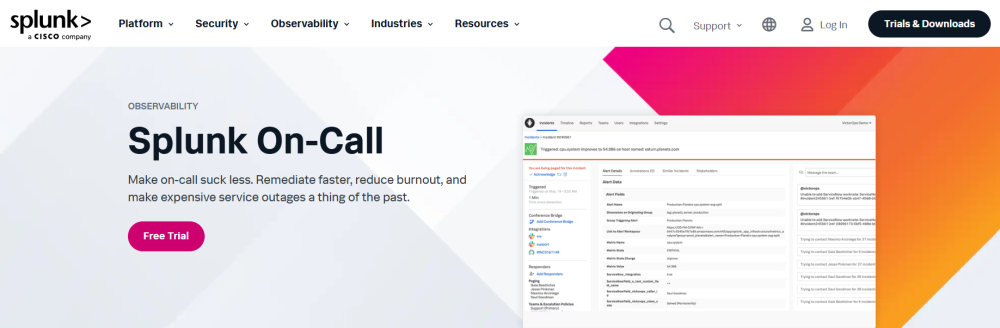
Best for: Cisco-heavy enterprises needing business transaction monitoring with deep application visibility.
AppDynamics focuses on business transaction performance, mapping application behavior to business outcomes. It auto-discovers application topology and provides code-level diagnostics.
Key Features:
- Business transaction monitoring with revenue impact tracking
- Auto-discovery of application components and dependencies
- Code-level diagnostics for Java, .NET, Node.js, and PHP
- Infrastructure monitoring for servers, containers, and cloud
- On-premises and SaaS deployment options
Pricing: Starts at approximately $50/vCPU core/month for infrastructure monitoring and application performance monitoring. For a 100-vCPU hybrid environment, the estimated cost is $5,000/month before business analytics or end-user monitoring modules.
Pricing starts from this range; verify current rates at the AppDynamics pricing page.
Pros:
- Business-centric metrics tie performance to revenue
- Strong application topology mapping
- On-premises deployment available
- Deep code-level diagnostics
Cons:
- Premium pricing above many competitors
- Complex licensing with multiple product tiers
- Cisco acquisition raises questions about long-term product direction
Best for: Large enterprises prioritizing business transaction visibility, Cisco-aligned IT organizations, teams needing code-level diagnostics.
8. Elastic APM
Best for: Teams already running the ELK stack (Elasticsearch, Logstash, Kibana) who want to add APM without adopting a new platform.
Elastic APM extends the Elastic Stack with distributed tracing, error tracking, and service maps. It integrates directly with Elasticsearch for storage and Kibana for visualization.
Key Features:
- Distributed tracing with correlation to logs in Elasticsearch
- Error tracking with stack traces
- Service maps visualize dependencies
- Self-hosted or Elastic Cloud managed options
- OpenTelemetry compatible
Pricing: Elastic OSS is free. Elastic Cloud starts at $99/month for a standard cluster. For a production hybrid environment with 30TB monthly telemetry, the estimated Elastic Cloud cost is $8,000/month, depending on retention and cluster size.
This estimate models a specific workload profile. Your actual costs will vary based on data volume and retention period.
Pros:
- Free OSS version gives full data control
- Native integration with existing ELK deployments
- Strong log correlation with APM traces
- Self-hosted option avoids vendor lock-in
Cons:
- Requires ELK expertise to operate effectively
- Elastic Cloud costs scale with usage
- Limited anomaly detection compared to AI-driven platforms
Best for: Teams with ELK skills, organizations already standardized on Elastic Stack, teams wanting self-hosted APM without vendor lock-in.
9. LogicMonitor
Best for: Managed service providers and enterprises monitoring hybrid infrastructure at scale with minimal manual configuration.
LogicMonitor provides SaaS-based infrastructure and application monitoring with auto-discovery and pre-built integrations for network devices, servers, cloud services, and applications.
Key Features:
- Auto-discovery of infrastructure and cloud resources
- 2,000+ pre-built integrations and collectors
- Unified dashboards for on-premises and cloud monitoring
- Alerting with anomaly detection
- Topology mapping shows dependencies
Pricing: Per-device pricing model, costs not publicly disclosed. Contact LogicMonitor for quotes. Third-party reports suggest pricing starts around $10/device/month for base monitoring.
Pricing starts from this range; verify current rates at the LogicMonitor pricing page.
Pros:
- Strong auto-discovery reduces manual setup
- Broad pre-built integration library
- MSP-friendly multi-tenant architecture
- Unified monitoring across environments
Cons:
- SaaS-only deployment, no on-premises option
- Pricing is not transparent, and requires sales engagement
- Limited OpenTelemetry support
Best for: Managed service providers, enterprises with large device counts, and teams needing rapid deployment with minimal configuration.
10. Splunk Observability Cloud
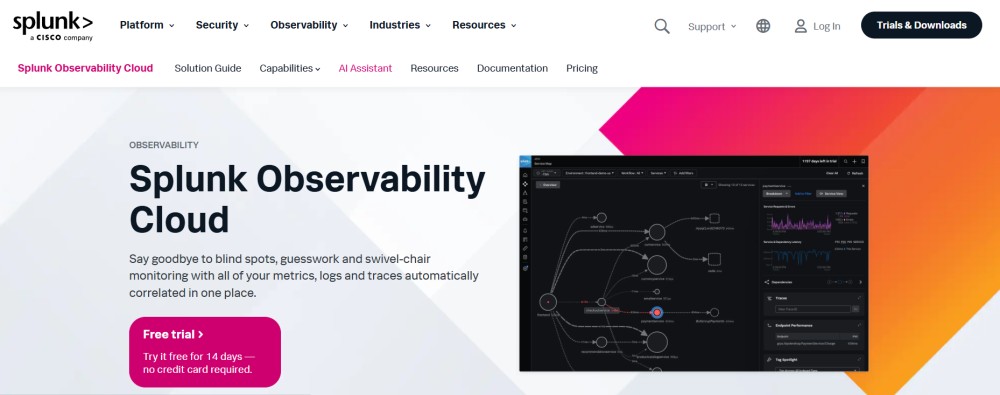
Best for: Enterprise log analytics, SIEM, and security-heavy workflows monitoring in hybrid cloud environments.
Splunk provides log aggregation, search, and analysis with strong security and compliance capabilities. It supports on-premises, cloud, and hybrid deployments.
Key Features:
- Centralized log aggregation and search across environments
- SIEM capabilities for security monitoring
- Infrastructure monitoring for servers, cloud, and containers
- Machine learning for anomaly detection
- On-premises and Splunk Cloud deployment options
Pricing: Starts at $15/host/month for infrastructure monitoring. Log ingestion pricing is typically per-GB or per-GB-per-day. For a 100-host hybrid environment ingesting 30TB monthly logs, the estimated cost exceeds $20,000/month depending on retention and indexing.
Pricing based on publicly available information as of early 2026. Custom contracts and negotiated rates are not reflected here.
Pros:
- Industry-leading log search and analysis
- Strong SIEM and compliance capabilities
- On-premises deployment option
- Mature platform with broad enterprise adoption
Cons:
- Premium pricing above most competitors
- Complex licensing model
- Heavy infrastructure requirements for self-hosted deployments
Best for: Enterprises prioritizing security and compliance, teams with SIEM requirements, and organizations already invested in the Splunk ecosystem.
How to Choose the Right Hybrid Cloud Monitoring Tool
Choosing a hybrid cloud monitoring tool requires matching your deployment model, budget, and observability depth to the platform’s strengths. Use this decision framework:
Start with deployment constraints. If data residency, HIPAA, or GDPR requirements prevent sending telemetry to third-party SaaS, eliminate cloud-only tools immediately. Your shortlist is CubeAPM, Grafana, Dynatrace on-prem, Elastic self-hosted, SolarWinds, or AppDynamics on-prem.
Model the total cost at your target scale. Most hybrid environments ingest 10TB to 50TB monthly telemetry across logs, metrics, and traces. Build a cost scenario for your actual data volume using each vendor’s public pricing page. Include hidden costs: egress fees when sending telemetry from on-premises to SaaS ($0.09/GB on AWS), per-host fees that compound with auto-scaling, and user seat costs that grow with team size.
Verify OpenTelemetry support. Native OpenTelemetry support means you can switch vendors without rewriting instrumentation. Tools like CubeAPM, Grafana, and SigNoz are OpenTelemetry-native. Datadog, New Relic, and Dynatrace support OpenTelemetry but layer proprietary features on top that create lock-in.
Test the observability depth. Not all tools monitor the same signals. Some excel at infrastructure metrics but lack distributed tracing. Others provide deep APM but weak log search. For hybrid environments, prioritize tools that unify logs, metrics, and traces in a single UI with correlation across environments.
Evaluate operational burden. Self-hosted tools like Grafana and Elastic give data control but require your team to manage upgrades, scaling, and high availability. Managed platforms like Datadog and New Relic eliminate ops burden but send data outside your infrastructure. CubeAPM bridges this gap: self-hosted inside your VPC but managed by the vendor, so you get data control without Day 2 ops overhead.
Disclaimer: The information in this article reflects the latest details available at the time of publication and may change as technologies and products evolve. Features, pricing, and plan limits can change over time. Always verify the latest information directly with the vendor before making purchasing or deployment decisions.
Frequently Asked Questions
What is hybrid cloud monitoring?
Hybrid cloud monitoring tracks performance, availability, and security across workloads running in multiple environments: public clouds like AWS and Azure, private cloud infrastructure, on-premises data centers, and edge locations. It provides unified visibility so teams can correlate metrics, logs, and traces without switching between vendor consoles.
What is the difference between multi-cloud and hybrid cloud?
Multi-cloud means using multiple public cloud providers like AWS, Azure, and GCP to avoid vendor lock-in or optimize costs. Hybrid cloud means combining public cloud with private cloud or on-premises infrastructure, often for data residency, compliance, or legacy application support.
What are the different types of cloud monitoring?
Cloud monitoring types include infrastructure monitoring that tracks servers, containers, and network resources, application performance monitoring that measures transaction latency and errors, log management that aggregates and searches log data, network performance monitoring that analyzes traffic and latency, and security monitoring that detects threats and compliance violations.
How much does hybrid cloud monitoring cost?
Pricing varies widely by platform and scale. For a 100-host hybrid environment ingesting 30TB monthly telemetry, CubeAPM costs $4,500/month, Grafana Cloud roughly $16,000/month, and Datadog approximately $27,000/month. Self-hosted open source tools like Grafana OSS are free but require infrastructure and operational overhead.
Can hybrid cloud monitoring tools work with on-premises infrastructure?
Yes, most hybrid cloud monitoring tools support on-premises infrastructure through agents or collectors that push telemetry to the monitoring platform. CubeAPM, Dynatrace, Grafana, SolarWinds, Splunk, and Elastic all support on-premises deployments. SaaS-only tools like Datadog and New Relic require network connectivity to send on-premises telemetry to their cloud.
What is OpenTelemetry and why does it matter for hybrid cloud monitoring?
OpenTelemetry is an open standard for collecting and exporting telemetry data including metrics, logs, and traces. It prevents vendor lock-in by providing a common instrumentation layer that works with any monitoring backend. For hybrid cloud environments, OpenTelemetry simplifies monitoring by letting you instrument once and send telemetry to any compatible platform.
Do I need separate tools for each cloud provider?
No, hybrid cloud monitoring tools aggregate telemetry from all cloud providers into a single platform. Using AWS CloudWatch for AWS, Azure Monitor for Azure, and Google Cloud Operations for GCP creates fragmentation and blind spots. Infrastructure monitoring platforms unify visibility across all environments.